
MSIX Packaging und moderne Bereitstellung
MSIX-Packaging-Software für Windows 11, Intune und AVD, ohne Installer-Medien.
EtherApps Forge erfasst Legacy Windows-Anwendungen von laufenden Systemen, konvertiert MSI und App-V zu MSIX und produziert Intune-fertige und AppAttach-fertige Pakete. KI-gestützte Routenführung übernimmt Signieren, Manifest-Fixups und Abhängigkeitsauflösung, wenn interne MSIX-Skills knapp sind.
7 Tage. Keine Kreditkarte. Erfassen Sie eine echte Anwendung am ersten Tag.
Pipeline
Erfassen, entscheiden, paketieren, bereitstellen.
Capture-first-Paketierung für ältere Windows-Anwendungen, mit KI-gestützter Routenwahl und bereitstellungsfertigen Ausgaben für moderne Umgebungen.
Was EtherApps Forge leistet
End-to-End MSIX. Erfassen, konvertieren, signieren, bereitstellen.
Eine Capture-First-Plattform für Anwendungspaketierung, die MSIX, AppAttach, IntuneWin und MSI aus einer Quellanwendung produziert. KI-gestützte Routenführung unterstützt Intune-Anwendungspaketierung, wenn interne MSIX-Skills knapp sind, und Entwickler können ihre eigenen Builds durch dieselbe signierte, validierte MSIX-Pipeline schicken.
Von laufenden Systemen erfassen
Installierte Windows-Anwendungen von Live-Systemen paketieren, wenn Installer-Medien verloren, unvollständig oder nicht mehr nutzbar sind.
Anwendungsmodernisierung ansehen →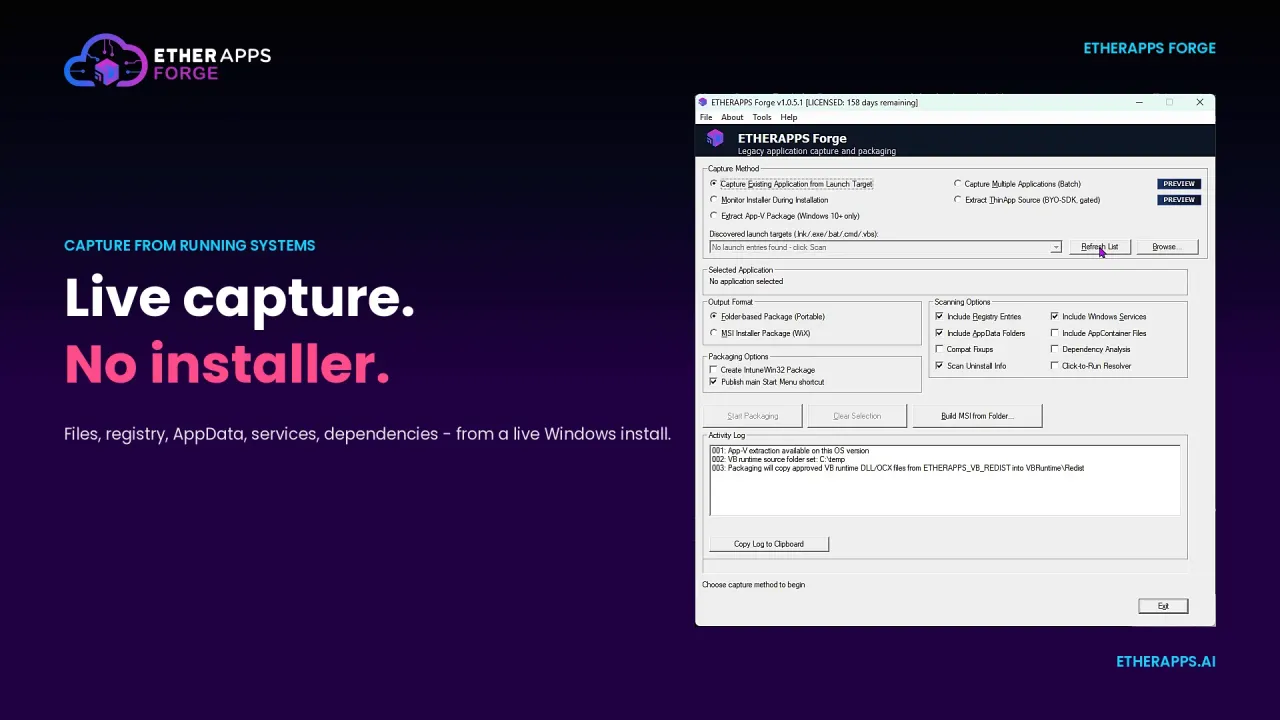
Eine Erfassung, vier Ausgaben
MSIX für Intune, AppAttach für Azure Virtual Desktop, IntuneWin für Endpunkt-Bereitstellung und MSI für Legacy-Ziele aus einer Quell-Erfassung produzieren.
Ausgabeformate ansehen →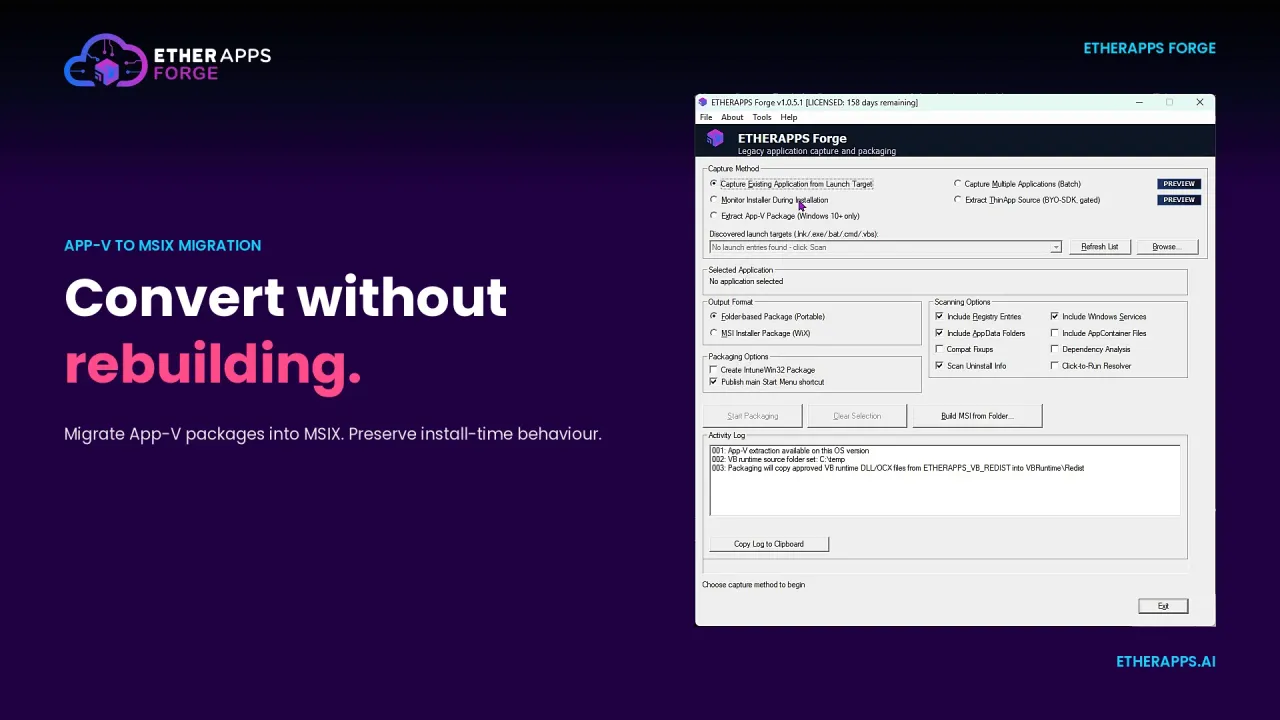
Signieren, Manifest, Modifikationspakete
MSIX-Signierung, Manifest-Fixups und Modifikationspakete inline gehandhabt, sodass der Workflow nicht in externe Werkzeuge zerfällt.
Signieren und ManifestePSF-Kompatibilitäts-Fix-ups
Legacy-Apps verhalten sich im MSIX-Container oft fehlerhaft. Forge stellt das Package Support Framework bereit, mit Datei- und Registry-Umleitung und Korrekturen des Arbeitsverzeichnisses, damit erfasste Apps ohne Codeänderungen korrekt laufen.
Kompatibilitäts-Fix-upsKI-gestützte Packaging-Entscheidungen
Eingebettete EtherAssist-Anleitung führt Packaging-Auswahl, löst Abhängigkeiten und schließt die MSIX-Skills-Lücke innerhalb des Workflows.
KI-gestütztes PackagingAbhängigkeitsanalyse
Registry- und AppData-Mapping zeigt versteckte Abhängigkeiten frühzeitig, damit Tests und Rollouts weniger Überraschungen liefern.
Abhängigkeiten erkundenEigener KI-Assistent
Anbindung an Cursor, Copilot, Claude, Codex oder lokale Modelle. Teams nutzen die KI-Tools, die sie kennen, ohne Vendor-Lock-in.
Agentic PackagingCLI und MCP für Build-Pipelines
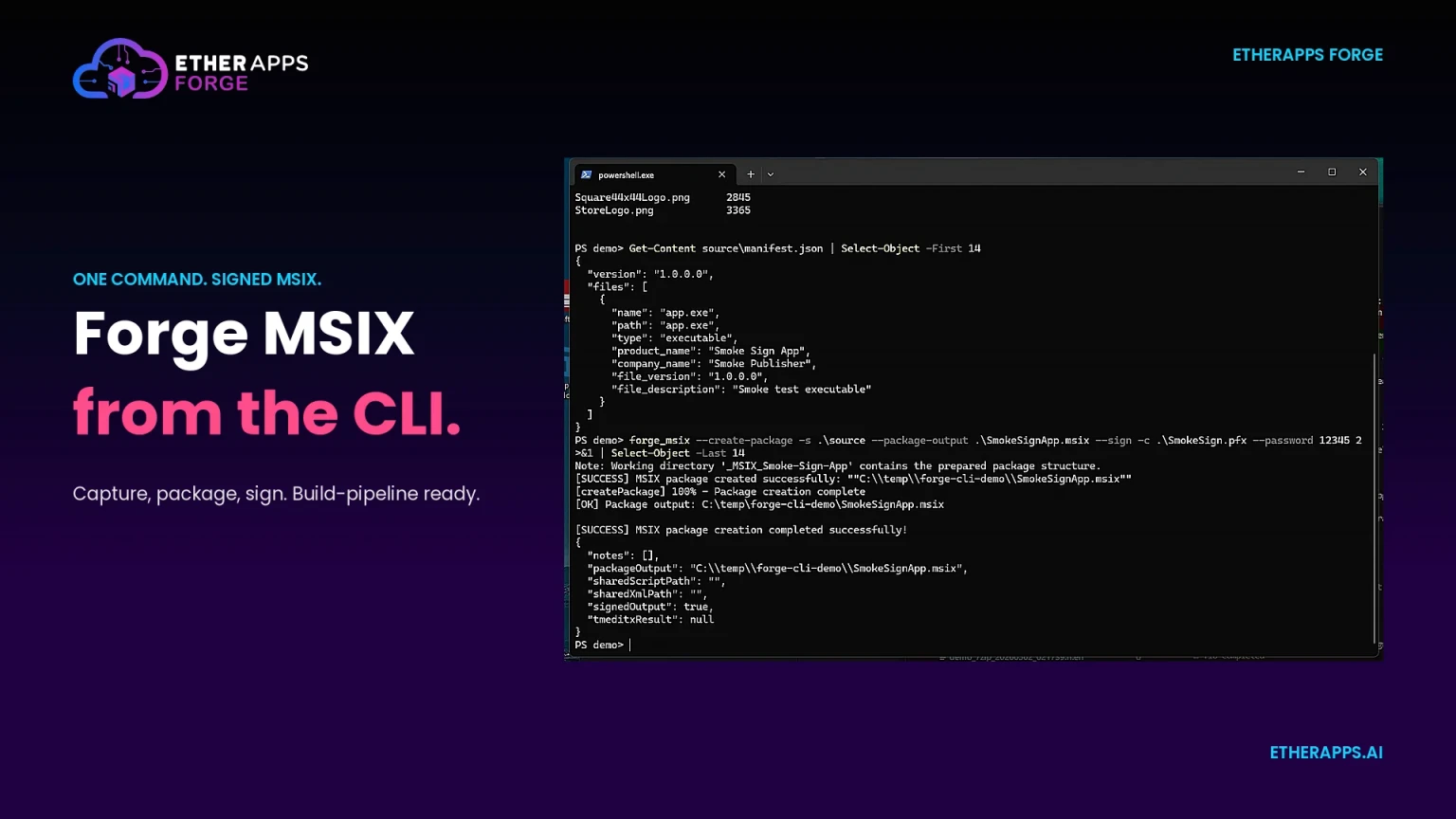
Erfassen, signieren und ein bereitstellungsbereites MSIX aus einem Befehl produzieren. MCP-Integration steuert Forge aus KI-Agenten und Pipelines.
AutomatisierungProdukt-Walkthrough
EtherApps Forge in Aktion sehen.
Ein geführter Walkthrough des Capture-First-Packagings von einem Live-System bis zu MSIX-, AppAttach-, IntuneWin- und MSI-Ausgaben, bereit für Windows 11, Intune, AVD und Cloud PC Bereitstellung.
- Live-Erfassung von einem laufenden Windows-System, keine Installer-Medien erforderlich.
- KI-gestützte Routenführung zu MSIX, AppAttach, IntuneWin und MSI.
- Signieren, Manifest und Modifikationspakete innerhalb des Workflows.
In der Plattform
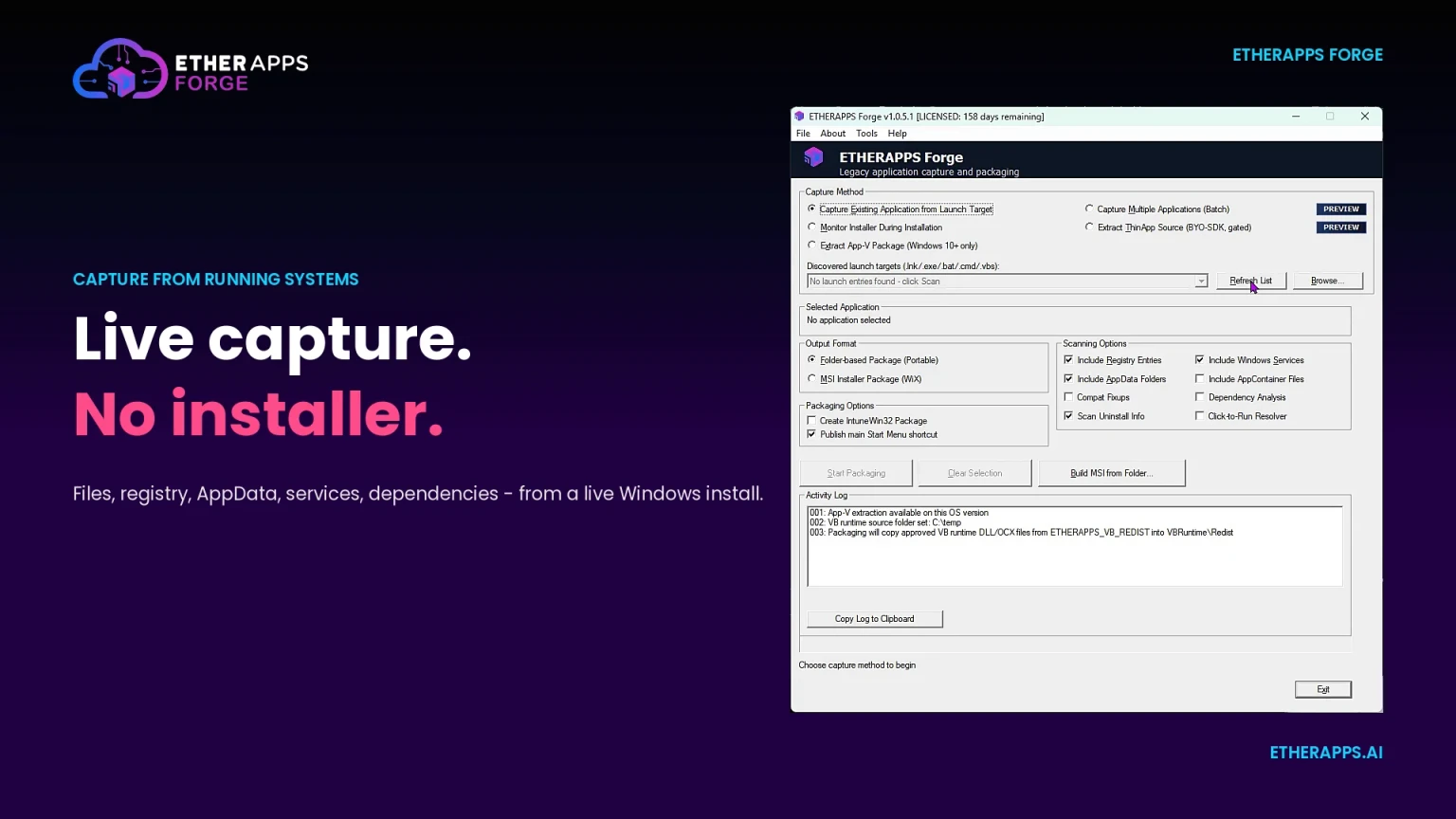
Echte Ansichten aus EtherApps Forge.
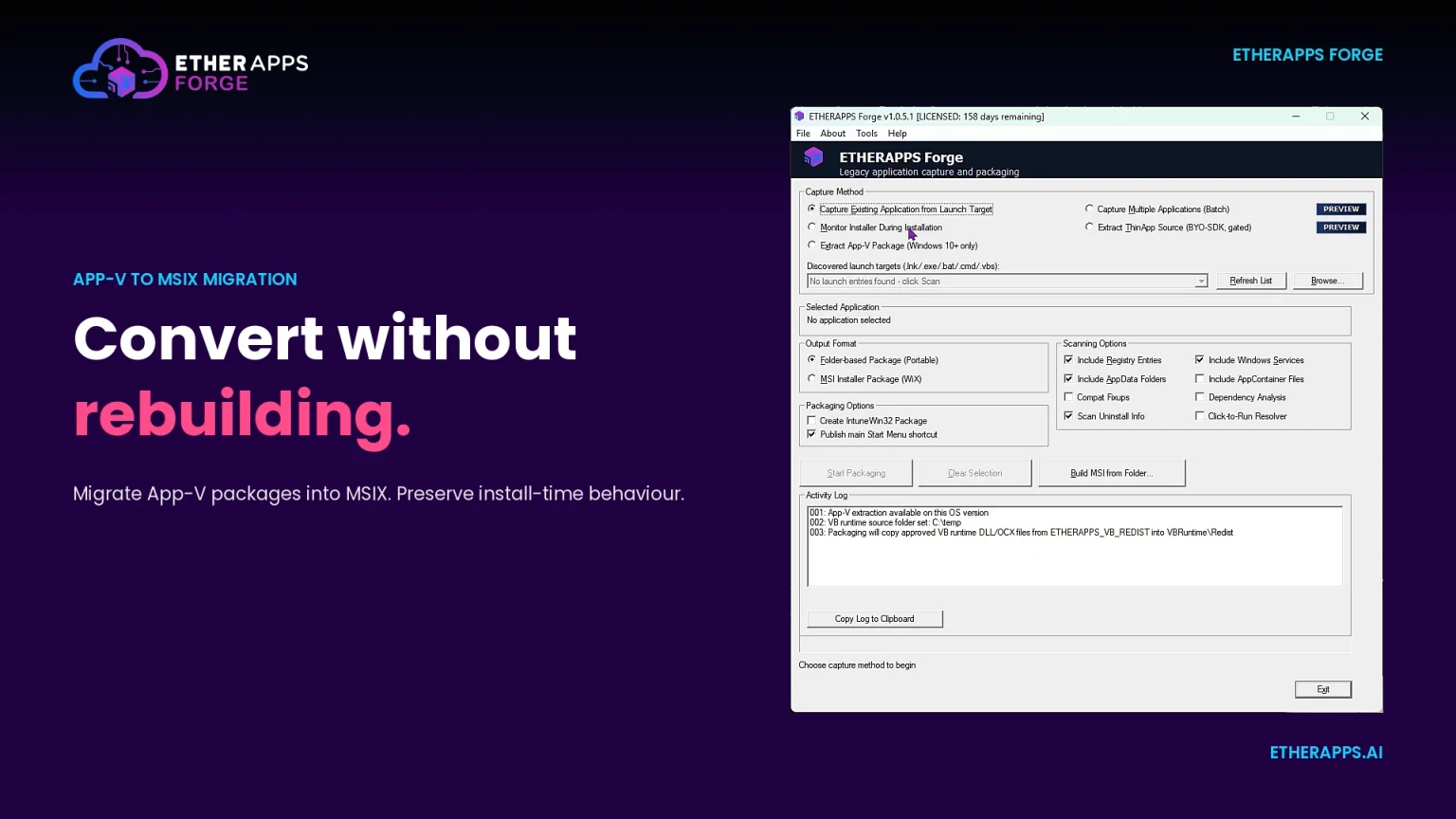
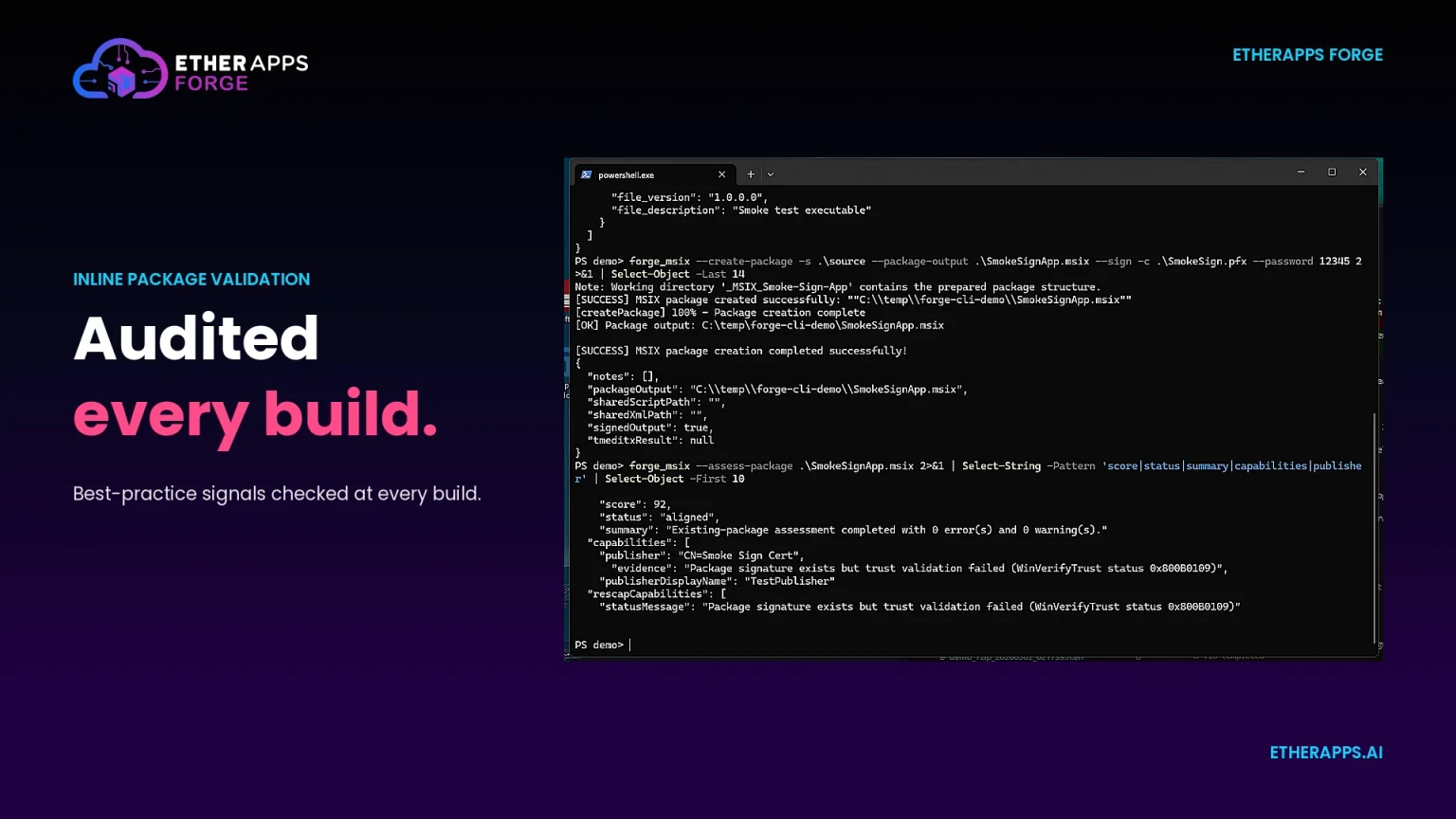
Vier Screens aus dem EtherApps Forge Capture-First-Workflow: Live-Erfassung, App-V Konvertierung, die skriptbare CLI und Inline-Paketvalidierung.
Für wen es ist
Gebaut für Windows-Modernisierungsteams, Entwickler und ISVs sowie die Partner, die im großen Stil paketieren.
Für Entwickler und ISVs
Liefern Sie Ihre eigenen Builds aus, nicht nur erfasste Apps. forge_msix ist ein Drop-in-Ersatz für makeappx und macht aus einem Build-Ordner ein signiertes, validiertes MSIX, bereit für Ihre CI-Pipeline.
MSIX-Paketierung ansehen →Für Windows Modernisierungs-Teams
Packaging-Engineers und Endpunkt-Teams nutzen Forge, um Windows 10 Bestände für Windows 11, Intune und AVD bereit zu machen, ohne aus Installer-Medien neu zu bauen.
Fit-Check buchen →Für MSPs und Packaging-Fabriken
Channel-Partner und MSP-Packaging-Fabriken nutzen Forge, um Erfassung und Ausgabe über viele Kundenumgebungen zu standardisieren, mit CLI- und MCP-Automatisierung für Skalierung.
Partnerprogramm ansehen →Pricing
Einfache Preise pro Admin.
Wählen Sie die Lizenz, die zu Ihrem Workflow passt. Beide Pläne enthalten unbegrenzte Erfassungen, App-V Konvertierungsunterstützung, App Attach Unterstützung und ein Schulungs- und Zertifizierungsprogramm.
Alle Preise zzgl. MwSt. Mengenrabatte auf Anfrage.
Beliebteste - Full Lizenz
£895/Jahr
GUI + PowerShell Modul + CLI. Pro Admin-Benutzer.
- Installer-lose Erfassung von laufenden Windows-Systemen
- MSI- und App-V- zu MSIX-Konvertierung
- PSF-Kompatibilitäts-Fix-ups für Legacy-Apps
- Entwickler- und ISV-Builds als signiertes MSIX (makeappx-kompatibel)
- AppAttach-fertiges MSIX für Azure Virtual Desktop
- IntuneWin-fertige Ausgabe aus derselben Erfassung
- MSIX-Signierung, Manifest und Modifikationspakete
- KI-gestützte Packaging-Routenentscheidungen
- Unbegrenzte Erfassungen
- Schulungs- und Zertifizierungsprogramm
- Inklusive 1 Jahr Wartung
- Pro Admin-Benutzer Lizenz
- PowerShell Modul Zugriff
- CLI-Zugriff für Scripting und Automatisierung
- KI-Automatisierung über MCP-Integration
AI Controller
Preis auf Anfrage.
Treiben Sie Forge aus Ihrem eigenen KI-Orchestrator oder skalieren Sie den eingebetteten AI Controller für eine Packaging-Fabrik. Preisgestaltung nach Umfang, Automatisierungstiefe und Pipeline-Integration im Einzelfall vereinbart.
Inklusive MCP-Integrations-Scoping und dediziertem Onboarding.
Über KI-Preise sprechenFAQ
Fragen, die Packaging-, Endpunkt- und Migrations-Teams vor einem Trial stellen.
Erfassungsmethode, Ausgabeformate, AppAttach, Intune Bereitstellung und Channel-Verfügbarkeit: die Dinge, die Teams fragen, bevor sie Forge an einer echten Anwendung testen.
Do we need the original installer to produce an MSIX package?
No. Forge captures directly from running Windows systems, so packages can be produced even when the original installer media is missing, incomplete, or no longer usable. This is one of the most common reasons teams start with Forge rather than traditional packaging tools.
Does Forge handle MSIX signing and certificates?
Yes. Signing, manifest fix-ups, and modification packages are handled inside the Forge workflow, with certificate management supported for both customer-managed and Microsoft-trusted chains. Teams do not need to switch to external signing tools for the MSIX delivery path.
Can Forge produce AppAttach packages for Azure Virtual Desktop?
Yes. The same capture produces AppAttach-ready MSIX packages for Azure Virtual Desktop, alongside IntuneWin, MSIX, and MSI outputs. Windows 365 does not currently support AppAttach, so Cloud PC delivery uses MSIX or IntuneWin from the same capture.
What happens when a legacy app misbehaves inside the MSIX container?
Forge stages the Package Support Framework as part of packaging. File and registry redirection and working-directory fix-ups are applied so the captured application behaves correctly inside the container, without changing the application source code. That covers the common failures where an app writes next to its own executable or expects a fixed install path.
Can Forge package our own application builds, not just captured apps?
Yes. forge_msix is a drop-in replacement for Microsoft's makeappx.exe, so a build folder becomes a signed, validated MSIX using the switches an existing pipeline already passes. Developers and ISVs can scaffold a manifest from the built executable, create and sign in one step, then validate and smoke-test the package as a stage in the release pipeline.
Can EtherApps Forge capture applications without the original installer?
Yes. Forge captures from running systems, which means you can package applications even when the original installer media is lost or unavailable. This is one of its most commonly used capabilities for legacy estate work.
What Windows versions does Forge support as a source environment?
Forge supports capture from Windows XP through Windows 11, covering the full range of environments typically encountered in legacy migration programmes.
Which output formats does EtherApps Forge produce?
Forge produces MSI, MSIX, App-V, IntuneWin, and MSIX AppAttach packages from a single capture. MSIX and IntuneWin cover Intune and Windows 365 delivery; MSIX AppAttach is the delivery format for Azure Virtual Desktop (Windows 365 does not currently support AppAttach). One capture, multiple modern delivery targets without re-running the capture process.
How does the EtherAssist integration work within Forge?
EtherAssist is embedded within the Forge platform and provides AI-guided routing at each packaging stage, including dependency resolution, compatibility assessments, and MSIX fix-up recommendations. It reduces the manual investigation needed when applications fail to package cleanly, and closes the MSIX skills gap for teams without dedicated packagers.
Is EtherApps Forge available on the EfficientEther channel?
Yes. EtherApps Forge is available through EfficientEther's channel partners and distributors including Northamber in the UK and ARJ Distribution across the Nordic region. Full pricing, a free trial, and an ROI calculator are available at www.etherapps.ai.
What does an automated MSIX build step look like with forge_msix in a CI pipeline?
A typical release stage calls forge_msix pack with the same flags an existing makeappx.exe invocation already uses, pointing at the build output folder, then forge_msix sign against the pipeline's certificate, and forge_msix validate to smoke-test the result before it is published as a build artifact. Because forge_msix accepts the same switches as makeappx.exe, teams usually swap the binary in an existing GitHub Actions or Azure DevOps YAML step rather than writing new pipeline logic.
Compare
Comparing application packaging vendors?
See where capture-first packaging and a self-serve trial fit against a partner-led app modernisation route.
Compare EtherApps Forge with other packaging toolsLoslegen
Eine echte Anwendung am ersten Tag erfassen und an Intune, AVD oder Cloud PC ausliefern.
Erfassen, konvertieren, signieren und bereitstellen aus einem Workflow.
Gebaut für Windows 11, Intune, AVD AppAttach und Windows 365 Endpunkte.
7-Tage Trial. Eine echte Anwendung am ersten Tag erfassen.