
Solution
Microsoft 365 cost optimisation across licences, Azure, and Cloud PCs.
You are paying every month for unused licences, oversized Azure resources, cloud storage, and stranded Windows 365 capacity. The bill will not tell you which ones. Each leaver seat and idle VM keeps charging until someone finds it, prices it, and owns the fix. EtherInsights finds the waste, names the owner, and turns it into savings you can act on next week.
From £0.79 per active user/month · 14-day free trial
Card required to start. Connect your tenant in minutes.
Seat by seat
every inactive or over-specified licence priced at its own plan rate, not a headline percentage
Per resource
oversized VMs, unattached disks, and idle services shown with utilisation and before-and-after cost
1 week
target from read-only tenant access to your first prioritised savings report

Updated 29 August 2026
Get a ballpark right-sizing estimate
Enter your current monthly Azure VM spend for a rough planning range. The calculator’s default assumption is that right-sizing and reclaim recover 10-20% of VM spend where sizing has never been reviewed, and less where it was reviewed recently; adjust the review answer to match your estate. This is a quick planning number, not an audit: connect your tenant for the real figure, backed by evidence.
Enter your monthly spend above to see an estimate.
Illustrative only: the range comes from the calculator’s default assumptions, not from your actual usage, reservations, or discounts. What drives the low and high end is how long your VMs have run without a sizing review and how many unattached disks and stale snapshots have built up. Connect your tenant in EtherInsights to get your real number, with utilisation evidence and an owner-backed action list.
Get my real number freeHow it works
From tenant access to a savings pipeline in one business week.
The first pass is deliberately read-only. Nothing changes in your tenant until you have seen the evidence and decided what is worth acting on.
Connect read-only
EtherInsights reads Microsoft 365, Azure, and Windows 365 signals using delegated read permissions. There is no agent to deploy and no change to your tenant configuration.
Establish the baseline
Licence assignment is matched against real activity, Azure resources against utilisation, and Cloud PC capacity against entitlement. The output is a ranked list of what is being paid for but not used.
Assign owners and act
Each opportunity gets a named owner, an estimated monthly impact, and a target date. Reclaim and right-size actions move through a visible queue instead of sitting in a report nobody owns.
Report and repeat
The savings pack shows before and after figures with a change log. The same review runs monthly or quarterly, so waste that comes back is caught on the next cycle rather than at the next audit.
Comparison
Native admin tooling versus EtherInsights
The Microsoft 365 admin centre, Azure Advisor, Cost Management, Microsoft Graph, and PowerShell are capable and already included. For a one-off question they are often the fastest answer. The cost shows up when the work has to run every month, across more than one tenant, with someone accountable for each action. Joining the exports by hand is engineer time you pay for every cycle. Use this table as a first pass before deciding whether tooling earns its place.
| Capability | Microsoft-native tooling | EtherInsights |
|---|---|---|
| Finding inactive users | Sign-in and per-service activity reports, exported separately and joined by hand | Licence assignment matched to real activity across services in one view, refreshed on a schedule |
| Unassigned and inactive counted together | Billing shows purchased against assigned seats; activity sits in a different report | Both in a single reclaim queue, so a paid seat cannot hide in the gap between two views |
| Azure right-sizing and reclaim | Azure Advisor flags underused VMs and Cost Management shows spend by resource, each in its own blade with no owner attached | Advisor and utilisation evidence joined to cost, with a named owner, a target date, and before-and-after figures |
| More than one tenant | One tenant at a time, repeated per customer | Multi-tenant rollup with per-customer filtering and report packs for MSPs |
| Change over time | Point-in-time snapshots; trends need a Log Analytics pipeline or a saved spreadsheet history | Trended by default, so drift and seasonal patterns are visible without building a pipeline |
| Ownership and follow-through | Reports do not carry an assignee or a due date | Every opportunity has a named owner, a target date, and evidence that it closed |
| Evidence for finance | Raw exports that need reformatting before a budget conversation | A savings pack with before and after figures and a change log that stands up in governance review |
The problem
Finance sees the total. Ops sees the line items. Nobody sees the waste clearly enough to act.
Microsoft 365 licences, Microsoft 365 Apps, Azure resources, cloud storage, and Windows 365 Cloud PCs live in different admin centres with different owners. The cloud bill shows what was charged, but not what should still exist. A spreadsheet catches up once a quarter. In between, every leaver seat and idle VM keeps charging, and the person who could stop it does not know it is there.
Fragmented views
Licence usage sits in the Microsoft 365 admin centre. Resource cost sits in Azure. Cloud PC utilisation and storage growth sit somewhere else again. Each view is partial, and nobody owns the combined picture.
Savings without owners
Opportunities get surfaced, then stall. Reclaim, right-size, and cloud waste removal work needs a named owner, a deadline, and follow-up evidence. Without those, it slips into next quarter.
One-off spreadsheets
A consultant-led savings sprint helps once. What teams need is a repeatable monthly or quarterly rhythm for cloud spend that survives re-orgs, plan changes, and governance pressure.
Waste that regenerates
Leavers, project spin-ups, plan changes, and pilot seats create new waste every month. A one-off cleanup clears the backlog and does nothing about the rate at which it refills.
No agreed definition of unused
Finance, IT, and the service owner often disagree on what counts as an inactive seat or an idle resource. Without a shared rule and a visible history, every reclaim decision restarts the same argument.
What changes
A measurable monthly savings rhythm, not another dashboard.
Savings pipeline with named owners
Every opportunity has an assignee, an estimated monthly impact, and a target close date. Reclaim, right-size, and cloud waste actions move through a visible queue. Managing cloud cost becomes operational work, not a finance complaint.
M365 licence reclaim in weeks, not quarters
Inactive users, underused SKUs, duplicate premium licences, Microsoft 365 Apps waste, and leaver-cleanup gaps are surfaced automatically with reclaim actions ready for IT to run.
Azure right-sizing with audit evidence
Oversized VMs, idle App Services, unattached disks, stale snapshots, and other expensive cloud resources are flagged with before-and-after cost. A change log supports governance review.
Storage and Cloud PC waste in the same review
SharePoint and OneDrive consumption against the included quota, and Cloud PC capacity against entitlement, sit in the same savings pipeline as licences and Azure. Waste that usually falls between two owners finally gets counted.
A number finance will accept
Savings are reported with before and after figures, the date each action closed, and who signed it off. The total that reaches the budget review is traceable, not estimated.
Start here
Start with a savings report, not a sales cycle.
See this working on your own tenant.
Guides and analysis on this topic
The operating view
One review across licences, Azure, cloud infrastructure, and Cloud PCs.
Microsoft 365 licences, Azure spend, cloud infrastructure, and Cloud PC fleet data feed a single review pipeline: inactive licences to reclaim, idle resources to remove, right-size opportunities to resize, and cohort drift to re-plan. The output is a savings evidence pack with owners and next actions for finance and operations.
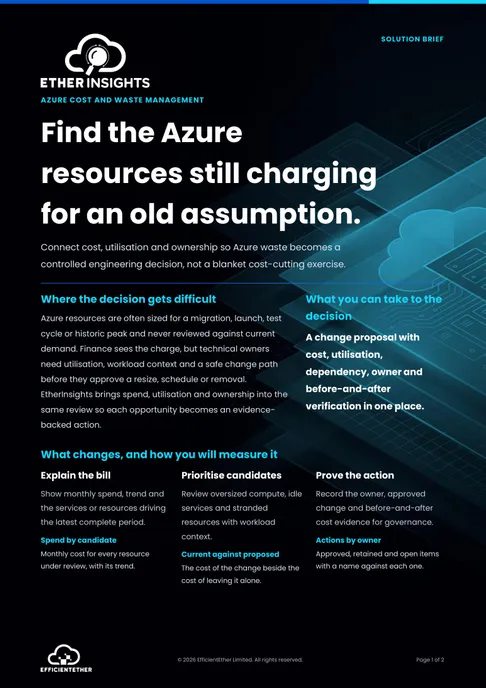
Solution brief
Azure Cost and Waste Solution Brief
Two pages on this decision: what to measure, who has to sign it off, and what should be true before you commit. Free, and written to be forwarded.
Get the solution briefVideo walkthrough
See savings evidence flow.
A focused walkthrough of Microsoft 365 licence waste, Azure spend, and owner-backed savings actions.
- Connect Microsoft 365 and Azure savings signals.
- Turn waste into owner-backed actions.
- Use the clips below for focused cost views.
Cost clips
Microsoft 365 and Azure cost views, broken down.
Use these shorter clips when finance, IT, or MSP teams need a focused cost conversation about reducing cloud spend, managing cloud costs, and deciding what should stay, change, or be removed.
Microsoft 365 cost optimisation
Reduce licence waste by finding inactive users, underused SKUs, Microsoft 365 Apps assignments, business plan drift, and reclaim candidates.
Azure cost optimisation
Review Microsoft Azure subscription, Azure portal, cloud resources, data transfer, and resource evidence for right-sizing and stranded-resource cleanup.
How we deliver it
EtherInsights is the engine. Delivery is your call.
EtherInsights handles estate-wide visibility, Azure cost evidence, the monthly savings report, the reclaim workflow, and the governance trail. You can self-serve on a trial, have us run the first review with you, or bring in an MSP partner to operate the cadence.

EtherInsights is the operating view for Microsoft 365, Azure, and Windows 365: day-to-day cost management, licence control, and full Windows 365 Cloud PC lifecycle management, plus tenant, user, security, device, and Intune reporting.
Where this fits
- Quarterly Microsoft 365 licence true-up and leaver reclaim.
- Azure right-sizing and stranded-resource cleanup across subscriptions.
- Optimize cloud costs across idle resources, cloud storage, data transfer, and cloud infrastructure.
- Windows 365 and Cloud PC capacity review against licence entitlement.
- Finance-led FinOps pilot that needs a credible engineering partner.
- MSP running cost optimisation as a recurring customer engagement.
- Reclaiming licences inside the leaver process rather than at the next true-up.
- Reviewing SharePoint and OneDrive consumption against the included quota before buying more storage.
- Checking Copilot seat assignment against real usage before a renewal or an expansion.
FAQ
Questions finance and IT ask about Microsoft 365 and Azure cost.
Plain answers on licence waste, unassigned seats, storage, and Microsoft 365 licence optimisation, plus what the native admin tooling does and does not cover.
How much do unused Microsoft 365 licences cost?
It depends on how many seats sit idle and which plans they are on: an unused premium seat wastes far more than a basic one. Rather than rely on a headline figure, measure your own tenant. A first scan of most estates finds a meaningful share of licences inactive or downgradeable, and each one maps to a monthly amount you can reclaim.
How do I find unassigned Microsoft 365 licences?
Unassigned licences are seats you pay for that are not allocated to any user. The Microsoft 365 admin centre billing view shows purchased versus assigned counts. EtherInsights goes further. It tracks unassigned and inactive licences together across the tenant, names an owner, and turns the gap into a reclaim action you can act on.
What is Microsoft 365 licence optimisation?
Microsoft 365 licence optimisation is the ongoing work of matching paid seats to real usage: reclaiming unassigned and inactive licences, downgrading over-specified plans, removing duplicates, and cleaning up leavers. Run as a regular rhythm rather than a one-off audit, it keeps spend aligned to the people and workloads that actually need each plan.
Can I do Microsoft 365 cost optimisation with PowerShell and the admin centre?
Yes, for a point-in-time answer. The admin centre shows purchased against assigned seats. Microsoft Graph or PowerShell can pull sign-in and per-service activity. What does not scale is the monthly work: joining those exports, repeating it across more than one tenant, keeping enough history to see drift, and making sure each finding lands with someone accountable. That maintenance cost usually decides whether tooling is worth it, not the reporting itself.
Do shared mailboxes need a Microsoft 365 licence?
A shared mailbox does not need a licence while it stays within its free storage quota and nobody signs into it directly. It does need one if it grows beyond that quota, or if you apply features such as In-Place Archive or litigation hold. Licensed shared mailboxes that no longer need to be licensed are easy to miss, because in the billing view they look exactly like ordinary assigned seats.
How do we reduce SharePoint and OneDrive storage costs?
Start by separating consumption from entitlement. Every tenant includes a base quota plus an allowance per licensed user, and you only pay for what sits above it. The recoverable waste is usually orphaned OneDrive accounts left by leavers, old file versions and recycle bin contents that retention has not cleared, and duplicated project sites. Measure consumption growth against the included quota before adding storage. The cheapest additional gigabyte is the one you release.
Should we downgrade users from Microsoft 365 E5 to E3?
Only where the E5 capabilities are genuinely unused, and check what each user depends on before moving them. E5 carries security, compliance, analytics, and voice capabilities that are easy to miss in a usage report, because they run in the background rather than as an app someone opens. The safe method is to identify the specific E5 features in use per user, confirm with the service owner, and downgrade in cohorts rather than in one sweep.
What changed for Microsoft 365 licensing in 2026?
The entitlement split moved as well as the price. Capabilities including Microsoft Defender for Office Plan 1, Remote Help, and Intune Plan 2 moved down into Microsoft 365 E3, while Endpoint Privilege Management, Cloud PKI, and Enterprise App Management remain E5. The practical consequence is that some organisations now pay separately for an add-on their base plan already covers. Check any add-on against your current entitlement before renewing it rather than against last year.
How do we avoid paying for Copilot seats nobody uses?
Treat them like any other premium licence: assign in cohorts, set a review date at the point of assignment, and check real usage before the renewal rather than after it. The pattern we see most often is a pilot group that was sized generously, never trimmed, and quietly renewed. Reviewing assignment against usage on a fixed cycle costs nothing and catches it before the commitment rolls over.
How is this different from a software asset management or FinOps tool?
Scope and depth. Broad SAM and FinOps platforms cover many vendors at a shallower level for each one, which suits a large procurement function. EtherInsights goes deep on a single estate, Microsoft. Licence, Azure, storage, and Cloud PC waste are assessed together with the operational context you need in order to act. If you already run a broad SAM platform, this complements it on the Microsoft detail rather than replacing it.
How do we reclaim Microsoft 365 licences when someone leaves?
Build the reclaim into the offboarding step rather than a periodic audit. The gap between the leaving date and the reclaim date is pure waste, and it compounds. In practice that means converting the mailbox where it has to be retained, removing the licence, and recording the date it happened. Estates that only reclaim at the annual true-up typically carry several months of leaver licences at any point in the year.
How often should we review Microsoft 365 and Azure spend?
Monthly for licences and Azure resources, quarterly for the structural questions such as plan mix and storage growth. Monthly is frequent enough to catch leaver and project waste before it compounds, and light enough to survive a busy quarter. Anything less frequent tends to drift into an annual audit, which finds the same problems every year.
Still paying for licences and VMs nobody is using?
Read-only access is enough for the first savings report: every idle seat and oversized VM priced at its real rate, with an owner against each action. Most first reports land within one business week, and the figure is yours to forward to whoever signs off the budget.
Cloud cost optimisation sources
Reviewed 26 August 2026.
Related solutions
Related glossary terms
Start here
Start with a savings report, not a sales cycle.
One business week of read-only access, one review call, one prioritised savings pipeline you can take to finance. Nothing changes in your tenant until you decide. No commitment to continue.
- Licences: every paid seat is matched to real sign-in and service activity, then priced at its plan rate. The reclaimable share is smallest where leavers are reclaimed at offboarding and largest where reclaim waits for the annual true-up.
- Azure: right-sizing and reclaim savings depend on how long VMs have run without a sizing review, and on how many unattached disks and stale snapshots have built up. Estates that have never been reviewed sit at the high end. Recently reviewed estates sit at the low end.
- Timing: the first savings report is targeted within one business week of read-only access. Estates with many tenants or subscriptions take longer, and we say so before we start.
- How we measure this: the figures on this page come from first-scan findings in EtherInsights, matched to real sign-in, service, and utilisation data, not from industry surveys. Your own tenant sets the number, and the savings report gives it to you with the evidence.