
Solution
Keep legacy applications moving when packaging becomes the blocker.
EtherApps Forge-led application modernisation and migration helps Windows estates assess, repackage, and move legacy apps to Windows 11, Intune, MSIX, and App Attach.
7-day free trial of the full workflow · licences include training and support
No credit card. Capture a real application on day one.
Capture-first
workflow when installer media is missing or incomplete
Portfolio-wide
migration readiness across the legacy application estate
4 outputs
MSIX, MSI, IntuneWin, AppAttach from one capture
The problem
The migration plan is often fine. Application readiness is the blocker.
Legacy applications become migration blockers when installer media is missing, packaging routes are unclear, or teams cannot see the real application footprint early enough in the programme.
Installer media is missing or incomplete
Legacy applications often survive long after the clean installer is gone, which means packaging work starts with uncertainty instead of a clear route. Forge can capture the installed footprint from a running system when the original media is missing.
Packaging decisions are delayed by poor visibility
If teams cannot see files, services, registry changes, or AppData dependencies clearly, route decisions become slower and riskier.
Modern outputs still need an execution path
MSIX, Intune, and App Attach may be the destination, but the real blocker is choosing and delivering the route from the live application footprint. The same capture can support MSIX, MSI, IntuneWin, and AppAttach outputs where they fit the target estate.
What changes
Outcome blocks
Faster application readiness
Reduce migration delays caused by missing installer media, packaging backlog, and conversion complexity. Package work can start from a controlled VM or reference machine, then move through review before release.
Improved delivery predictability
Increase confidence in wave planning by reducing unknowns in application preparation earlier.
Lower operational drag on migration teams
Give endpoint and release teams clearer packaging throughput and dependency control.
Start here
Accelerate migration by resolving app blockers first
See this working on your own tenant.
The modernisation view
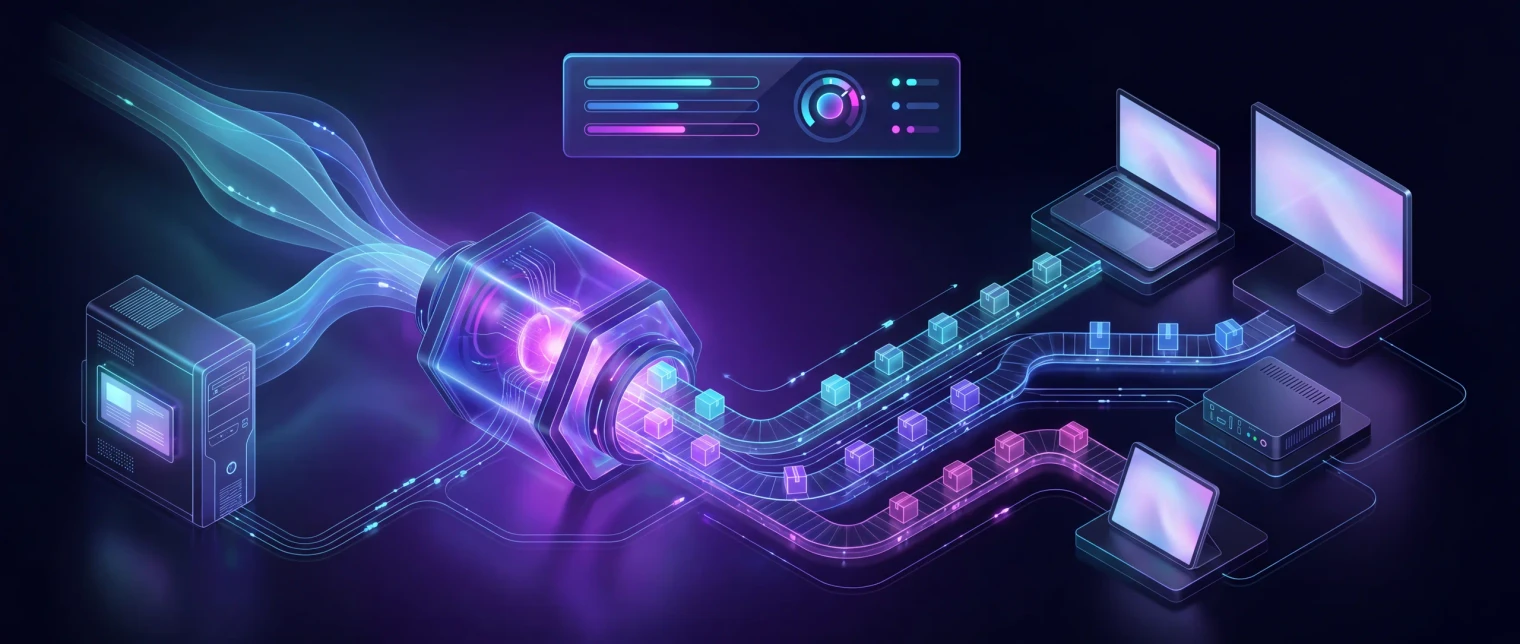
Legacy estate to modern delivery in five clear stages.
Discover and inventory the legacy estate, capture each application from a live system (files, registry, dependencies), convert and sign through EtherApps Forge, and route into modern delivery: MSIX for Windows 11, AppAttach for AVD, IntuneWin for Intune, or MSI for legacy targets.
How we deliver it
Product mapping
This route is led by EtherApps Forge as the capture-first route into modern packaging and deployment-ready outputs, with optional support from other portfolio components where wider planning context is needed. Teams can start with a 7-day Forge trial on one real packaging blocker.
EtherApps Forge captures installed Windows applications from running systems, analyses the real application footprint, supports AI-guided packaging decisions, and produces deployment-ready outputs for modern environments.
FAQ
Application modernisation FAQ
Short answers for IT, endpoint, and packaging teams planning Windows 11, Intune, MSIX, App Attach, or legacy app migration work.
What is application modernisation?
Application modernisation is the work of assessing legacy applications, choosing the right package route, and preparing them for current Windows delivery. In this route, EtherApps Forge captures the running application footprint, then helps produce MSIX, MSI, IntuneWin, or AppAttach outputs where suitable for Windows 11, Intune, AVD, or Cloud PC delivery.
How do I move legacy Windows apps to Windows 11?
Start by inventorying the app estate, identifying missing installers and compatibility blockers, then package each app into the route that fits the deployment target. Forge supports capture-first packaging, signing, manifest fix-ups, Intune-ready output, and App Attach paths so Windows 11 migration is not blocked by every legacy application.
What if the original installer is missing?
A missing installer is not always a blocker. Forge can capture a live installation from a working machine or controlled VM, including files, registry, AppData, services, and dependencies. That capture can then be reviewed and turned into modern package outputs without waiting for a vendor re-download.
What if the app runs on Windows but breaks once it is packaged?
That is common with older applications, and it is normally a container behaviour problem rather than a broken app. Writing files next to the executable, assuming a fixed install path, or reading a machine registry location all behave differently inside MSIX. Forge stages the Package Support Framework to correct those cases with file and registry redirection and working-directory fix-ups, so the application runs as expected without a code change or a vendor rebuild.
Does this only cover legacy apps, or can we package software we build ourselves?
Both. Alongside capture-first packaging for legacy applications, the forge_msix CLI is a drop-in replacement for Microsoft's makeappx.exe, so a development team or software vendor can turn a build folder into a signed, validated MSIX inside an existing CI pipeline. Estates modernising a mix of bought-in and internally built software use the same packaging route for both.
MSIX or App Attach: which should I use?
MSIX is the modern package format for Windows delivery, while App Attach is used for Azure Virtual Desktop app delivery where it fits the environment. Forge helps choose the output route per application, with MSIX, MSI, IntuneWin, and AppAttach outputs available from the same capture-led workflow.
Is there an application packaging tool built for MSPs managing multiple client tenants?
Yes. EtherApps Forge's capture-first workflow and Forge MSIX CLI are built to run the same way across every client environment: capture, AI-guided routing, sign, and validate, whether that is one estate or many. MSP packaging factories and channel partners use the CLI and MCP automation to standardise output across customer estates instead of relearning a different packaging process per client, with a human reviewer still signing off each package before release.
How long does application modernisation take?
Timing depends on the number of apps, installer quality, dependencies, review gates, and target platforms. The practical starting point is one real application: use the 7-day EtherApps Forge trial to capture, package, and validate a blocker before planning the wider migration wave.
Can every legacy application be modernised this way?
No, and the capture-first assessment is what surfaces that early rather than after packaging has already started. Applications with kernel-mode drivers, low-level hardware dependencies such as USB dongles, or services that must run outside a user-session container generally cannot be safely packaged as MSIX or delivered through App Attach. Those apps get routed to a virtualisation, Azure Virtual Desktop, or explicit-replacement conversation instead of a package that will fail in production.
What does an app need to be App Attach-ready for Azure Virtual Desktop?
A signed MSIX package staged as a VHDX or CIM disk image on a file share your session hosts can reach, with the full certificate chain trusted on those hosts. Forge's capture-and-convert output produces that signed MSIX; the AVD-side storage and session-host configuration remains your own Azure setup.
Windows 10 support ended in October 2025 - does that change the migration timeline?
It raises the stakes rather than resetting them. Windows 10 reached end of support on 14 October 2025, and commercial Extended Security Updates only run until 13 October 2028 at the latest, a paid bridge, not a long-term plan. If legacy applications are still the blocker to moving devices onto Windows 11, that packaging backlog is now sitting on the clock, not just the roadmap. Forge's capture-first route exists specifically so the one or two stubborn applications don't hold up the rest of the estate.
Our legacy installer needs someone to click through a wizard - can that still go through Intune?
Not as-is. Intune requires Win32 apps to install silently, with no user interaction, before they can be wrapped with Microsoft's own Content Prep Tool and uploaded, an installer that needs a person at the keyboard fails that requirement outright. This is one of the most common reasons a legacy app stalls at the Intune stage. Forge's capture, combined with Package Support Framework fix-ups, is built to get around installers that were never designed for unattended, silent deployment.
Can I use Forge to modernise apps we deliver through Citrix?
Yes. Citrix Virtual Apps and Desktops and Citrix DaaS natively support MSIX packages and MSIX app attach on session hosts, so a signed MSIX from Forge's capture-first workflow deploys straight into a Citrix estate the same way it deploys to Intune or AVD. That makes Forge a way to modernise the App-V or MSI apps sitting inside an ageing Citrix estate, converting them to MSIX or a clean MSI, without needing a separate Citrix-specific packaging tool or a partner-led project.
Does Forge support Parallels RAS application delivery?
Yes, for the same reason as Citrix: Parallels RAS (from version 19 onward) natively delivers MSIX packages and MSIX app attach to RDSH, VDI, and AVD session hosts. Forge's capture-and-convert output is a standard signed MSIX, so it imports directly into Parallels RAS's application packages feature without any Parallels-specific conversion step.
Application modernisation sources
Reviewed 25 August 2026.
Related solutions
Related glossary terms
Start here
Accelerate migration by resolving app blockers first
Use a delivery-focused session to map packaging priorities, route decisions, and rollout dependencies.
- Capture-first packaging lets teams start from a working application when original installer media is missing or unreliable.
- One capture can produce MSIX, MSI, IntuneWin, and AppAttach outputs, helping the same app reach Intune, AVD, and Cloud PC delivery routes where suitable.
- VM-based capture and human review keep package route decisions visible before release.