
Solution
Modernise the applications on your Omnissa App Volumes estate, not just the platform.
Omnissa App Volumes (formerly VMware App Volumes) delivers EXE, MSI, MSIX, and ThinApp applications natively. The platform side of a Horizon and App Volumes refresh is usually well understood; the applications sitting on it, often packaged years ago as ThinApp or native installs, are the part that stalls. EtherApps Forge captures those applications from a live install, even when the original installer is gone, and produces a signed MSI or MSIX that App Volumes attaches the same way it always has.
7-day free trial of the full workflow · licences include training and support
No credit card. Capture a real application on day one.
No rebuild
App Volumes already delivers EXE, MSI, MSIX, and ThinApp natively
No installer
rescue legacy apps when the installation media is lost or the vendor portal is gated
Low cost, self-serve
a 7-day Forge trial on one real app instead of a partner-led packaging project
The problem
Why the application backlog survives every platform refresh.
Plain version: the Horizon and App Volumes environment gets refreshed, but the applications on it are years old, several were packaged as ThinApp before that format fell out of favour, and nobody is confident repackaging them from scratch. IT version: an ageing App Volumes estate carries a backlog of ThinApp and native-install applications with unclear dependencies, uncertain compatibility with a current App Volumes release, and no fast route to a modern package format. Both versions need the same answer: capture what is actually installed, convert it to a package App Volumes already knows how to deliver, and do it without a full repackaging project per app.
ThinApp packages are ageing out
ThinApp was a common App Volumes packaging route for years. The original build environment, the sequencer project, and the person who built it are often long gone, leaving a working ThinApp package that nobody can safely rebuild or update.
The installer for the underlying app is missing
Whether the app was originally delivered as ThinApp, a native install, or an AppStack, the source installer frequently disappeared years before anyone needed to repackage it, so a from-scratch rebuild starts with detective work, not packaging.
Repackaging looks like a bigger project than the platform refresh
Teams will happily plan a Horizon or App Volumes version upgrade, but a parallel repackaging project for every legacy app on the estate is enough to make the whole migration slip, especially when packaging skills are scarce.
Nobody wants to touch a package that still works
A working ThinApp or old AppStack that nobody wants to risk breaking becomes the reason the underlying platform can't be upgraded cleanly, even though the platform itself is ready to move.
What changes
What good looks like after the assessment
A real inventory of what each legacy package actually does
Forge captures the application's files, registry, services, and dependencies from a live install, whatever format it currently ships in, giving you a documented footprint instead of a package nobody wants to open.
A signed MSI or MSIX, ready for App Volumes
The capture becomes a signed MSI or MSIX package. Omnissa App Volumes delivers both formats natively today, so there's no proprietary rebuild step and no separate App Volumes-specific packaging tool to learn.
A modernisation path that doesn't block the platform refresh
Legacy ThinApp and native-install applications stop being the reason a Horizon or App Volumes version upgrade gets delayed, because the application side of the work runs on its own track.
A lower-cost route than a partner-led packaging project
A 7-day EtherApps Forge trial on one real application tests the approach before committing to a wider repackaging programme, instead of starting with a quote-only packaging engagement.
Start here
Stop letting the application backlog hold back the platform refresh.
See this working on your own tenant.
Where Forge fits on an App Volumes estate
Capture the application, not the platform, then let App Volumes deliver it as it always has.
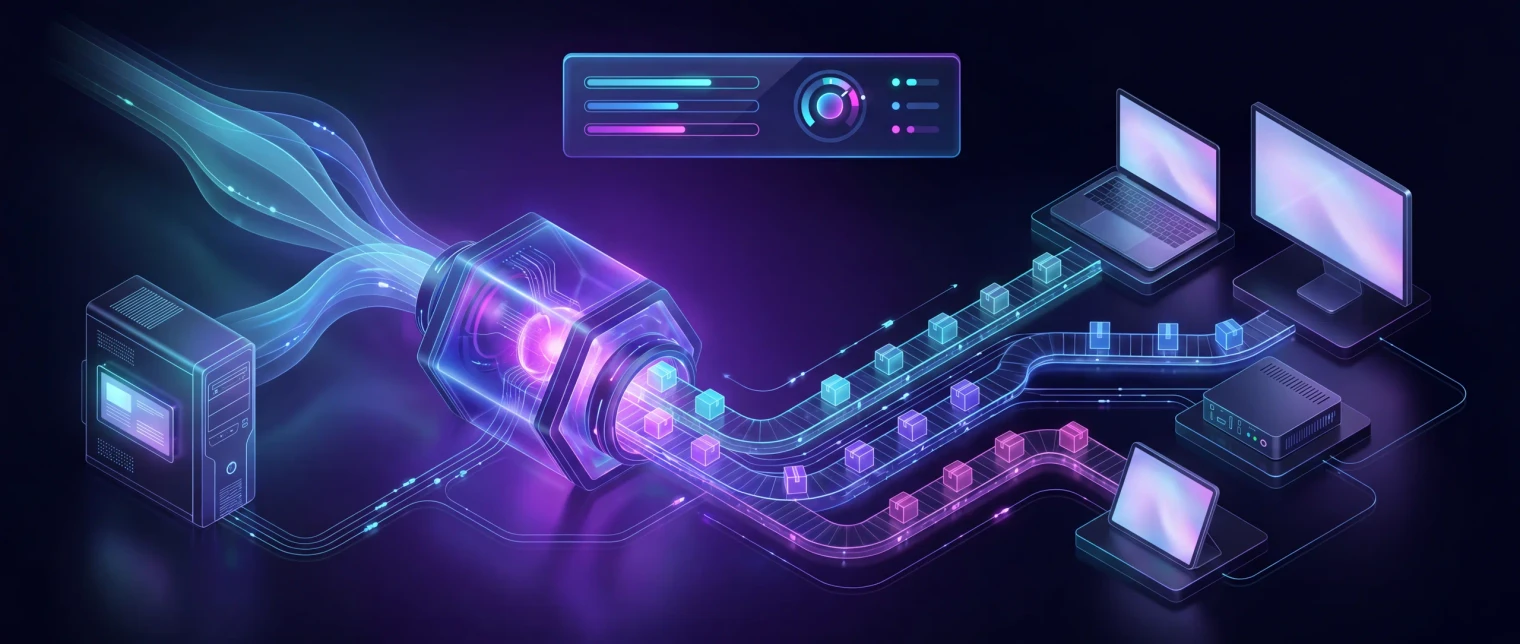
Forge captures the installed application footprint from a live machine or controlled VM, whether it was originally packaged as ThinApp, a native install, or something undocumented. That capture becomes a signed MSI or MSIX, which Omnissa App Volumes attaches the same way it delivers any other MSI, MSIX, EXE, or ThinApp package today, no proprietary AppStack rebuild required.
Walkthrough
See the same capture-first packaging that feeds App Volumes, Citrix, and Parallels RAS.
A short walkthrough of legacy app capture from a working machine, package output, and a Windows 11 compatibility verdict - the same signed MSI and MSIX output that Omnissa App Volumes, Citrix, and Parallels RAS all deliver natively.
How we deliver it
How EfficientEther covers this route
EtherApps Forge leads. Forge captures the application directly from a live install, whatever format it currently ships in (ThinApp, native install, or an existing AppStack), and produces a signed MSI or MSIX from that capture. Omnissa App Volumes already delivers MSI, MSIX, EXE, and ThinApp applications natively, so the output attaches the same way any other App Volumes-delivered application does today. EtherInsights joins where the same programme also needs broader Windows 365 or Azure Virtual Desktop migration planning alongside the App Volumes modernisation work.
EtherApps Forge captures installed Windows applications from running systems, analyses the real application footprint, supports AI-guided packaging decisions, and produces deployment-ready outputs for modern environments.

EtherInsights is the operating view for Microsoft 365, Azure, and Windows 365: day-to-day cost management, licence control, and full Windows 365 Cloud PC lifecycle management, plus tenant, user, security, device, and Intune reporting.
Where this fits
- Ageing ThinApp packages with no available source project: capture from a live install and convert to MSI or MSIX instead of rebuilding the sequence from scratch.
- Horizon or App Volumes version upgrades stalled by application uncertainty: modernise the application backlog on its own track so the platform refresh isn't blocked.
- Native-install applications on App Volumes with lost installer media: rescue from a working machine the same way as any other legacy app.
- Estates consolidating multiple ageing AppStacks into a smaller, better-documented application set before a wider migration.
- MSP-managed Horizon or App Volumes estates needing a repeatable, lower-cost packaging pass across several customer tenants.
FAQ
Questions buyers usually ask about modernising an App Volumes estate.
Plain answers for IT leads and Omnissa/VMware Horizon administrators planning an App Volumes refresh.
Does EtherApps Forge produce a native App Volumes AppStack?
No, and it doesn't need to. Omnissa App Volumes already captures and delivers EXE, MSI, MSIX, or ThinApp applications natively through its own packaging console. Forge's job is upstream of that: capture the legacy application from a live install and produce a signed MSI or MSIX, which App Volumes then delivers the same way it delivers any other MSI, MSIX, EXE, or ThinApp application today.
We have old ThinApp packages with no source project left. Can they be modernised?
Yes. Forge captures the application from a live install where the ThinApp package is currently running, picking up the real files, registry, and dependencies, rather than needing the original ThinApp sequencer project. That capture becomes a signed MSI or MSIX, giving you a documented, rebuildable package instead of a ThinApp nobody can safely touch.
Do we need to migrate off App Volumes to use this?
No. This is about modernising the applications running on your existing App Volumes estate, not replacing the platform. The MSI or MSIX output from Forge is delivered through App Volumes the same way it delivers any other package today.
Is this only for VMware/Omnissa Horizon, or does it help with a wider migration off VDI?
Both. The immediate use is modernising the application backlog on your current Horizon and App Volumes estate. If the longer-term plan also involves moving some or all of that estate to Windows 365 or Azure Virtual Desktop, the same MSI or MSIX capture supports AppAttach and IntuneWin outputs for that migration too, so the packaging work isn't wasted if the platform changes later.
How is this different from a full repackaging project with a systems integrator?
Cost and starting commitment, mainly. A capture-first Forge trial validates the approach on one real application for a fraction of the cost of a quote-only, partner-led packaging engagement, before you decide whether to run it across the wider estate. You're not committing to a full project just to find out whether an old ThinApp package can be modernised.
What if the app breaks once it's running as MSIX instead of ThinApp or a native install?
That's a common and usually fixable container-behaviour issue rather than a broken app: writing to a fixed path, assuming a machine-level registry location, or expecting files next to its own executable all behave differently once containerised. Forge stages the Package Support Framework to apply file and registry redirection and working-directory fix-ups so the app runs as it did before, without a code change.
Omnissa App Volumes sources
Reviewed 26 August 2026.
Related solutions
Related glossary terms
Start here
Stop letting the application backlog hold back the platform refresh.
Book an App Volumes app review and we'll walk through a real package on your estate, ThinApp, native install, or unclear AppStack, and show what a Forge capture and modern MSI or MSIX output would look like for it.
- Capture-first packaging means an ageing ThinApp package with no source project is no longer a rebuild-from-scratch problem.
- Omnissa App Volumes already delivers MSI, MSIX, EXE, and ThinApp natively, so there's no proprietary AppStack format to produce and no new App Volumes-specific tool to adopt.
- A low-cost, self-serve trial on one real application tests the approach before any wider, partner-led repackaging commitment.
- The same MSI or MSIX capture also supports AppAttach and IntuneWin output, so the work carries forward if the estate later moves toward Windows 365 or Azure Virtual Desktop.