
Solution
Plan a Windows 365 Cloud PC migration from AVD and legacy VDI.
For UK IT teams and MSPs, EtherInsights turns AVD and legacy VDI estates into sized cohorts, pilots, controlled migration waves and day-two evidence. If you meant mailbox or tenant data migration rather than Cloud PCs, start with our Microsoft 365 licence management and offboarding page, or contact us.
From £0.79 per active user/month · 14-day free trial
Card required to start. Connect your tenant in minutes.
AVD + VDI
migration planning for Azure Virtual Desktop, older VDI, and eligible Azure VM paths
API-led
built around Microsoft's Windows 365 migration API and Graph-based status visibility
Tracked
schedule, import, migration history, statistics, and cleanup in the same motion

Updated 1 September 2026
Size it in three minutes
Know the cost per user before you commit to a migration wave.
Three inputs, no sign-up, no account: what you spend running Azure Virtual Desktop today against Windows 365 Enterprise and Windows 365 Flex, per user per month. Take the directional number into the business case first, then run the same comparison against the real tenant on a trial. Migration plans stall because nobody can answer the cost question in the room, not because the technical path is unclear.
Free practitioner ebook
From Legacy VDI and AVD to Windows 365
Assess which VDI and AVD user groups fit Windows 365, build a defensible TCO case, prepare legacy applications, and migrate without losing day-two ownership.
Includes practical examples, decision frameworks, diagrams, a 90-day operating plan, a glossary, and source references.
Get the free handbook
The problem
Moving from VDI to Windows 365 is rarely blocked by one setting. It is blocked by coordination.
For UK IT teams and MSPs, EtherInsights turns AVD and legacy VDI estates into sized cohorts, pilots, controlled migration waves and day-two evidence. If you meant mailbox or tenant data migration rather than Cloud PCs, start with our Microsoft 365 licence management and offboarding page, or contact us.
Source estates are mixed
Some desktops are in Azure Virtual Desktop AVD. Some are standalone Azure VMs. Others come from older virtual desktop infrastructure VDI or custom image paths that need to be prepared before they can follow a supported Windows 365 import route.
Manual steps create risk
User mapping, snapshot preparation, licence assignment, maintenance windows, and cleanup decisions are easy to mis-sequence when every cloud desktop wave is coordinated outside the migration tool.
Progress is hard to defend
Teams need to know what was imported, what succeeded, what failed, how long each stage took, and which actions remain before the next migration wave.
Cleanup is often delayed
Original VMs, network interfaces, disks, and third-party VDI agents can remain behind because nobody wants to remove production dependencies without evidence.
How it works
A guided route from source VM to managed Cloud PC.
Select and validate the source
Start from existing Azure Virtual Desktop personal desktops, eligible Azure VMs, or a prepared custom VM path. Older VDI candidates can be assessed and prepared into a supported Azure VM or VHD snapshot route before import.
Map the user and prepare the import
Match source desktops to target users, check readiness, apply naming rules where needed, and prepare the snapshot-based Windows 365 import without rebuilding every step by hand.
Schedule the migration window
Plan migrations around maintenance windows, licence assignment, high performance user groups, and user impact so the team can move in controlled waves rather than one-off manual jobs.
Track, review, and clean up
Follow import status, migrated Cloud PC history, duration statistics, and post-migration cleanup so the next wave has evidence rather than guesswork.
Start here
Make the migration wave manageable before users move.
See this working on your own tenant.
Guides and analysis on this topic
Migration operating view
Bring the source estate, target user, schedule, and result into one record.
EtherInsights turns the migration into a managed workflow: select eligible AVD or Azure VM sources, map users, prepare snapshot-based imports, track progress, review migrated Cloud PCs, and keep migration statistics ready for the next wave.
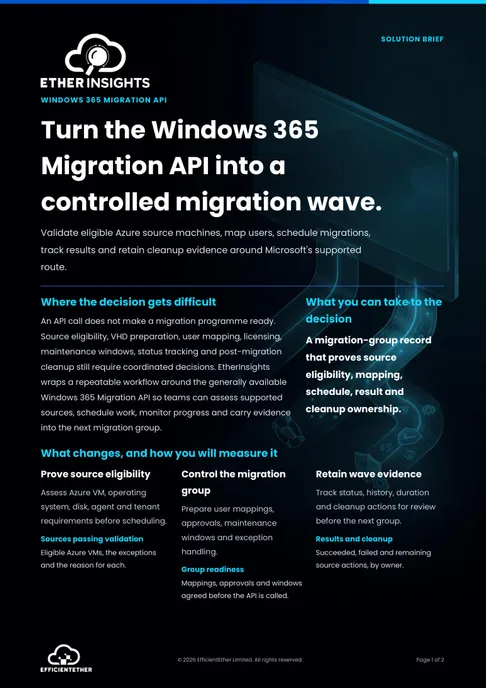
Solution brief
Windows 365 Migration API Solution Brief
Two pages on this decision: what to measure, who has to sign it off, and what should be true before you commit. Free, and written to be forwarded.
Get the solution briefProduct walkthrough
See Windows 365 migration and Cloud PC control together.
The current walkthrough shows the wider Cloud PC operating view. The migration page is designed to take screenshots from the dedicated migration workflow when those assets are ready.
- Use the migration workflow to select source VMs and target users.
- Track import and provisioning status rather than managing migrations from spreadsheets.
- Use history and statistics to plan the next maintenance window.
How we deliver it
EtherInsights leads the migration workflow.
This is the Windows 365 Cloud PC migration route for UK IT teams and MSPs assessing AVD, legacy VDI and eligible Azure VM estates. Microsoft snapshot migration supports qualifying Azure-based VMs into Windows 365 Enterprise only. Other sources need cohort design, fresh provisioning or preparation before a pilot. EtherInsights adds TCO, readiness and day-two evidence; EtherApps Forge supports application readiness and EtherAssist supports governed follow-through.

EtherInsights is the operating view for Microsoft 365, Azure, and Windows 365: day-to-day cost management, licence control, and full Windows 365 Cloud PC lifecycle management, plus tenant, user, security, device, and Intune reporting.

EtherApps Forge captures installed Windows applications from running systems, analyses the real application footprint, supports AI-guided packaging decisions, and produces deployment-ready outputs for modern environments.

EtherAssist gives IT and compliance teams the speed of AI without giving up data control, auditability, or practical governance. It supports troubleshooting, scripting, documentation, policy work, and repeatable internal support workflows.
Where this fits
- Azure Virtual Desktop personal desktop estates moving to Windows 365 Cloud PCs.
- Older VDI exits where Citrix, Omnissa, VMware Horizon, or standalone Windows VM paths need discovery and preparation.
- Azure VM-based desktops that need target-user mapping, scheduling, import tracking, and cleanup.
- Custom image or custom VM paths that need to become a supported Azure VM/VHD snapshot route before Windows 365 import.
- Migration waves where leaders need evidence on duration, success, failures, cleanup, and the next maintenance window.
What's inside the lifecycle readiness checklist
The full checklist is a working record with owner fields, evidence sections, and a decision gate for each phase. Here is what each phase actually covers before you download it.
1. Migration and source readiness
Inventory users, source desktops, applications, profiles, data, peripherals, and dependencies, then group them by workload, location, and target Cloud PC size. Choose a supported route for each source: eligible Azure VM snapshot import, a fresh Cloud PC build, or a designed alternative. Pilot representative users and applications, then document cutover, rollback, and cleanup approval before the next wave.
2. Deployment and pilot readiness
Verify Windows 365, Intune, Microsoft Entra, and licensing prerequisites, then choose Microsoft-hosted networking or an Azure Network Connection and pass the relevant health checks. Deploy required apps through Intune, test Conditional Access and security baselines, and pilot sign-in, Teams, printing, and peripherals before approving the next wave on the pilot evidence.
3. Day-two management
Monitor service health, provisioning, and connection quality, and give the service desk a triage flow across identity, licence, device, and app status. Review compliance and security controls on an agreed cadence, use usage evidence to resize poor-fit Cloud PCs, and connect joiner, mover, and leaver controls to licences and deprovisioning.
FAQ
Windows 365 migration FAQ
Short answers for teams moving from AVD, VDI, PCs, or Azure virtual machines to Windows 365 Cloud PCs.
What is a Windows 365 migration?
A Windows 365 migration moves selected desktop cohorts to Cloud PCs. Microsoft's snapshot migration API supports qualifying Azure-based VMs into Windows 365 Enterprise only. Physical PCs, pooled AVD and other legacy VDI sources need assessment, target design and fresh provisioning before a pilot and phased deployment.
Can you migrate from Azure Virtual Desktop to Windows 365?
Yes. Personal AVD desktops map naturally to Windows 365 Enterprise Cloud PCs, and Microsoft provides a migration capability for moving eligible single-session desktops. Pooled, shift-based, or low-density AVD estates are usually compared against Windows 365 Flex instead. EtherInsights turns the AVD footprint into migration cohorts and tracks each wave from pilot to decommission.
Do apps and user profiles move to Windows 365?
Applications are redeployed to Cloud PCs through Intune rather than lifted from the old desktop, so packaging readiness is part of the assessment. Profile and data continuity depend on the scenario: environments using cloud profiles and OneDrive typically carry user data across smoothly, while legacy profile tooling needs a planned approach. The pilot wave is where profile behaviour is proven before scale.
What licences and prerequisites does Windows 365 need?
Licensing and prerequisites vary by cohort and target. Confirm the Windows 365 Enterprise or Flex model, Windows and Intune requirements, Entra join state, supported Windows version, fixed Gen2 VHD, healthy VM agent, stopped source VM and OS-disk-only scope against Microsoft's current guidance before committing.
What are the common Windows 365 migration risks?
The usual risks are unsupported source estates, application dependencies, profile tooling, unsuitable Cloud PC sizing, network assumptions and waves that outrun support capacity. A cohort plan with a genuine pilot, acceptance criteria and an agreed rollback plan keeps risk visible and owned.
Is Windows 365 cheaper than Azure Virtual Desktop?
It depends on the pattern, not the platform. Windows 365 is fixed, per-user, per-month pricing, so cost is predictable and easy to budget regardless of usage. AVD is consumption-based Azure compute, storage and networking, which can cost less for pooled or intermittent-use workloads but needs active management to avoid paying for idle capacity. The shape of the desktop usually decides it: personal, always-on desktops map naturally to Windows 365 Enterprise Cloud PCs and to fixed per-user pricing, while pooled, shift-based or low-density estates are the ones normally compared against Windows 365 Flex or kept on AVD. There is no single answer that holds across every estate, which is exactly why a like-for-like comparison needs your own user counts and usage pattern rather than a generic per-seat number: the Windows 365 TCO calculator runs that comparison against your real figures and returns a number you can take into a budget conversation.
Related solutions
Windows 365 migration sources
Related glossary terms
Start here
Make the migration wave manageable before users move.
Start with a Windows 365 migration assessment, use the quick TCO calculator for the first commercial signal, then validate the source estate, schedule, and cleanup path inside EtherInsights.
- Microsoft documents the Windows 365 migration API as a REST-based route for Azure-based VM snapshot migration into Cloud PCs.
- The documented model supports VHD snapshot-based provisioning for Azure-based virtual machines; image-based imports are not currently available.
- EtherInsights wraps the operational work around that API route: discovery, readiness, user mapping, scheduling, tracking, history, statistics, and cleanup evidence.