
Solution
Windows 365 Cloud PC management across every tenant you run, from planning to day two.
Your Windows 365 rollout is finished, but the Cloud PC estate now lives in four admin centres: Intune, the Microsoft 365 admin center, the Azure portal, and Windows 365 itself. Every wave review starts with a spreadsheet. If you run several customer tenants, that is one spreadsheet per tenant. Drift shows up one ticket at a time. And nobody can prove what a cohort costs against the old Azure Virtual Desktop baseline. Each month that stays true costs your team hours of reconciliation and leaves the business case unproven at renewal. EtherInsights puts Windows 365 design, deployment waves, configuration drift, and day-two evidence in one operating view, with your Azure Virtual Desktop or VDI baseline on the same record. Best fit: MSPs and IT teams running 50 to 600 users who want persistent, per-user Cloud PCs. Pooled or session-based desktops still belong on Azure Virtual Desktop.
From £0.79 per active user/month · 14-day free trial
Card required to start. Connect your tenant in minutes.
1 view
replaces four admin centres across design, deploy, configure, and run
AVD & VDI
baselines sit on the same record as each Cloud PC cohort
Pinned baseline
drift flagged as it happens, with per-object restore

Updated 1 September 2026
Free practitioner ebook
From Legacy VDI and AVD to Windows 365
Assess which VDI and AVD user groups fit Windows 365, build a defensible TCO case, prepare legacy applications, and migrate without losing day-two ownership.
Includes practical examples, decision frameworks, diagrams, a 90-day operating plan, a glossary, and source references.
Get the free handbook
Windows 365 vs AVD
Windows 365 vs Azure Virtual Desktop, side by side
Both run on Microsoft's Cloud PC and virtual desktop stack, but the operating model is different. Use this table for a first-pass read before an assessment; EtherInsights maps your current AVD or VDI baseline against the Windows 365 model in detail.
| Decision factor | Windows 365 | Azure Virtual Desktop |
|---|---|---|
| Persistence | A dedicated, 1:1 Cloud PC per user | Pooled or shared session hosts, with 1:1 personal desktops also possible |
| Admin surface | Microsoft Intune and the Microsoft 365 admin center | Azure portal for host pools and session hosts, plus Intune for device management |
| FSLogix profiles | Not required for most personal Cloud PC assignments | Commonly required to manage user profiles across pooled or shared desktops |
| Pricing model | Fixed per-user Cloud PC licence, sized by vCPU, RAM, and storage | Consumption-based Azure compute and storage, scales with session-host usage |
| UK data residency | Provisioning policy sets the Azure region a Cloud PC is created in | Host pool region choice gives the same Azure region control |
The problem
Windows 365 stalls when Cloud PC management is split across four admin centres.
If you run Windows 365 today, you already know where the time goes. Cohort design was compressed, so Cloud PC sizes were guessed and licences over-bought. Wave reviews are rebuilt in spreadsheets from Intune, the Microsoft 365 admin center, and the Azure portal. Configuration drifted after go-live, and the first sign was a user ticket. The Azure Virtual Desktop baseline that justified the move never reached the same record, so the saving cannot be proven at renewal. None of this is a gap in Windows 365 itself. It is the cost of running four consoles with no shared operating view.
Design is squeezed, so sizing is guessed
Cohort design, image choice, network and storage planning, Windows 365 Business or Enterprise licensing, and reservation planning get compressed or skipped. The result is a cloud desktop service with unclear assumptions and a disputed cost after rollout.
Deployment is where programmes stall
Rollout waves, device connection, user assignment, and provisioning checks need Intune, the Microsoft 365 admin center, Windows 365, and sometimes the Azure portal. When those views do not join up, wave visibility gets rebuilt in a spreadsheet.
Configuration drifts silently after cutover
Cloud PC settings, MDM baseline assignment, images, and policies drift once the estate is live. Without a pinned baseline there is nothing to measure against and nothing to restore from.
Day-two visibility is fragmented
Connection health, reliability, user-level insight, remote access evidence, and per-device troubleshooting sit in separate panes. Problems surface one device at a time instead of at cohort level.
What changes
Outcome blocks
Design, licensing, and migration baselining
Size cohorts, choose images, plan network and storage, check Microsoft 365 E3/E5 dependencies, and plan user licences and reservations before waves roll. Where it applies, the Azure Virtual Desktop baseline sits alongside from day one.
Deployment execution and validation
Run rollout waves, device connection, user assignment, and provisioning checks with evidence that closes wave-by-wave questions in the programme review.
Configuration and baseline alignment
Manage Cloud PC configuration, MDM baseline assignment, images, and policies against a pinned baseline. Drift is flagged, and any object can be restored when something moves.
Day-two operating control
Connection health, user and device insight, side-blade troubleshooting, remote work evidence, and cohort-level fixes instead of per-device firefighting.
Start here
Prove what your Cloud PC estate costs, in one view instead of four.
See this working on your own tenant.
Guides and analysis on this topic
The lifecycle view
Design, deployment waves, and day-two drift in one record.
A Cloud PC fleet - with Azure Virtual Desktop baseline, older VDI baseline, or existing endpoints as migration starting points - flows through cohort design, deployment waves, configuration management, and day-two support, all tracked against a pinned Cloud PC baseline with drift detection, producing an operating record with owners and next actions.
Solution brief
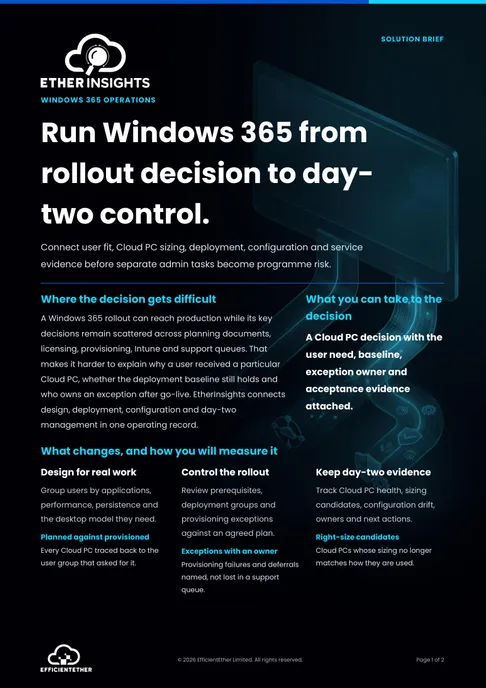
Windows 365 Management Solution Brief
Two pages on this decision: what to measure, who has to sign it off, and what should be true before you commit. Free, and written to be forwarded.
Get the solution briefVideo walkthrough
See Cloud PC lifecycle evidence.
A focused walkthrough of Cloud PC planning, migration, configuration, and day-two evidence in EtherInsights.
- Keep lifecycle evidence in one operating view.
- Connect migration assumptions to Cloud PC state.
- Use the overview for wider Microsoft estate context.
How we deliver it
Product mapping
EtherInsights leads this route: Windows 365 design, deployment, configuration, and day-two management, with migration baselines from Azure Virtual Desktop or older VDI where they apply. It fits whether your team says Windows 365, W365, Cloud PC, CloudPC, or cloud desktops. EtherApps Forge covers application readiness and packaging. EtherAssist supports controlled day-two operations and troubleshooting once Cloud PCs are live.

EtherInsights is the operating view for Microsoft 365, Azure, and Windows 365: day-to-day cost management, licence control, and full Windows 365 Cloud PC lifecycle management, plus tenant, user, security, device, and Intune reporting.

EtherAssist gives IT and compliance teams the speed of AI without giving up data control, auditability, or practical governance. It supports troubleshooting, scripting, documentation, policy work, and repeatable internal support workflows.

EtherApps Forge captures installed Windows applications from running systems, analyses the real application footprint, supports AI-guided packaging decisions, and produces deployment-ready outputs for modern environments.
Where this fits
- End-to-end Cloud PC programme design covering cohort sizing, image selection, licensing, and reservation planning before any waves roll.
- Rollout wave execution with device connection, user assignment, and provisioning validation kept in one review-ready record.
- Configuration and MDM baseline alignment across Cloud PCs, with drift detection against the pinned baseline and per-object restore when change creates risk.
- Day-two operating control: connection health, user and device-level insights, and side-blade troubleshooting at cohort scale.
- Migration baselining from Azure Virtual Desktop or older VDI before committing rollout waves, so cost per cohort and recovery thinking survive the business case.
The manual route vs one operating view
The same Windows 365 programme, run two ways. Microsoft's own consoles still do the work in both cases. What changes is how much of your team's time goes on reassembling the picture.
Today: four consoles and a spreadsheet
Sizing lives in a licensing sheet, wave status in Intune, cost in the Azure portal, and drift nowhere until a user reports it. Every governance review starts with a day of copy and paste, and the Azure Virtual Desktop comparison is redone by hand each time.
With EtherInsights: one record, one review
Cohort sizing, wave status, configuration baseline, drift events, and cost per cohort sit on one record, with the Azure Virtual Desktop or VDI baseline beside it. The review opens with the evidence already in place. Intune and the Azure portal still carry out the actions.
FAQ
Common Windows 365 planning questions
Short answers for teams comparing Windows 365, Cloud PC, Azure Virtual Desktop, VDI, DaaS, Intune, and day-two management.
Is Windows 365 the same as VDI or DaaS?
Windows 365 is Microsoft's Cloud PC service. It can replace some virtual desktop infrastructure and desktop as a service patterns, but the right choice depends on persistence, application needs, user experience, and support model.
How does Windows 365 relate to Azure Virtual Desktop and AVD?
Azure Virtual Desktop, often called AVD, gives more control over shared or pooled virtual desktops and applications. Windows 365 gives each user a Cloud PC. Choose Windows 365 if you want a fixed per-user cost, a persistent 1:1 desktop, and less Azure-side administration. Choose AVD if you need pooled or session-based delivery, finer control over host pools and scaling, or already have Azure infrastructure and skills in place. EtherInsights helps compare the current AVD baseline with the Windows 365 operating model before rollout.
Where do Intune and the Microsoft 365 admin center fit?
Windows 365 depends on Microsoft Intune, device management, provisioning policies, groups, and Microsoft 365 admin center licensing. EtherInsights keeps those Cloud PC signals visible so teams can manage Windows 365 after deployment.
Do FSLogix profiles still matter?
FSLogix profiles are common in AVD and older VDI estates. During a Windows 365 review, they help explain current profile, storage, and user-state assumptions before deciding which users should move to personal Cloud PCs.
How much does Windows 365 cost?
Windows 365 pricing depends on Business or Enterprise licensing, Cloud PC size, storage, user count, and whether Flex or one-to-one access fits the cohort. Use the TCO calculator or an EtherInsights assessment for a directional model.
Do you support Windows 365 deployments for London and UK organisations?
Yes. EfficientEther is a UK company registered in London and works with organisations across the UK and Europe. Windows 365 planning, Cloud PC sizing, migration from Azure Virtual Desktop, and day-two operations are delivered remotely against your tenant, so location affects the commercial conversation and working hours rather than what can be done.
Which UK data residency options apply to Windows 365 Cloud PCs?
Windows 365 provisioning policies let you choose the Azure region a Cloud PC is created in, so a UK organisation can keep desktops in a UK region. Check the region against your own data residency and latency requirements before a wide rollout, and confirm which services your image depends on sit in the same region.
What is Windows 365 Frontline, and does it fit shift-based or part-time teams?
Windows 365 Frontline is Microsoft's own concurrency-licensed Cloud PC model, built for shift workers, part-time staff, and contractors: you licence for the number of desktops active at once, not one per named employee, in dedicated mode (up to three named users share one licence) or shared mode (a pooled desktop reused non-concurrently). It's worth ruling in or out during cohort design before defaulting a shift-based team to standard Windows 365 Business or Enterprise licensing.
How does drift detection relate to Intune's own configuration profiles?
Intune's settings catalog is where the underlying configuration policy actually lives; EtherInsights doesn't replace that policy engine. It pins a baseline snapshot of what those Intune-managed settings should be for a Cloud PC cohort and flags when the live state diverges, so a policy change, intentional or not, surfaces as a reviewable event instead of silent drift.
Can we manage Windows 365 and Azure Virtual Desktop together instead of separately?
Yes. Running Windows 365 and Azure Virtual Desktop as two separate estates is where most day-two effort goes: two consoles, two sets of configuration, and no single record of what changed. EtherInsights holds Cloud PC and Azure Virtual Desktop estates in one operating view, so sizing, configuration baselines, drift, and cost evidence sit on the same record and the same review. Intune and the Azure portal still carry out the actions. What changes is that the evidence of what is deployed, what drifted, and what it costs no longer has to be reassembled by hand before every governance review.
Still weighing Windows 365 against Azure Virtual Desktop?
Put your own cohort sizes into the free TCO calculator, then bring the result to a Windows 365 assessment. You leave with a cost per cohort you can forward to whoever signs it off.
Related solutions
Windows 365 sources
Related glossary terms
Start here
Prove what your Cloud PC estate costs, in one view instead of four.
Start with a free cost estimate. Then book a Windows 365 assessment across design, licensing, migration baselines, configuration, and day-two control, or run a 14-day trial on your own tenant.
- Microsoft lists EfficientEther on its Windows 365 partners page.
- Design decisions, rollout waves, configuration baselines, and day-two drift share one audit trail that holds up in governance and programme reviews.
- Azure Virtual Desktop, older VDI, and cloud desktop baselines sit in the same view, so cost per cohort stays consistent before and after rollout.