
Solution
Legacy apps: rescue, repackage, and prove Windows 11 + Cloud PC compatibility.
An assessment-first route for legacy apps where the installation media is lost, the vendor portal is gated or gone, or nobody is sure whether the app still works on Windows 11 or a Cloud PC. We find what is actually installed, capture from a live installation, and repackage the app for modern Windows delivery. That capture-first technique is sometimes called "reverse packaging", and it lets us validate legacy app compatibility before the migration wave.
7-day free trial of the full workflow · licences include training and support
No credit card. Capture a real application on day one.
No installer
rescue legacy apps when the installation media is lost or the vendor portal is gated
4 outputs
MSIX, MSI, IntuneWin, and AppAttach from one capture
Win 11 + Cloud PC
legacy app compatibility validated before the migration wave
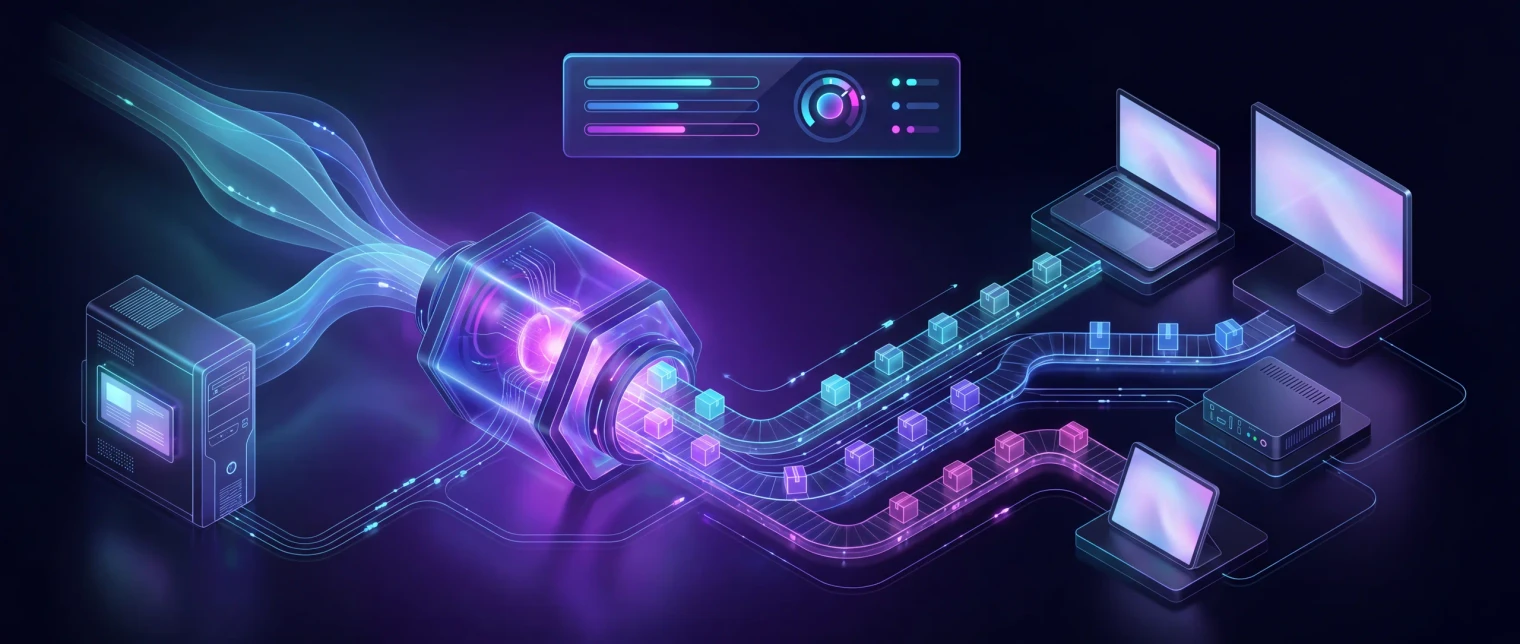
App-V end of support
App-V server support ended on 14 April 2026
Microsoft's extended support for the App-V server components, including Microsoft Application Virtualization Hosting 5.0 for Windows Desktops, ended on 14 April 2026. The App-V client and sequencer that ship inside Windows are a separate case: Microsoft removed their deprecated status in November 2024 and they continue on a fixed extended support lifecycle. So App-V packages keep running. The infrastructure that publishes them no longer has a supported future.
What it means for a 50 to 600 user estate
Nothing broke on the day the window closed, and nothing will. What changed is that you are running unsupported publishing infrastructure today: a tier that receives no further fixes, sitting between your users and the applications they need, with an audit question attached every time somebody asks which software is still supported.
You do not have to convert everything
Microsoft's own guidance is that there is no need to migrate away if App-V still meets the need. The decision is about the server tier, not the packages: App-V app attach delivers existing App-V packages through Azure Virtual Desktop without running your own App-V servers, and MSIX is the modern format for the applications worth rebuilding.
Start with the applications, not the platform
Most estates find a short list that converts cleanly to MSIX, a middle group that needs fix-ups, and a tail that should be retired. EtherApps Forge captures each application from a controlled virtual machine, recommends the route, and prepares the package for human review before release.
Read next
7-day free trial of the full workflow · licences include training and support
No credit card. Capture a real application on day one.
The problem
Why legacy apps stay stuck even when teams keep trying.
Plain version: the business still depends on apps that were installed years ago, but the original install disc, the download link, or the vendor portal is no longer there. IT version: legacy line-of-business software with missing installation media, gated installer portals, undocumented dependencies, and unknown Windows 11 and Cloud PC compatibility is blocking the next migration wave. Both versions need the same answer: find what is actually installed, repackage an installed application when the installer is no longer available, and prove whether it can move to Windows 11, Intune, AVD, or Windows 365 Cloud PC.
The installation media is genuinely lost
ISO, EXE, and MSI files have been deleted off old shares. CDs are in a cupboard nobody can find. The person who originally installed it left years ago. A workflow that only works with clean installer media does not survive contact with a real legacy estate.
The vendor installer is gated or gone
The vendor has retired the product, moved behind a partner portal, or only ships a subscription replacement. The contract is still valid, the app still runs, but nobody can re-download the original installer without a long, uncertain support ticket.
Windows 11 and Cloud PC compatibility is unknown
Nobody can say whether the app will run on Windows 11, in a Cloud PC, or under Azure Virtual Desktop. Teams default to leaving the legacy device alone and the migration slips. Without a real compatibility check, the risk feels bigger than it usually is.
Repackaging skills and time are scarce
Even when the app can be rescued, turning it into a signed MSIX, MSI, IntuneWin, or AppAttach package needs experienced packagers, and they are busy. Without an assessment-first route, every legacy app looks like a custom project.
What changes
What good looks like after the assessment
A real inventory of what is actually installed
We capture the application footprint from a working machine: files, registry, services, dependencies, and configuration. You get a clear list of what runs, where it runs, and what it depends on, without needing the original installer.
A signed package, even with no installer
EtherApps Forge produces signed MSIX, MSI, IntuneWin, or AppAttach from the same capture. One rescue covers Intune deployment, Azure Virtual Desktop AppAttach, and Windows 365 Cloud PC delivery (Windows 365 uses MSIX or IntuneWin).
A Windows 11 and Cloud PC compatibility verdict
Each legacy app comes back with a clear verdict: ships as-is, ships with Package Support Framework fix-ups, needs a remediation step, or genuinely cannot move yet. That turns legacy app compatibility from a gut feeling into a documented decision the migration board can sign off.
A clean handoff into MSIX, packaging, or modernisation
Once the legacy app is recovered and assessed, the same record routes into MSIX packaging and deployment, agentic app packaging, or application modernisation and migration. You don't restart the work to move from rescue into rollout.
Start here
Stop letting lost installers stall the migration.
See this working on your own tenant.
Guides and analysis on this topic
What the rescue looks like
From a working machine to a signed package and a compatibility decision.
We start where the legacy app is still running. EfficientEther captures the installed footprint directly, even when the original installer is lost or the vendor portal is closed, then routes it into MSIX, MSI, IntuneWin, or AppAttach so the same app can ship to Intune, Azure Virtual Desktop, and Windows 365 Cloud PC. Each app comes back with a clear compatibility verdict for Windows 11.
Walkthrough
See a legacy app rescue and repackaging in action.
A short walkthrough of legacy app capture from a working machine, package output, and a Windows 11 compatibility verdict - no original installer required.
How we deliver it
How EfficientEther covers this route
EtherApps Forge leads. Forge captures running legacy apps directly from a working machine when installation media is lost or gated, produces signed MSIX, MSI, IntuneWin, and AppAttach outputs from the same capture, and applies AI-guided routing so the right output format is picked per app. EtherInsights joins where the same programme also needs Windows 365 cohort planning, Intune readiness, or migration baselines from Azure Virtual Desktop or legacy VDI alongside the legacy app rescue work.

EtherApps Forge captures installed Windows applications from running systems, analyses the real application footprint, supports AI-guided packaging decisions, and produces deployment-ready outputs for modern environments.

EtherInsights is the operating view for Microsoft 365, Azure, and Windows 365: day-to-day cost management, licence control, and full Windows 365 Cloud PC lifecycle management, plus tenant, user, security, device, and Intune reporting.
Where this fits
- Old line-of-business apps that still run, but the installer is lost: rescue from a working machine and repackage for Windows 11.
- Vendor portals that have been retired or gated: keep using the app you already own without waiting on a vendor re-download.
- Windows 10 end-of-support migrations: prove legacy app compatibility on Windows 11 before the cutover, not after.
- Cloud PC and Azure Virtual Desktop rollouts: deliver legacy apps via MSIX, IntuneWin, or AppAttach without rebuilding them by hand.
- MSP-led estate refreshes: run a repeatable legacy app assessment across multiple customer tenants with consistent packaging and signing.
- Mergers and divestments: recover and document legacy apps that were never owned by the receiving IT team.
- Citrix-delivered legacy apps: rescue and repackage into signed MSIX or MSI, then publish through Citrix's native app-package support, no re-authoring for a Citrix-specific format.
FAQ
Questions buyers usually ask before a legacy app rescue.
Plain answers for IT leads and the people who actually rely on the app. No installer? No vendor portal? Windows 11 compatibility unknown? Here's how each is handled.
What is reverse packaging?
Reverse packaging is rebuilding a deployable package by capturing an application from a live installation, instead of from its original installer. EfficientEther captures the installed files, registry, services, and dependencies from a running machine, then produces signed MSIX, MSI, IntuneWin, or AppAttach output ready for modern Windows delivery.
Can you package an application without the original installer?
Yes. When the installer is no longer available, we capture from a live installation where the app already runs, then repackage it from there. This "reverse packaging" route recovers the files, registry, services, and dependencies and builds a signed MSIX, MSI, IntuneWin, or AppAttach package. No installer media or open vendor portal is required to start.
We don't have the original installer. Can the app still be rescued?
Yes. EtherApps Forge captures the application directly from a machine where it is already installed and running. We pick up the files, registry entries, services, and dependencies, then build a signed MSIX, MSI, IntuneWin, or AppAttach package from that capture. No installer media is required to start.
The vendor portal is closed or behind a partner login we don't have. Is that a blocker?
Usually not. If the app is licensed and installed somewhere in the business, the rescue works from the installed footprint. We don't depend on re-downloading the installer from the vendor. We do still recommend checking the licence terms before you redistribute the repackaged app internally.
How do you prove the legacy app will work on Windows 11 or Cloud PC?
Each app comes back with a compatibility verdict: ships as-is on Windows 11, ships with manifest fix-ups, needs a remediation step (for example a runtime or a kernel-mode dependency that is no longer supported), or genuinely cannot move yet. That verdict feeds straight into the migration plan so legacy app compatibility stops being a guess.
Is this safe to do on production user machines?
The capture is read-only against the source machine. We typically capture from a representative reference machine or a controlled VM rather than a live user device, so day-to-day work isn't disrupted. The output is reviewed and signed before anyone deploys it.
The app packages fine but then behaves oddly once it is running. Can that be fixed?
Usually, yes, and without touching the application code. Older apps often assume things the MSIX container will not allow: writing settings next to their own executable, a fixed installation path, or a machine registry location that is now redirected. EtherApps Forge stages the Package Support Framework for those cases, applying file and registry redirection and working-directory fix-ups so the app behaves as it did before it was packaged. Apps that need this are recorded as "ships with fix-ups" in the compatibility verdict rather than being written off.
What about apps with weird drivers, services, or kernel-mode dependencies?
Some apps genuinely can't move to MSIX (drivers and kernel-mode components are a common reason). For those, the assessment is still useful: you get a clear documented reason, an MSI or IntuneWin path where possible, and a shortlist of apps that need a modernisation conversation rather than a packaging one.
Does this replace our packaging team?
No. The assessment closes the upstream gap (no installer, no clarity, no compatibility data) so the packaging team isn't stuck on detective work. A human reviewer still signs off each package before release.
Windows 10 support already ended. How much time do we actually have?
Windows 10 reached end of support on 14 October 2025, so security updates for unenrolled devices have already stopped. Microsoft's Extended Security Updates programme extends critical security patching to 12 October 2027, but ESU doesn't fix compatibility issues, isn't a feature-update channel, and comes with no technical support: it buys time for the migration, it isn't a substitute for finishing it. The legacy-app compatibility work here is exactly what determines how much of that window is usable before the Windows 11 cutover.
Is repackaging an app we don't have the original installer for actually legal?
Reverse packaging captures software you already own and are licensed to run; it doesn't crack, redistribute, or bypass licensing, it only changes the delivery format. It doesn't override the underlying licence terms either. A minority of vendor agreements restrict redistribution or require the vendor's own installer, so checking the licence before deploying the repackaged app internally, already flagged above for gated vendor portals, stays your call, not something we can absolve.
Is there an app modernisation tool specifically for a Windows 11 migration?
Yes. EtherApps Forge is built for exactly this: capture a legacy application from a live installation (useful when the original installer is missing), get a compatibility verdict for Windows 11 and Cloud PC delivery, apply Package Support Framework fix-ups where the app needs them, and produce a signed MSIX, MSI, IntuneWin, or AppAttach package ready for the migration wave, all with a human reviewer checking the package before release.
We deliver this legacy app through Citrix. Does the rescued package still work there?
Yes. Citrix Virtual Apps and Desktops and Citrix DaaS both natively support MSIX and MSIX app attach on session hosts, so the signed MSIX that comes out of a Forge rescue deploys into a Citrix estate the same way it would into Intune or AVD. Rescuing a legacy app from a lost installer and modernising its Citrix delivery format are the same piece of work, not two separate projects.
Legacy app and Windows 10 migration sources
Reviewed 25 August 2026.
Related solutions
Related glossary terms
Start here
Stop letting lost installers stall the migration.
Book a legacy app review and we'll walk through a real app: missing installer, gated vendor portal, or unknown Windows 11 compatibility. You leave the call knowing what can be rescued, what can be repackaged, and what genuinely needs a different conversation.
- Capture-first rescue means a missing installer or a closed vendor portal is no longer a project blocker.
- One capture produces signed MSIX, MSI, IntuneWin, and AppAttach outputs, so the same legacy app reaches Intune, AVD, and Cloud PC delivery without separate rebuild runs.
- Each legacy app gets a documented Windows 11 and Cloud PC compatibility verdict, turning legacy app compatibility from a gut feeling into evidence for the migration board.
- The rescue record hands off cleanly into MSIX packaging, agentic app packaging, or application modernisation when the buyer question moves from rescue into rollout.