
Solution
Automate Microsoft 365 offboarding and connect it to licence reclaim.
Somewhere in your tenant, licences are still assigned to people who left months ago. Leavers are offboarded in a different order each time, add-on licences stay active, and at renewal nobody can prove which seats are waste. On a first scan, 15-30% of Microsoft 365 licences typically turn out to be inactive or downgradeable, so every month that goes unchecked is money paid for empty seats and access that should be gone. EtherInsights brings licence usage, last sign-in, guest accounts, and reclaim candidates into one view, then runs the offboarding steps against Microsoft Graph when you confirm them, with every run logged. Built for IT teams and MSPs managing 50 to 600 users per tenant, at £0.79 per active user.
From £0.79 per active user/month · 14-day free trial
Card required to start. Connect your tenant in minutes.
15-30%
of Microsoft 365 licences typically inactive or downgradeable on first scan
£0.79 / $1 / €1
per active user, with volume pricing on request
Multi-tenant
review for internal IT teams and managed service providers

Updated 29 August 2026
The problem
Licence waste survives when assignment, activity, and offboarding live in different conversations.
Licence assignment, user activity, subscription commitments, and offboarding each live in a different tool. So leavers are secured in the wrong order, an unassigned seat gets counted as a saving it is not, and the decision leaves no evidence. The waste is quiet: it never fails loudly, it just renews.
Assignment is not the same as real use
Teams can see allocated licences. They rarely connect that view to real activity, reclaim timing, or renewal pressure until the invoice lands.
Lifecycle tasks are split across teams
Joiner, mover, and leaver work spans the service desk, identity, and business teams. Each handover weakens control and slows a clean exit.
Evidence is left until late
When offboarding is a ticket task rather than an operating model, access removal and evidence capture vary by person. That is hard to defend in an audit.
What changes
Outcome blocks
Lower Microsoft 365 waste
Match licence allocation to real usage and surface reclaim candidates before renewal, not after.
Unused Microsoft 365 licences
Unused Microsoft 365 licences build up quietly across leavers and inactive accounts. EtherInsights puts licence usage, last sign-in, and inactive-user context side by side, so you can identify reclaim candidates, check ownership, and plan changes before renewal.
Cleaner user lifecycle control
Handle user changes and removals the same way every time, across IT and service operations.
Better audit readiness
Keep clear evidence for offboarding, entitlement changes, and recurring access reviews.
Automate the offboarding steps manual teams script by hand
Confirm the run once and EtherInsights executes it against Microsoft Graph: revoke sessions, block sign-in, reset password and MFA, cancel meetings, set mailbox auto-reply, and remove licences, groups, and admin roles. Each step is logged for audit.
Start here
Find the licences you are paying for and nobody is using.
See this working on your own tenant.
The lifecycle view
Joiner / mover / leaver in one controlled record.
Tenant users flow into lifecycle review, licence reclaim, and offboarding actions - fed by inactive-licence detection, risky identities, and ownership gaps - and out to reclaimed licences, revocation evidence, and an audit record commercial owners and compliance can review together.
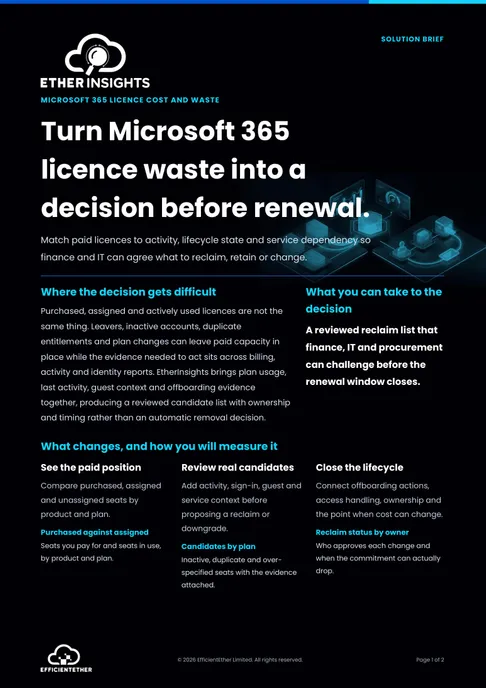
Solution brief
Microsoft 365 Licence Waste Solution Brief
Two pages on this decision: what to measure, who has to sign it off, and what should be true before you commit. Free, and written to be forwarded.
Get the solution briefVideo walkthrough
See licence and offboarding control.
A focused walkthrough of licence waste, lifecycle evidence, and offboarding control in EtherInsights.
- Find licence waste before renewal pressure lands.
- Connect lifecycle evidence to operational action.
- Use the identity clip for Entra user context.
Identity clip
User lifecycle evidence in context.
Use this focused clip when the conversation is about Entra users, groups, risky identities, and offboarding evidence.
Identity, users, groups, and offboarding
Bring Entra operations, user lifecycle evidence, and offboarding controls into one operational record.
How we deliver it
Product mapping
EtherInsights leads this route with licence usage, last sign-in, inactive-user context, guest-account visibility, and its in-product Users & Groups offboarding workflow. That workflow does not just report. Once you confirm it, EtherInsights runs the offboarding steps against Microsoft Graph: revoke sessions, block sign-in, reset password and MFA, cancel meetings, set mailbox auto-reply, and remove licences, group memberships, and admin roles, with every run logged for audit. Hybrid accounts synced from on-premises Active Directory get manual remediation guidance instead of a silent skip. EtherAssist can support governed follow-through outside that workflow. EtherInsights pricing is £0.79 / $1 / €1 per active user, with volume pricing on request.


Where this fits
- Microsoft 365 licence reviews for inactive or under-used users
- Joiner, mover, and leaver process improvement for internal IT teams
- MSP tenant reviews where licence tracking and offboarding quality both matter
- Access cleanup and evidence capture ahead of audit or governance reviews
The manual leaver process vs one confirmed run
Both routes end with the same Microsoft Graph actions. The difference is who carries the order, the evidence, and the licence follow-up in their head.
Today: a ticket, a script, and a reminder
The service desk blocks sign-in in the Microsoft 365 admin center. Someone remembers to revoke sessions and reset MFA, or does not. A PowerShell script or Entra lifecycle workflow that a former colleague built handles groups. The licence, the Power BI add-on, and the admin role stay assigned until the next renewal review, if anyone looks.
With EtherInsights: review, confirm, done
The leaver appears as an offboarding candidate with last sign-in and licence context. You confirm once. EtherInsights revokes sessions, blocks sign-in, resets password and MFA, cancels meetings, sets the auto-reply, and removes licences, groups, and admin roles in order, logging each step. Hybrid accounts synced from Active Directory get manual guidance instead of a silent skip.
FAQ
Microsoft 365 licence management FAQ
Short answers for IT admins and MSPs reviewing Microsoft 365 licence waste, plan mix, and leaver evidence.
How do I find unused Microsoft 365 licences?
Start by comparing assigned licences with user activity, inactive accounts, last sign-in, role changes, and renewal pressure. EtherInsights brings those signals together so IT can identify reclaim candidates and review the evidence before making changes.
What should a Microsoft 365 offboarding checklist cover?
A practical checklist should cover account state, licence removal, access revocation, mailbox and file handover, group membership, device or Cloud PC ownership, and evidence capture. The step most checklists skip is add-on licences bought separately from the base plan: Power BI Pro, Visio, Project, Defender for Office 365, and Teams Phone add-ons are commonly assigned per user outside the main licence review and quietly kept active after someone leaves, because they don't show up when you only check the base Microsoft 365 plan. The goal is not only to remove access, but to leave a record that service desk, compliance, and commercial owners can review.
How often should licence usage be reviewed?
Review usage before renewals, after larger joiner or leaver cycles, and whenever plan changes are being considered. MSPs often make licence review part of recurring customer reporting so reclaim candidates, plan drift, and offboarding gaps are visible before they become renewal pressure.
Can MSPs manage licences across customer tenants?
Yes. The MSP route is built around per-customer visibility across Microsoft 365 estates, including inactive users, unused licences, allocation drift, and offboarding gaps. That gives service leads and account teams the evidence needed to prioritise reclaim work by customer value and renewal timing.
What does EtherInsights cost?
EtherInsights pricing is public: £0.79 / $1 / €1 per active user, with volume pricing available on request. The product also has a 14-day trial, so teams can test Microsoft 365 licence visibility and reporting before a wider commercial rollout.
Does removing a Microsoft 365 licence reduce the bill immediately?
Unassigning a licence makes the seat available for another user, but it does not necessarily reduce subscription charges. Billing changes depend on the purchase channel, commitment, and permitted reduction window or renewal date. Review those terms before counting a reclaim as realised savings.
Can you remove a licence from a former employee safely?
Yes, if offboarding runs in the right order: revoke access and sessions first, preserve mailbox and file data where the business needs it, convert the mailbox to a shared mailbox where appropriate, then remove the licence. Skipping steps risks losing data or leaving access live. EtherInsights connects licence review with the in-product offboarding record so teams can verify the decision.
Does EtherInsights automate Microsoft 365 offboarding, or just report on it?
Both. EtherInsights surfaces reclaim candidates and offboarding gaps for review, and when you confirm a run, it executes the removal and revocation steps itself directly against Microsoft Graph, revoking sessions, blocking sign-in, resetting password and MFA, cancelling meetings, setting mailbox auto-reply, and removing licences, groups, and admin roles, rather than requiring PowerShell scripts or Entra Lifecycle Workflows to be built separately. Every run is logged for audit, and hybrid accounts synced from on-premises Active Directory get manual remediation guidance instead of a silent skip.
How do I find inactive Microsoft 365 users who need to be offboarded?
Inactive-user detection works from last sign-in, activity signals, and account status brought together across the tenant, surfaced as offboarding candidates for IT to review rather than acted on automatically. EtherInsights connects that inactive-user list directly to the offboarding workflow, so confirming a candidate can trigger the licence removal, access revocation, and evidence record in one reviewed run instead of a separate manual step per user.
Want the leaver checklist before you change anything?
The free Microsoft 365 offboarding checklist covers account state, licence removal, access revocation, handover, and the add-on licences most teams miss. Read it, then let a savings report show you what those steps are worth on your tenant.
Offboarding and licence-reclaim sources
Microsoft Learn sources support the workflow and billing distinctions below. Reviewed 15 August 2026.
Related solutions
Related glossary terms
Start here
Find the licences you are paying for and nobody is using.
Start with a savings report on your own tenant, book a licence and offboarding review, or run the 14-day trial and see the reclaim candidates yourself.
- Licence usage, last sign-in, guest-account, and inactive-user context sit together for IT review.
- The Users & Groups offboarding workflow keeps reviewed actions and licence evidence in one operating record.
- Published pricing at £0.79 / $1 / €1 per active user, with a 14-day trial for teams testing licence visibility first.
- One record that commercial owners, the service desk, and compliance can all review.
- How we measure this: the figures on this page come from first-scan findings in EtherInsights, matched to real sign-in, service, and utilisation data, not from industry surveys. Your own tenant sets the number, and the savings report gives it to you with the evidence.