

EtherInsights for Windows 365
Windows 365 Cloud PC management software for MSPs and IT teams.
Your Cloud PC estate lives in four admin centres: Intune, the Microsoft 365 admin center, the Azure portal, and Windows 365. Nobody can say what a user group costs against the Azure Virtual Desktop baseline, and drift arrives one ticket at a time. EtherInsights for Windows 365 is the management console that puts sizing, cost per user group, provisioning, drift, and day-two evidence on one record, for tenants running 50 to 600 users.
From £0.79 per active user/month · 14-day free trial
14 days. Card required to start. Connect your tenant in minutes.

The cost of the status quo
Four consoles and a spreadsheet, or one management console.
Microsoft's own consoles still carry out every action in both cases. What changes is how many hours your team spends reassembling the picture, and whether the saving can be proven at renewal.
Today: four admin centres
Sizing sits in a licensing sheet, wave status in Intune, cost in the Azure portal, and drift nowhere until a user reports it. Every review starts with half a day of copy and paste, and the Azure Virtual Desktop comparison is redone by hand.
With EtherInsights for Windows 365
Cloud PC sizing, cost per user group, provisioning state, the pinned configuration baseline, and drift events sit on one record with the Azure Virtual Desktop or VDI baseline beside them. The review opens with the evidence already in place.
What the software does
Every Cloud PC decision, on one record.
Eight capabilities built for the day-two problems Windows 365 admins actually raise.
Cloud PC sizing and right-sizing
See CPU and RAM spike time per Cloud PC and act on alternative SKU recommendations, so over-bought licences come back before the next renewal.
See how we approach Cloud PC management →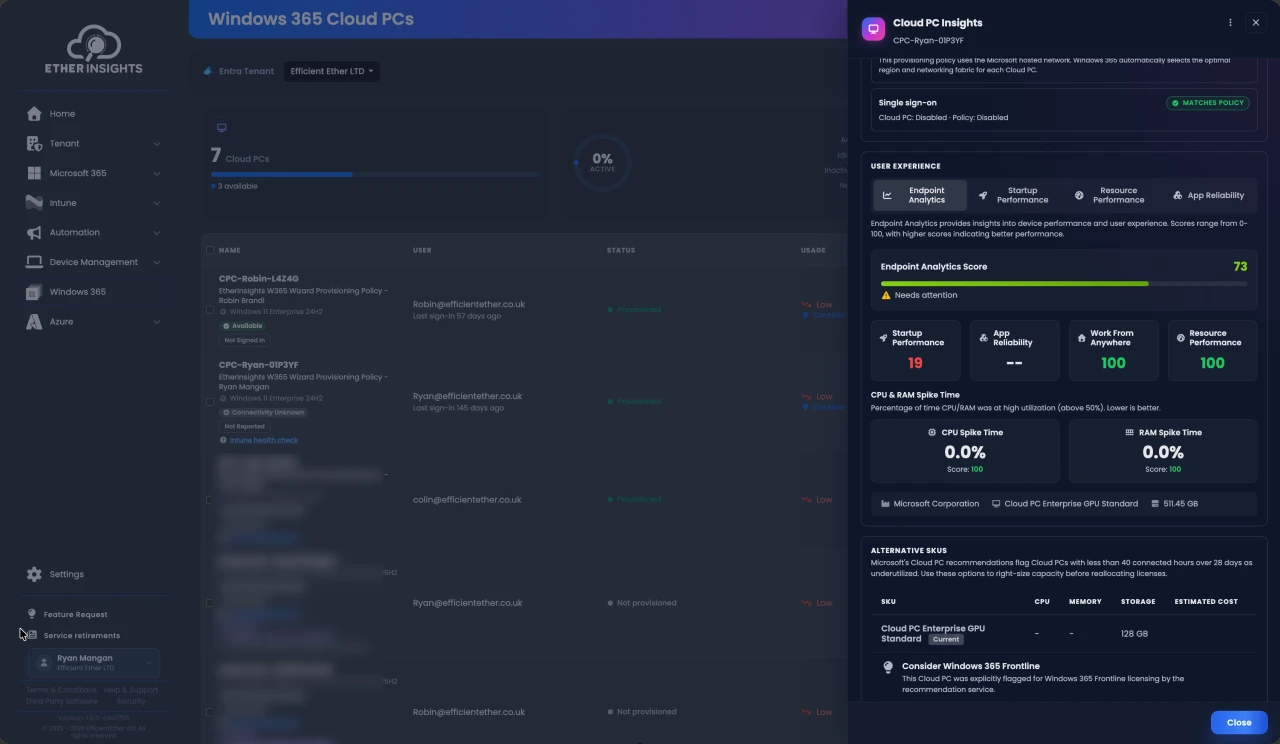
Cost per user group against the AVD baseline
Hold the Azure Virtual Desktop or VDI baseline on the same record as each Cloud PC user group, so the business case stays provable after rollout.
Compare Windows 365 and AVD →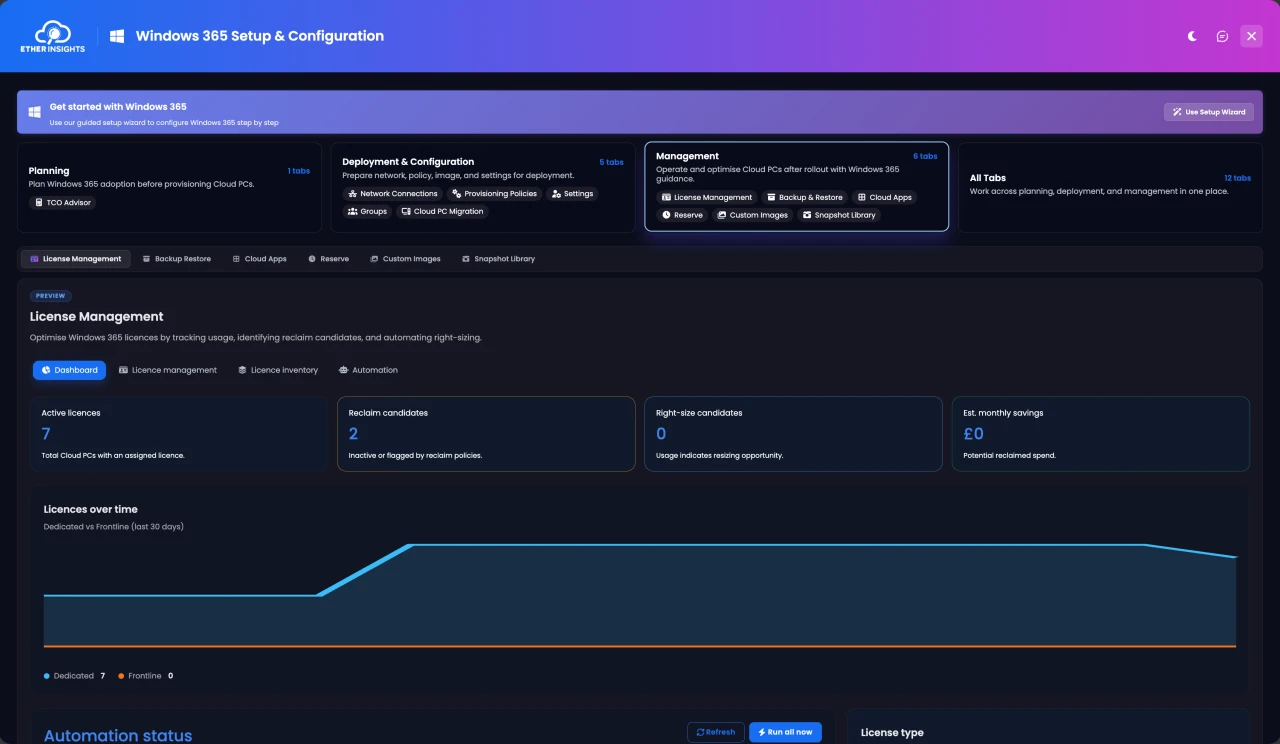
Provisioning, lifecycle, and day-two operations
Provisioning checks, rollout waves, connection health, and per-device troubleshooting at user-group level instead of one device at a time.
Drift detection and configuration backup
Scheduled snapshots of Entra and Intune configuration, pin-as-baseline, drift flagged as it happens, and per-object restore.
Intune compliance and Cloud PC troubleshooting
Around thirty Intune reports plus a per-device side-blade, so compliance and device questions about Cloud PCs are answered in one place.
Licence and offboarding actions with owners
Reclaim candidates, leaver offboarding, and licence removal land as owner-backed actions with a task log you can export.
Multi-tenant view for MSPs
Run every managed tenant through the same Cloud PC review pack: sizing, cost, drift, and evidence, without a spreadsheet per customer.
Scheduled evidence packs
Savings, drift, and posture evidence produced on a schedule, ready to forward to finance, security, or a customer review.
One portfolio, one estate
How the portfolio runs Windows 365 together.
EtherInsights sizes the estate, holds cost per user group against the Azure Virtual Desktop baseline, and watches lifecycle and drift. EtherApps Forge assesses the application estate and packages legacy apps as MSIX ahead of the migration. EtherAssist picks up troubleshooting, runbooks, and compliance evidence on day two.
Size the move before anyone asks for a demo.
Put your own user groups into the free Windows 365 TCO calculator. Then bring the result to a free assessment and leave with a cost per user group you can forward to whoever signs it off.
Video walkthrough
See Cloud PC management in EtherInsights.
A short walkthrough of Cloud PC planning, migration baselines, configuration, and day-two evidence in the software.
- Sizing, cost, and drift on one Cloud PC record.
- Azure Virtual Desktop and VDI baselines beside each user group.
- Evidence ready to forward before the review starts.
Decision criteria
What to look for in Windows 365 management software.
Use this list as the shortlist test. It compares against the native Microsoft consoles, not against any other vendor.
One record across the four admin centres
Intune, the Microsoft 365 admin center, the Azure portal, and Windows 365 still do the work. The software should read all four and show one Cloud PC record, not add a fifth console to maintain.
Cost per user group, with the AVD baseline
Native reports show licence counts, not what a user group costs against what it replaced. Ask for the baseline on the same record.
Pinned baseline and per-object restore
Intune shows current state. Ask whether the tool pins a baseline, flags drift as it happens, and restores a single policy without a full rebuild.
Right-sizing from real usage
Alternative SKU recommendations should come from CPU and RAM spike time on the Cloud PC, not from the licence you happened to buy.
Actions with owners and an audit trail
Every reclaim, offboarding, or restore should land with a named owner and an exportable log that stands up in a governance review.
Public pricing and a trial on your own tenant
A per-active-user price you can put on a budget line, and a trial that runs against your tenant rather than a demo tenant.
For whoever signs it off
A cost per user group you can defend at renewal.
Finance leads and MSP principals do not need another dashboard. They need the Windows 365 line explained: what each user group costs, what it replaced, and what changed since the last review. EtherInsights produces that as a forwardable savings report, at £0.79, $1, or €1 per active user per month.
Book a Cloud PC cost reviewMicrosoft lists EfficientEther on its Windows 365 partners page.
ISO 27001, ISO 9001, and ISO 42001 certified, with read-only Microsoft access.
£0.79, $1, or €1 per active user per month. Volume and MSP pricing on request.
14-day trial on your own tenant. Card required to start.
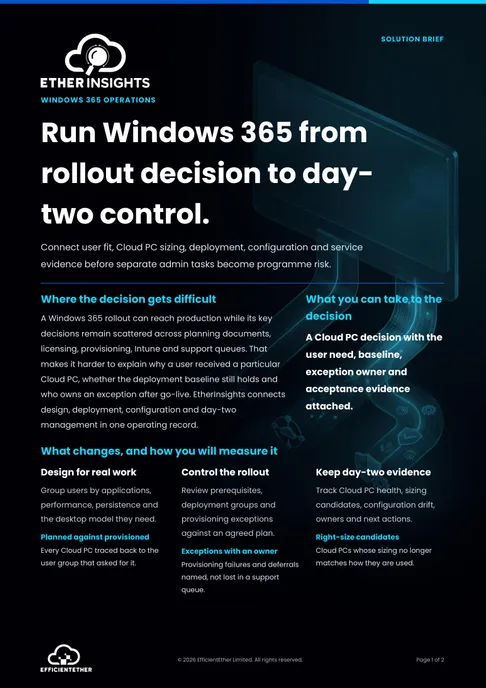
Solution brief
Windows 365 Management Solution Brief
Two pages on this decision: what to measure, who has to sign it off, and what should be true before you commit. Free, and written to be forwarded.
Get the solution briefPricing
One price for the whole platform.
EtherInsights for Windows 365 is an edition of EtherInsights, not a separate licence. The same per-active-user price covers Cloud PC management plus Microsoft 365 and Azure cost, tenant, security, and Intune reporting.
Simple pricing
£0.79per active user
$1 or €1 per active user for USD and EUR billing.
Volume and MSP pricing on request.
- Cloud PC sizing, right-sizing, and cost per user group
- Provisioning, drift detection, and configuration backup
- Intune reporting and Cloud PC troubleshooting
- Licence reclaim and offboarding with owners
- Microsoft 365 and Azure cost management included
- 14-day trial included
FAQ
Questions Windows 365 admins and MSPs ask before they start.
Scope, fit, pricing, and what happens on day one.
Is EtherInsights for Windows 365 a separate product?
No. It is the Windows 365 edition of EtherInsights, the same platform at the same per-active-user price. This page covers what the software does for Cloud PC management specifically; the full platform also covers Microsoft 365 and Azure cost, tenant, security, and Intune reporting.
Does it replace Intune or the Windows 365 admin experience?
No. Intune and the Microsoft 365 admin center still carry out provisioning and policy actions. EtherInsights reads those consoles and the Azure portal, holds one Cloud PC record per user group, and adds the baseline, drift, cost, and evidence layer they do not provide.
How does it compare Windows 365 cost with Azure Virtual Desktop?
It keeps the Azure Virtual Desktop or older VDI baseline on the same record as each Cloud PC user group, so cost per user group is comparable before and after rollout. For a first-pass estimate, use the free Windows 365 TCO calculator.
What does Windows 365 management software cost?
EtherInsights is £0.79, $1, or €1 per active user per month, with volume and MSP pricing on request. The Windows 365 edition is included; there is no separate Cloud PC licence.
Can an MSP manage several customers' Cloud PC estates with it?
Yes. MSPs run every managed tenant through the same Cloud PC review pack: sizing, cost per user group, drift, and evidence, without a spreadsheet per customer. It fits customers running 50 to 600 users best.
What happens on day one of the trial?
Connect the tenant with scoped, read-only Microsoft access. Most teams see their first Cloud PC sizing and cost view within hours. The 14-day trial runs on your own tenant and a card is required to start.
Which Windows 365 licensing does it cover?
Windows 365 Business and Enterprise, plus Windows 365 Flex for shared or non-concurrent Cloud PCs. Sizing, right-sizing, and cost per user group work across all three.
Get started
See your Cloud PC cost per user group in your own tenant.
One record for sizing, cost, provisioning, drift, and evidence across the four admin centres.
Built for MSPs and IT teams running 50 to 600 users per tenant.
Start in minutes with scoped Microsoft access. No new infrastructure to deploy.