
Solution
Microsoft 365 tenant backup and drift, in storage you own.
A bad Conditional Access change and a ransomware operator with admin rights have one thing in common: neither deletes your files first. They rewrite your tenant - policies, targeting, app consent. Microsoft's audit log answers the question of who changed what for around 30 days; native policy snapshots keep 7 days. EtherInsights backs up your tenant configuration - Entra, Intune, Exchange, Teams and five more services - to immutable storage you own (Azure Blob Storage in your subscription, or Impossible Cloud, outside the Microsoft cloud entirely), checks for drift every 6 hours with the actor named, and restores anything from a full policy down to a single setting. Built for IT teams and MSPs managing 50 to 600 users per tenant.
From £0.79 per active user/month · 14-day free trial
Card required to start. Connect your tenant in minutes.
365 days
of configuration history in storage you own, against 7-day native snapshots
6 hours
default drift check cadence against your pinned baseline, with the actor named
1 setting
the smallest restore unit: previewed, typed confirmation, your admin's sign-in
180+ days
every restore first takes a recovery point, kept and protected at least 180 days
Updated 31 August 2026
The market gap
Most backup tools stop where the tenant starts.
Backup products cover virtual machines, mailboxes and files. Native tooling snapshots some policies for 7 days and logs changes for around 30. The configuration layer - Conditional Access, Intune baselines, protection policies, app consent - is usually nobody's backup. That is the layer a broken change or a compromised admin actually rewrites.
| What to check | Native Microsoft tooling | EtherInsights tenant backup |
|---|---|---|
| Snapshot retention | Native configuration snapshots are kept for 7 days | Up to 365 days, in Azure storage you own |
| Who made the change | The audit log holds the answer for around 30 days, and native drift results carry no actor | Actor name, UPN and timestamp stored with each drift result, kept beyond the 30-day window |
| Baseline history | Updating a native baseline deletes its previous drift results | Baseline history is versioned and kept for audit when a pin is updated |
| Alerting | No notification path for native drift results | Email, Teams, Slack and webhook alerts, with quiet hours and dedupe |
| Restore | Detection only: no restore path from a native drift result | Reviewed restore to baseline, down to a single setting, under your admin's sign-in |
| Where the backup lives | Snapshots are held service-side for 7 days | Your own Azure subscription, under a tenant-scoped prefix, with provider-verified immutability |
The problem
It does not delete your files. It rewrites your rules.
Every organisation backs up mail and files. Almost nobody backs up the tenant itself: the Conditional Access rules, Intune baselines and protection policies that decide who gets in and what they can do. When one of those is rewritten there is no recycle bin. You are left rebuilding a policy from screenshots and memory while the helpdesk queue grows and the auditor waits.
A broken change on a Friday
One Conditional Access edit can lock out a department or quietly weaken MFA for everyone. The change looked routine in review; the effect shows up as a helpdesk spike, a wave of failed sign-ins, or an audit finding weeks later.
An admin credential in the wrong hands
A ransomware operator with admin rights does not start with your files. They weaken policy first: exclusions added, detections disabled, consent granted. If the only copy of your configuration lives in the tenant they control, it goes with them.
A 30-day memory
Microsoft's audit log answers the question of who changed what for around 30 days. Questions from auditors, insurers and customers arrive months later. Past the window, there is no answer left to give.
A 7-day snapshot
Native configuration snapshots keep 7 days of history, and updating a baseline deletes its earlier drift results. That is a short grace period, not a recovery position.
What's protected
Nine Microsoft services. Over 40 configuration areas.
Entra ID
Conditional Access, named locations, authentication strengths, role assignments, groups, administrative units, app registrations and enterprise app consent. Secret values are never captured or restored.
Intune
Configuration and compliance policies, Autopilot profiles, app protection, update rings, endpoint security and security baselines, plus the assignment filters and scope tags that do the targeting.
Exchange Online protection
Anti-spam, anti-phishing, anti-malware, mail flow rules, Safe Links and Safe Attachments policies. The mail protection layer, not the mail.
Teams
Tenant configuration and the Teams policy family.
SharePoint and OneDrive
Tenant-level sharing and access settings.
Windows 365
Provisioning policies, user settings and network connections for Cloud PCs.
Defender
Custom indicators and custom detection rules.
Purview
Governance configuration and compliance policy families.
Microsoft 365 admin
Organisation-level report settings.
What this is not
Mail, files and messages are not included. That is content backup, and the tool you already run does it well. This protects the layer that tool never sees: the configuration.
Start here
Know what changed. Prove what did not.
See this working on your own tenant.
How it works
From your tenant to storage you own, and back, one reviewed step at a time.
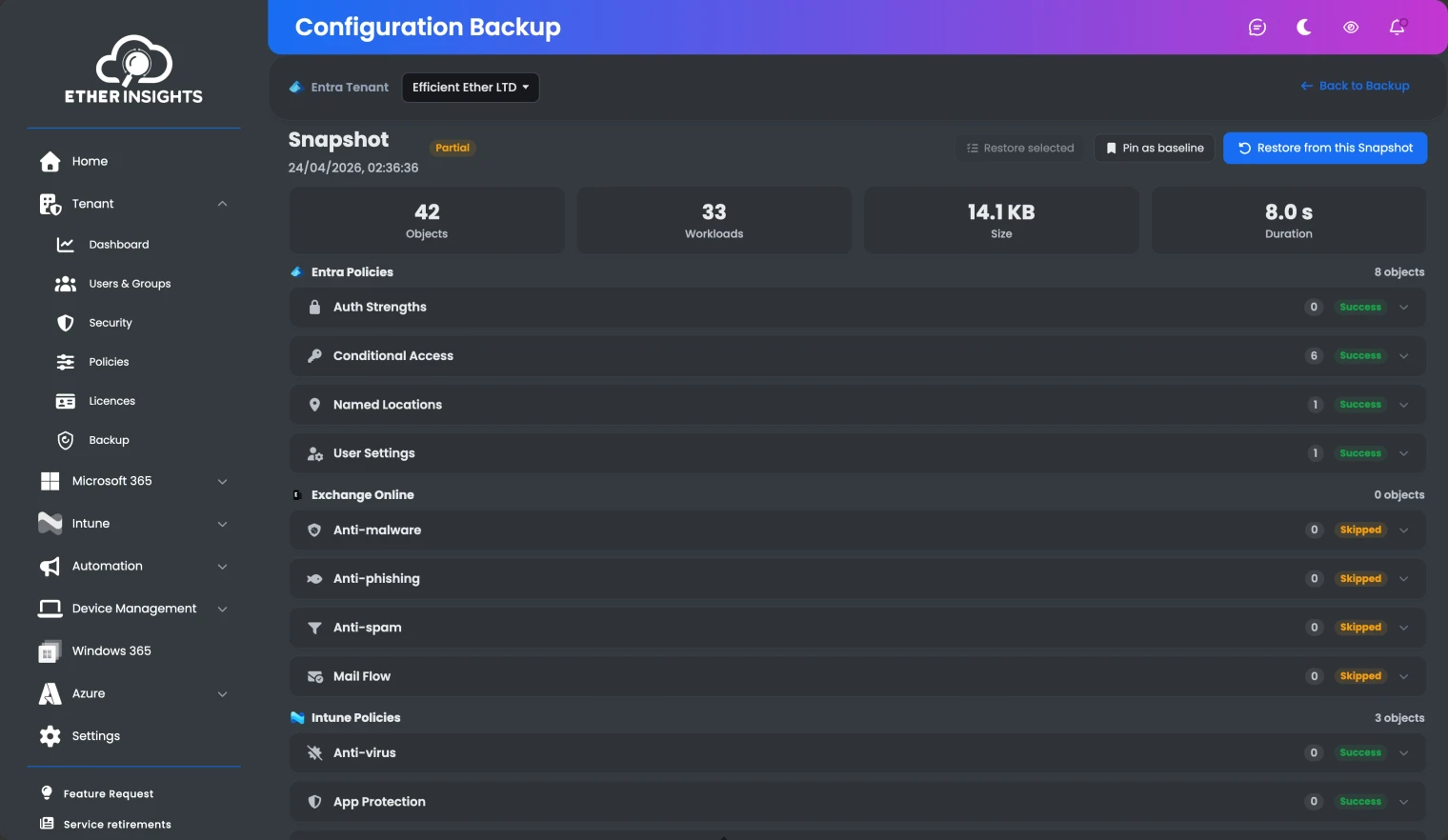
Scheduled backups write each snapshot to immutable storage in your own Azure subscription, or to Impossible Cloud S3-compatible storage with Object Lock. Drift checks run every 6 hours against the baseline you pinned, name the actor from Microsoft audit data, and alert email, Teams, Slack or a webhook. Restore previews every step, requires a typed confirmation, and runs under your own admin's sign-in after an automatic pre-restore recovery point is taken.
Where your backups live
Two storage options, both immutable, both yours.
Own the storage. Verify the immutability. Keep a copy outside the Microsoft cloud if your risk model calls for it. Those are the decision criteria we would apply to any tenant backup, and here is how the two supported locations answer them.
Azure Blob Storage (immutable)
Locked version-level WORM is applied with the original write, so every snapshot version is immutable from the moment it lands, never locked after the fact.
Immutability is verified, not assumed: EtherInsights tries to delete the exact protected version and accepts only Azure's refusal, plus a checksum read-back, as proof.
Your subscription, your storage account, one EtherInsights provisions or one you attach, under a tenant-scoped prefix. Residency and contract stay yours.
Impossible Cloud (immutable, third party)
European S3-compatible object storage, fully supported as a second backup location, with Object Lock COMPLIANCE mode on every snapshot version.
The same delete-probe verification: the check first proves the credential can delete an unlocked control version, then requires the provider's refusal on the protected one.
Keeps your backup outside the Microsoft cloud entirely. If an attacker holds your Microsoft estate, your last good copy sits on a platform they never touched.
Not a one-way decision: moving between the two is copy-and-switch, in both directions. Every recovery point is copied and verified at the destination before the switch, and the source is never deleted.
Solution brief
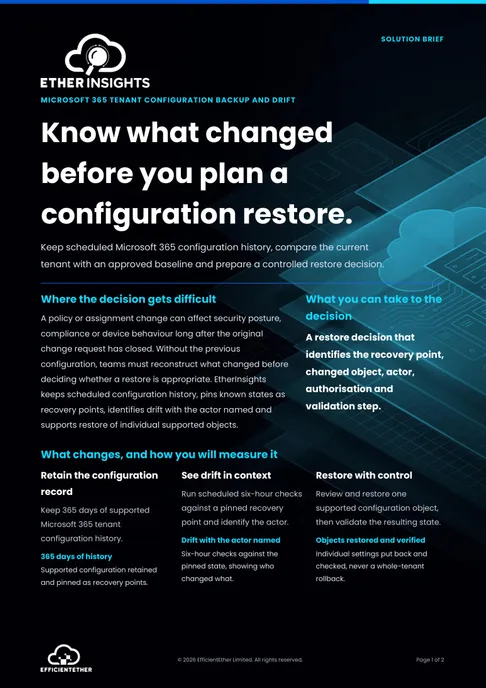
Microsoft 365 Tenant Backup and Drift Solution Brief
Two pages on this decision: what to measure, who has to sign it off, and what should be true before you commit. Free, and written to be forwarded.
Get the solution briefHow we deliver it
One product. Your storage. Your admin's sign-in.
Tenant backup and drift is part of EtherInsights, alongside cost management, Windows 365 lifecycle, security posture and Intune reporting: one operating view at £0.79 per active user, volume pricing on request. Snapshots live in your own subscription under your contract with credentials encrypted, and every restore executes under your admin's delegated sign-in, so Microsoft's audit log names your admin rather than a vendor service.

EtherInsights is the operating view for Microsoft 365, Azure, and Windows 365: day-to-day cost management, licence control, and full Windows 365 Cloud PC lifecycle management, plus tenant, user, security, device, and Intune reporting.
For MSPs
- See backup status and the last run for every customer tenant in the partner console, and pull the same backup health into your own tooling through the read-only backup API.
- Partner-owned immutable storage is in pilot with MSP partners: one storage credential, a dedicated bucket per customer with its own schedule and retention, partner roles for admin, operator and read-only, and recovery that stays deliberately single-customer.
- Bring QBR evidence without rebuilding it: what is protected, when it last ran, what drifted and who changed it, with the same answers for every tenant you manage.
What to look for in tenant configuration backup
Whoever you shortlist, these questions separate a real recovery position from a checkbox. Here is how EtherInsights answers each one.
Who owns the storage?
If a vendor holds your backups, your residency answer and your exit plan belong to them. EtherInsights writes snapshots to your own Azure subscription, or optionally to Impossible Cloud S3-compatible storage, under a tenant-scoped prefix. Moving between providers copies and verifies every recovery point before switching, and never deletes the source.
Is immutability verified, or assumed?
Ask how the product proves a backup cannot be deleted. EtherInsights locks each version at write, using Azure version-level WORM or S3 Object Lock in compliance mode, then attempts to delete the exact protected version and accepts only the provider's immutability rejection plus a checksum read-back as proof. Anything unverified is labelled that way; it is never reported as immutable.
How granular is restore?
A whole-tenant rollback undoes legitimate work. EtherInsights restores down to a single setting of a single policy, previews every planned and skipped step, requires a typed confirmation, and honours Intune multi-admin approval for protected workloads.
Whose name lands in the audit log?
Restores run under your own administrator's delegated sign-in, so Microsoft's audit trail records your admin making the change, not a vendor service principal. Every restore step and its outcome is kept for review.
Will drift tell you who?
Detection without an actor is a mystery, not an answer. Drift results store the actor's name, UPN and timestamp from Microsoft audit data at check time, so the answer survives past the 30-day audit window. Alerts reach email, Teams, Slack or a webhook, with quiet hours and dedupe.
Can the fix itself be undone?
Before any restore writes, an automatic pre-restore recovery point is taken and kept for at least 180 days, immutably protected on strict targets. If it cannot be saved, the restore stops. Nothing is ever reverted silently.
FAQ
Tenant backup questions teams ask.
Short answers for IT teams and MSPs comparing content backup, native tooling, and tenant configuration backup.
What is a Microsoft 365 tenant backup, and how is it different from mailbox backup?
Mailbox and file backup protects content, the things your people made. A tenant configuration backup protects the rules the tenant runs on: Conditional Access, Intune policies, Exchange protection settings, app consent and more, across nine Microsoft services. EtherInsights backs up the configuration layer only; content stays with your existing backup tool. Most incidents that rewrite a tenant touch the layer content backup never sees.
Who owns the backup storage?
You do, and you have two options. Azure Blob Storage in your own subscription is the shipped default: an account EtherInsights provisions or one you attach, under a tenant-scoped prefix with credentials encrypted. Impossible Cloud S3-compatible object storage is fully supported and keeps the copy outside the Microsoft cloud entirely. Either way, data residency and the provider contract stay yours, which also answers the exit question: the data is already in your storage.
How do I know the backups really cannot be deleted?
Strict backups are locked at write with the provider’s own write-once mechanism: Azure version-level WORM or S3 Object Lock in compliance mode. EtherInsights then verifies it by attempting to delete the exact protected version, and accepts only the provider’s specific immutability rejection plus a checksum read-back as proof. The probe is two-sided: it first proves the credential can genuinely delete an unlocked control version, so a refusal on the protected one is evidence of the lock rather than of a missing permission. No user, storage administrator, EtherInsights process or compromised backup credential can remove a protected version before its retention time, and the same check runs whether the snapshot lands in Azure Blob Storage in your own subscription or in Impossible Cloud S3-compatible object storage. Anything EtherInsights cannot verify is labelled unverified; it is never reported as immutable.
What does a restore look like in our audit log?
Like your own admin making a change, because that is what happens. Your administrator signs in, EtherInsights builds the plan, shows every planned and skipped step, and asks for a typed confirmation before executing under that delegated sign-in. Microsoft's audit log records your admin, Intune multi-admin approval is honoured, and EtherInsights keeps its own step-by-step restore history.
What do the drift checks actually cover?
You pin any completed backup snapshot as a named baseline. Checks run every 6 hours by default, down to hourly, across 17 watched areas spanning Entra, Intune, Windows 365, Teams, Defender, SharePoint and Microsoft 365 admin settings. Each item is reported as changed, added or removed, with old and new values side by side and the actor named where Microsoft audit data records one. A check that could not run is never reported as a clean tenant.
How does tenant backup work for MSPs?
Per-customer backup status is in the partner console today, and a read-only API lets you pull backup health into your own dashboards. Partner-owned immutable storage, with one credential, a dedicated bucket, schedule and retention per customer and partner role-based access, is in pilot with MSP partners. Partner roles cover admin, operator and read-only, so a service desk can watch backup health without holding restore rights, and each customer’s snapshots are delete-probed on that customer’s own storage. Recovery stays deliberately single-customer: there is no bulk cross-customer restore. Every restore still runs under that customer’s own delegated admin sign-in, with a typed confirmation and an automatic pre-restore recovery point kept for at least 180 days, so a mistake on one tenant cannot become a mistake across the base. Drift checks run on the same 6-hour default cadence in every customer tenant, with the actor named from Microsoft audit data, so an unplanned change surfaces in the partner console rather than in next month’s review.
What is not covered?
Content, meaning mail, files and messages, is out of scope by design; keep your existing backup for that. Some workloads are backup-only where Microsoft provides no write path, a recreated object gets a new Microsoft ID, and hard-deleted users or groups older than 30 days cannot be truly recreated by any tool, including this one. We would rather you knew that before an incident than during one.
Ask us the delete question.
Bring your hardest scenario: a compromised admin, an auditor's six-month-old question, a broken Conditional Access change. We will walk it through backup, drift and restore on a live tenant. Prefer to see your own estate first? Connect a tenant and take your first snapshot and drift baseline today.
Related solutions
Tenant backup sources and definitions
Related glossary terms
Start here
Know what changed. Prove what did not.
Connect a tenant and take your first configuration snapshot today; the 14-day trial writes to your own storage from the start. Or book a demo and bring the scenario that worries you most, and we will show backup, drift with the actor named, and a single-setting restore end to end. Nothing changes in your tenant until your admin signs in and confirms.
- EtherInsights pricing is public: £0.79 / $1 / €1 per active user, volume pricing on request, 14-day trial.
- Up to 365 days of configuration history in storage you own, against 7-day native snapshots.
- Provider-verified immutability: every strict backup is delete-probed and checksum-verified, never assumed.
- Drift names the actor and keeps the answer beyond the 30-day audit window.
- Restore is granular to a single setting, previewed, confirmed by typing, and signed in by your admin.