Built for developers and ISVs who already compile a working desktop app. Focus on your product, not installer plumbing. The forge_msix CLI from EtherApps Forge turns a build folder into a signed, validated MSIX as a pipeline stage, with no Windows SDK on the agent and without rewriting the script you already run.
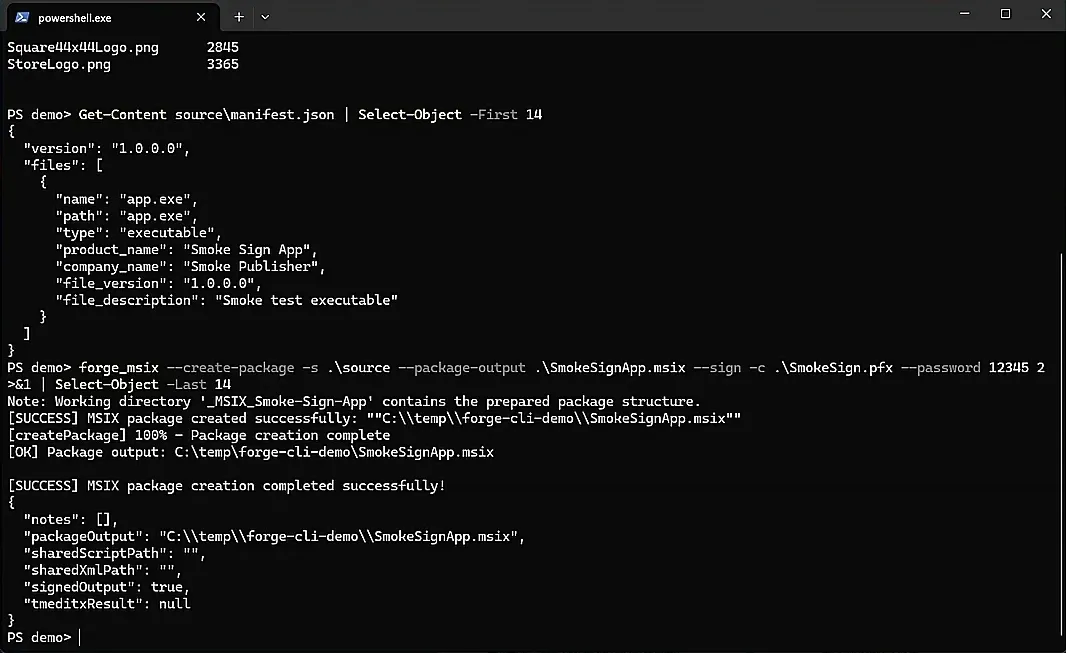
forge_msix turns the build folder into a signed package, in one command.
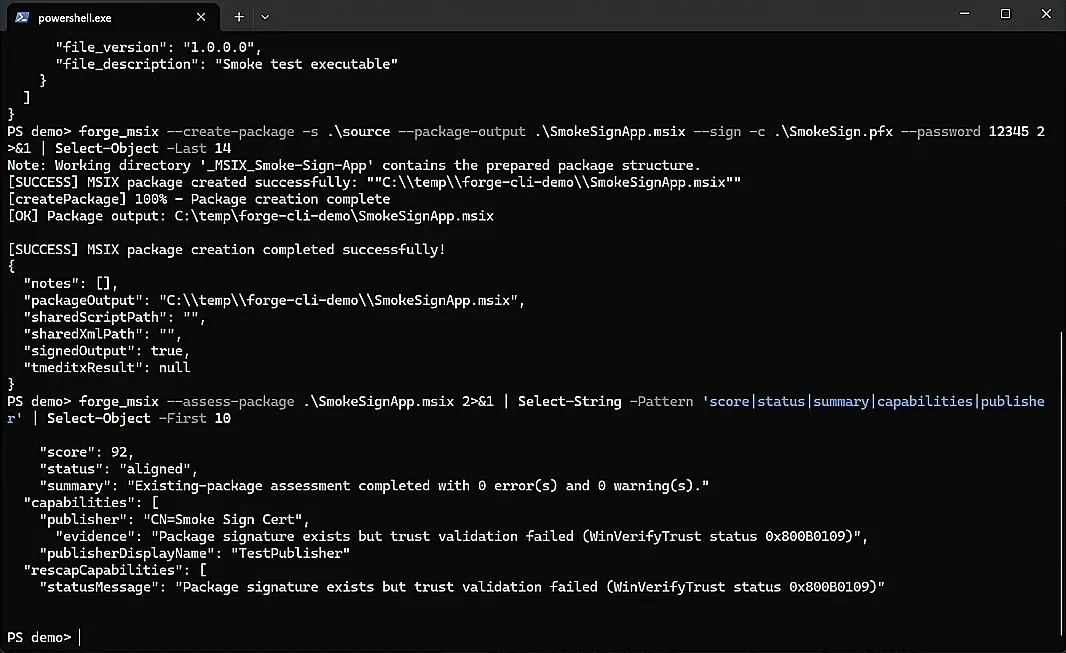
Then it validates the package, and a bad one fails the build.
It runs in the pipeline you already have, with no Windows SDK to install.
Make a signed MSIX part of the build. Try Forge free.
No SDK
the CLI calls the Windows packaging engine directly on the build agent
Licence-free
the makeappx-compatible verbs need no licence at all
One step
create, sign, validate, and smoke-test inside the release pipeline
How it works
Build your MSIX with forge_msix in five steps.
You already have the binaries. These are the steps that turn that build into a signed package your customers can install.
Put forge_msix on the build agent
Copy the CLI folder onto PATH. No Windows SDK install, no version-pinning of SDK tooling across agents. The CLI calls the packaging engine that ships with Windows.
Point it at your published build folder
Start from the folder your CI already produces: executables, dependencies, and any files that belong in the package. There is nothing to capture. The build is the source of truth.
Scaffold the Appx manifest
Run forge_msix prepare against the built executable to scaffold a manifest from its version resources and architecture, or keep a reviewed manifest in source control and pass it in.
Create and sign in one command
Run forge_msix create against the build folder with signing from a certificate store by thumbprint, plus an RFC 3161 timestamp. Publisher identity is aligned to the certificate subject so customers get a stable package identity.
Validate, then ship the signed MSIX
Run forge_msix validate and fail the build on an invalid package. Ship the artefact for direct download, Microsoft Intune or Configuration Manager deployment, or generate an app installer update feed for sideloaded customers.
Pipeline fit
What a release pipeline needs, and where the default tooling stops
Packaging a build as MSIX is not one task. It is manifest, package, sign, validate, test, and publish an update path. Compared by stage rather than by product:
Pipeline stage
Default Windows SDK tooling
forge_msix
Build agent setup
Windows SDK installed and version-pinned on every agent
A copy of the CLI folder on PATH. It calls the packaging engine that ships with Windows
Manifest
Hand-authored and kept in step with the build by hand
Scaffolded from the built executable's version resources, or committed to source control and passed in
Package and sign
Separate tools, signing bolted on after packaging
One command, with the publisher identity aligned to the certificate subject
Fail the build
Exit codes do not separate an invalid package from a failed run
Validation returns a distinct code for analysed-but-invalid, so the gate is unambiguous
Sideload updates
App installer manifest written and maintained by hand
Generated from the signed package's real identity, bundle aware
The problem
Why developers and ISVs still wrestle with MSIX packaging.
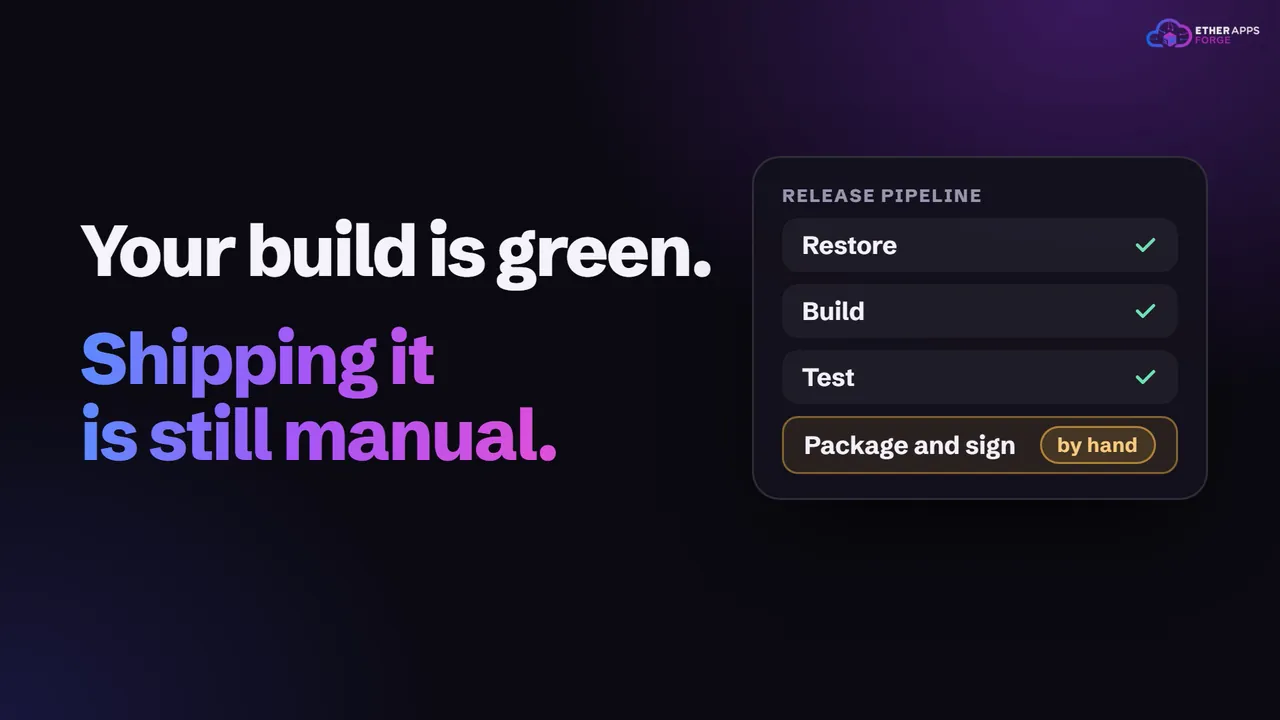
Developers and ISVs are not stuck on the same problem as a migration team. There is no lost installer and nothing to capture: the build already works. The friction is everything after it. MSIX packaging has meant a Windows SDK dependency on the build agent, a signing step bolted on afterwards, certificate handling nobody owns, and no reliable way to fail a build when the package is wrong. Packaging becomes a manual job at release time, which is exactly where mistakes reach customers.
Installer detail eats development time
Independent software vendors and product teams spend too long learning Windows packaging quirks instead of shipping product features. MSIX should be a release step, not a side project.
The build agent carries tooling it should not need
Packaging with the standard tool means installing and version-pinning the Windows SDK on every agent. That is a heavy dependency for one step, and it drifts between agents in a way that only shows up on a release day.
Enterprise buyers ask for a clean package
Customers who deploy with Intune or Configuration Manager often need a signed MSIX before they will buy. If packaging is slow or manual, it becomes a commercial blocker rather than a technical one.
A bad package fails quietly
Without a validation gate that distinguishes an invalid package from a failed run, a broken package can pass through the pipeline and reach a customer, where it fails at install time rather than at build time.
What changes
What changes for developers and ISVs
Drop-in replacement for makeappx
The packaging verbs take the same switches as makeappx.exe, so an existing script keeps working when the binary is swapped. Those verbs are licence-free, so adoption does not start with a procurement conversation, and the engine is the operating system component rather than a reimplementation.
Manifest, package, and signature in one step
Scaffold a manifest from the built executable's version resources and architecture, or keep one in source control so identity, publisher, and capabilities are reviewed like any other file. Then create and sign in a single command, from a certificate store by thumbprint so no password is written into a build definition, with an RFC 3161 timestamp so signatures outlive the certificate.
A build gate you can trust
Schema validation runs as a preflight, and the validation verb returns a distinct exit code for a package that was analysed and found invalid, separate from a run that simply failed. On a release candidate, a smoke test installs the signed package, launches and closes it, uninstalls it, and writes a JSON report.
A faster inner loop and an update feed
During development, register the build output as a loose package instead of repackaging on every rebuild, then validate, launch, and clean up in one pass. For sideloaded distribution, generate an app installer manifest from the signed package's real identity so installed copies update themselves from an HTTPS location.
Scriptable from the command line
Forge MSIX CLI for build pipelines and MSP packaging factories: capture, sign, and produce a deployment-ready MSIX from a single command. No GUI required.
Audited every build
Forge assesses each MSIX against best-practice signals from the same CLI session: capabilities, publisher alignment, visual assets, and trust state.
Start here
Make a signed MSIX an artefact of the build, not a job somebody does at release time.
From build folder to signed MSIX as one pipeline stage.
forge_msix scaffolds a manifest from the built executable, packages and signs in one command, validates the result with a build-failing exit code, and produces a signed MSIX. A short branch publishes an app installer update feed for sideloaded customers. Every stage runs inside the release pipeline you already have.
Build Output
Executables
Dependencies
Package files
Nothing to capture
Build folder
EtherApps Forge forge_msix CLI
Manifest
Package and sign
Validate
Signed MSIX
CI/CD Pipeline
Fails the build if invalid
Signed artefact to ship
App installer update feed
How we deliver it
Product mapping
This route is led by EtherApps Forge, specifically its forge_msix CLI. Forge is a Win32 application you deploy inside your own environment rather than a hosted service, so build artefacts, certificates, and packaging stay within your control and inside your pipeline. If the same organisation also has bought-in software with lost installers, the capture-first route on the MSIX packaging and deployment page covers that half of the estate through the same signing and delivery path.
Where this route fits best
An ISV shipping a Windows desktop product that customers want as a signed MSIX rather than a legacy installer.
A development team already publishing an MSI or setup.exe that needs a cleanly uninstallable format for enterprise customers.
Direct download distribution, where end users install by opening the signed package.
Enterprise deployment through Microsoft Intune or Configuration Manager once the package is signed and validated.
Sideloaded distribution outside a store, with an app installer update feed instead of a manual reinstall.
Replacing makeappx.exe in a CI script that already works, without rewriting the pipeline.
Capture installed Windows applications, reduce packaging unknowns, and produce modern deployment-ready outputs faster.
Is this the same thing as your legacy application capture?
No, and the distinction matters. Capture-first packaging exists for applications whose installer is lost, so the running application becomes the source of truth. This route assumes the opposite: you have a healthy build folder and you want it packaged, signed, and validated as a pipeline step. The two share the same signing, validation, and Intune delivery path at the end, which is why estates with both bought-in and self-built software can use one route for both.
How do I use Forge to build an MSIX from my app?
Put forge_msix on the agent PATH, point it at your published build folder, run forge_msix prepare to scaffold a manifest from the built executable, then forge_msix create with signing from a certificate store by thumbprint. Gate the release with forge_msix validate, and optionally generate an app installer feed for sideloaded updates. The same switches an existing makeappx script already uses continue to work.
Can I integrate forge_msix into my CI/CD pipeline?
Yes. forge_msix is a CLI designed for unattended agents. Run it from Azure DevOps, GitHub Actions, GitLab CI, Jenkins, or any scripted Windows build agent. Packaging, signing, and validation become stages in the same release definition as the rest of your artefacts.
Do we need a licence to use it in our pipeline?
Not for the makeappx-compatible verbs. Packing, unpacking, bundling, unbundling, validating, and resource indexing are licence-free, so forge_msix works as a true drop-in replacement for makeappx.exe with nothing to buy. The value-added workflows, which are creating from a manifest, signing, testing, assessment, certificate management, and the developer registration verbs, require an active EtherApps Forge licence.
Does the build agent need the Windows SDK installed?
No. The CLI calls the Windows packaging API directly, and that engine is an operating system component rather than an SDK dependency, so packages get the same schema enforcement, block map, and layout that makeappx produces. The agent needs Windows 10 version 1709 or later, or Windows 11, on x64. Deployment is a folder you copy and put on PATH, with no installer.
How should we handle code signing in CI?
Sign from a certificate store by thumbprint or subject rather than from a PFX file on disk, so no password is written into a build definition. Add an RFC 3161 timestamp server so signatures stay valid after the certificate expires. Set the publisher in your manifest to the exact certificate subject and leave the publisher mode strict, so a mismatch stops the build rather than quietly changing the identity your customers have already installed.
How do we fail the build when the package is wrong?
Run the validation verb with JSON output and branch on the exit code. It distinguishes an analysed-but-invalid package from an operational failure, which is the difference between a broken package and a broken agent. Keep the switches that allow a build to continue past validation or semantic errors out of release pipelines; they are diagnostic tools for working out why a package will not build, not settings to leave enabled.
Can we still package our own build if it needs container fix-ups?
Yes. Applications written before MSIX often assume behaviour the container does not allow, such as writing next to their own executable or expecting a fixed installation path. Forge stages the Package Support Framework so those cases are corrected with file and registry redirection and working-directory fix-ups, with no change to your source code. For your own software you may prefer to fix the behaviour at source, but the framework means a release is not blocked while you do.
What about updates for customers who sideload rather than use a store?
Generate an app installer manifest from the signed package, which derives the identity from the package itself and is bundle aware. Publish the package and that manifest to an HTTPS location, and installed copies can update themselves from there. That gives sideloaded and enterprise customers an update path without a store listing or a manual reinstall.
Can we fix a package we have already shipped without rebuilding it?
Yes. A package can be extracted into a working directory, edited surgically, validated, and repacked: manifest values, capabilities, payload files, and the package virtual registry can all be changed, and every manifest edit is validated before it is written so a malformed change is rejected rather than saved. Repacking changes the content hash, so the package has to be signed again afterwards.
Why does an MSIX package fail to install with an untrusted certificate error?
The signing certificate is not in the trust store the device actually checks. Import it into the Local Computer Trusted People store, not the current-user store and not Trusted Root: export the signer's certificate, then import it under Cert:\LocalMachine\TrustedPeople with administrator rights, or use "Install Certificate" and choose Local Machine rather than Current User. Never import a self-signed development certificate into Trusted Root Certification Authorities; that store is for CA roots, and adding an untrusted cert there weakens the device's overall trust model rather than just trusting one package.
Should we use the MSIX Packaging Tool or a command-line tool for CI?
The MSIX Packaging Tool is Microsoft's GUI-first path, built for a human stepping through a wizard on one machine. A CI pipeline needs the opposite: no UI to click through, a stable exit code to branch on, and switches that stay identical across every build agent. forge_msix is CLI-first for exactly that reason, so packaging becomes a scripted pipeline stage rather than a manual step someone has to remember to run before each release.
Make a signed MSIX an artefact of the build, not a job somebody does at release time.
Start with the free 7-day EtherApps Forge trial and package one real developer or ISV build end to end, or talk to us about the pipeline you already run and where the packaging step should sit in it.
No credit card. Capture a real application on day one.
Why this route works
The packaging verbs mirror makeappx one for one and need no licence, so a working CI script can adopt Forge by swapping a binary rather than by rewriting a pipeline.
Packaging, signing, validation, and a smoke test are stages in the same tool, so a signed MSIX falls out of the release build alongside every other artefact instead of being assembled by hand at release time.
Validation returns a distinct exit code for an invalid package, so the build gate catches a bad package before a customer does.
Forge is a Win32 application deployed inside your own environment, so build artefacts and signing certificates never leave your pipeline.
We use strictly-necessary cookies to make the site work. With your consent we also use analytics cookies (Google Analytics and Microsoft Clarity) to understand how visitors use the site so we can improve it. We do not run advertising cookies. Cookie policy·Privacy policy