
Solution
Automated MSIX packaging for IT teams with hundreds of apps and no spare packaging headcount.
Microsoft's MSIX Packaging Tool is free and does a clean job on one application at a time. The problem is the other 199. At the four hours of packager time per package our cost calculator uses by default, a 200-app estate is 800 hours, and that number, not the MSIX format, is what sets your Windows 11 migration date. EtherApps Forge automates the repeat work: batch capture from a machine where the app is already installed and working, Package Support Framework fix-ups staged for you, signing inline, and MSIX, IntuneWin, App Attach and MSI out of one capture, each with an evidence report your change board can read. Built for MSPs and IT teams at 50 to 600 users, for the packaging lead who has to clear the queue and for the IT director who has to put a date and a cost in front of the board.
7-day free trial of the full workflow · licences include training and support
No credit card. Capture a real application on day one.
Oct 2025
Windows 10 support ended, so every unpackaged app now blocks the migration
4 formats
MSIX, MSI, IntuneWin, AppAttach from one capture
No installer
capture from a running machine when the media is lost
Updated 1 September 2026
Free tool or automation
When the MSIX Packaging Tool is enough, and when it is not
Microsoft's MSIX Packaging Tool is free, it is good, and for twenty applications with clean installers and a packager who has time it is the right answer. Volume is what changes the decision. Our packaging cost calculator's default is four hours of packager time per manual package, so 200 applications is 800 hours. Here is the honest split, so you can decide which side of it your estate sits on.
| What you are deciding | Microsoft MSIX Packaging Tool | Automated packaging with EtherApps Forge |
|---|---|---|
| Capture effort per app | One application at a time through the wizard, or a scripted run from a saved command line template. Microsoft recommends a clean conversion VM and a revert to checkpoint between packages, so the environment work repeats for every app. | Applications are queued and captured in batches, and capture can run from a machine where the app is already installed and working, so a lost installer does not stop the queue. |
| Fix-up handling | Package Support Framework fix-ups are supported in the tool and configured per package by a packager who already knows what the application needs. | Capture analysis proposes the file, registry and working directory fix-ups per application and stages them into the package. A reviewer changes or rejects them before release. |
| App Attach output | Produces the MSIX. Expanding it into a CIM or VHDX image for App Attach is a separate step with the MSIXMGR tool. | MSIX, App Attach image, IntuneWin and MSI all come from the same capture, so Azure Virtual Desktop and Intune are not two separate runs. |
| Repackaging on vendor updates | Each new vendor build means another conversion. A saved command line template keeps the settings, but the capture runs again from the start. | The saved capture recipe re-runs against the new build with the same fix-ups, signing and outputs, so a monthly vendor update is a re-run rather than a re-project. |
| Evidence for change control | You get the package. The record of what changed, who checked it and what was approved is whatever your team writes down beside it. | Every package carries an evidence report: what was captured, which fix-ups were applied, which route was chosen, who approved it and when. That is the artefact your change board and your auditor ask for. |
| Cost model | Free to download. The cost is packager time, and our calculator’s default for the manual route is four hours per package. | A licence with training and support included, set against the packager hours removed. The same calculator defaults to 30 minutes per package with EtherApps Forge. Try one real application on a 7-day trial, no card needed. |
App-V to MSIX
App-V to MSIX migration: choosing the right method
App-V to MSIX migration means assessing the App-V estate, converting the packages that convert, fixing runtime gaps, then signing, testing, and deploying through Intune. App-V is no longer developed, and App-V server support ended in April 2026, so most estates are planning the move now. Compare the main methods below.
| Method | Best for | Watch-outs |
|---|---|---|
| Manual repackaging | Small estates and one-off packages that need full control | Slow at scale; every package repeats the same hand-built steps |
| MSIX Packaging Tool conversion | App-V 5.1 packages with healthy sources; free Microsoft tooling | App-V 4.x is not supported directly; scripts and runtime fixes still need PSF work |
| Scripted batch conversion | Large App-V 5.1 estates run through command-line template conversions | Needs clean conversion environments and per-package review of failures |
| Capture-first repackaging (EtherApps Forge) | App-V 4.x packages, lost installers, and complex apps that resist direct conversion | Capture runs need a controlled VM and human review before release |
The problem
MSIX stays hard because the blockers sit upstream of the format itself.
The MSIX format is not the hard part. The blockers sit before it. Installer media went missing years ago. MSIX skills are scarce and expensive. Signing and manifest errors do not show until deployment. And each target seems to need its own run: Intune takes MSIX or IntuneWin, Azure Virtual Desktop takes AppAttach, and Windows 365 takes MSIX or IntuneWin, since it does not support AppAttach today. Microsoft's MSIX Packaging Tool is free and works well when you have a clean installer. The backlog is made of the apps where you do not. On the manual route, our cost calculator's default is four hours of packager time per package, and that backlog sets your migration date.
Windows 10 end-of-support has compressed the timeline
Windows 10 support ended in October 2025. Migration programmes that once had three years now have months. Packaging work planned across several waves lands on one wave with little slack.
MSIX packaging skills are in short supply
Experienced packagers are rare and in demand. Training a team from scratch pushes the timeline past the cutover date. That is why AI-guided routes and capture-first workflows matter.
Source material is incomplete
Legacy apps often have no installer, no documentation, and undocumented dependencies. Any MSIX workflow that needs clean installer media does not survive contact with a real estate.
Signing and certificates add MSIX-specific friction
Signing, manifest fix-ups, and modification packages are MSIX problems teams hit late. A pipeline that handles them inline is much faster than one that hands off to external signing tools.
What changes
Outcome blocks
MSIX ready for every modern target
One capture produces signed MSIX for Intune, IntuneWin for the legacy Intune path, MSIX AppAttach for Azure Virtual Desktop, and MSI for legacy targets. Windows 365 delivery uses the MSIX or IntuneWin output.
Signing and certificate handling inline
Signing, manifest fix-ups, and modification packages happen inside the workflow, with customer-managed or Microsoft-trusted certificate chains. No separate signing toolchain.
PSF compatibility fix-ups for legacy apps
Legacy apps often misbehave inside the MSIX container: they write next to their own executable, expect a fixed install path, or read machine registry keys they can no longer reach. Forge stages the Package Support Framework with file and registry redirection and working-directory fix-ups, so the captured app runs without a source-code change.
Developer and ISV packaging from a build folder
Software vendors and in-house teams can ship their own builds as signed MSIX, not just captured legacy apps. The forge_msix CLI is a drop-in replacement for Microsoft's makeappx.exe, so a build folder becomes a signed, validated, smoke-tested package inside an existing CI pipeline.
AI-guided route selection
AI-guided routing picks MSI, MSIX, AppAttach, or IntuneWin per app and suggests dependency and compatibility fixes, so teams without deep MSIX skills keep moving.
Lower programme risk
Fewer packages stuck in manual rework at the end of the wave, and one capture covering several delivery targets instead of a separate pipeline per output.
Start here
Clear the packaging backlog before it sets your migration date.
See this working on your own tenant.
Guides and analysis on this topic
The packaging view
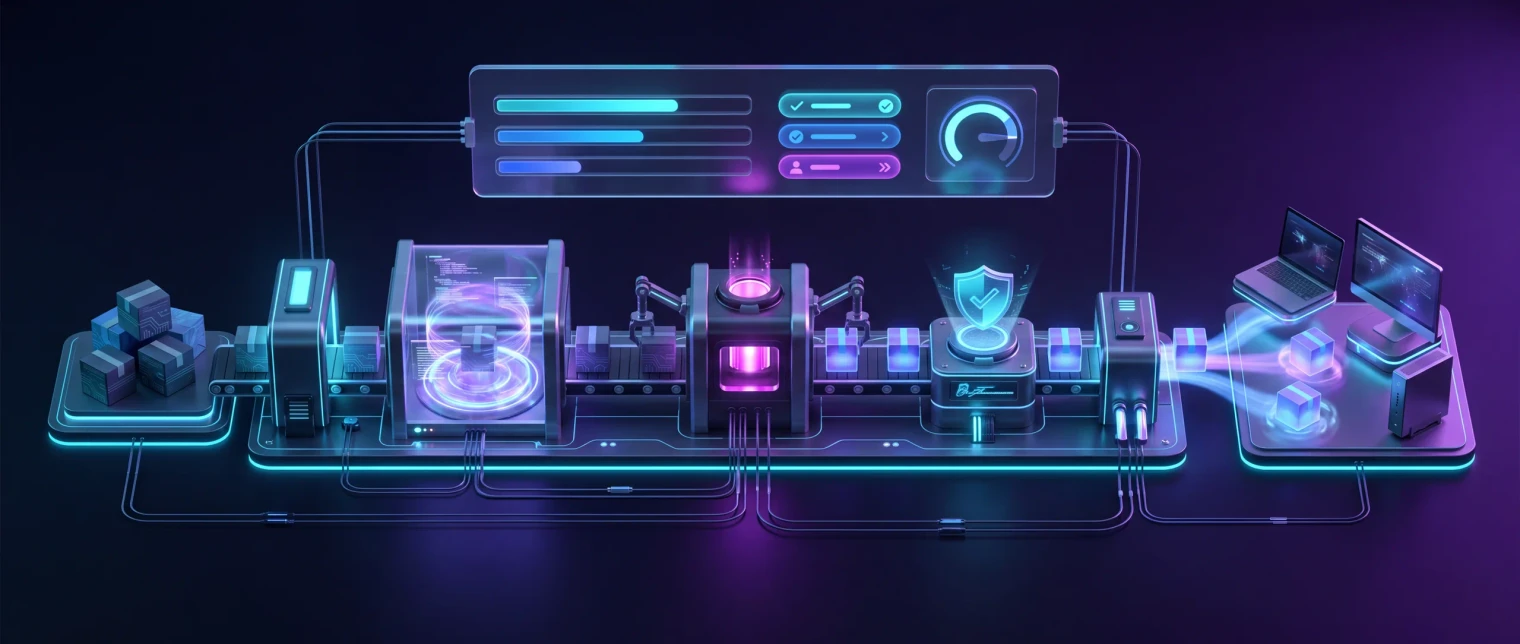
From live application to signed MSIX in one pipeline.
Capture, sign, and apply manifest fix-ups inside EtherApps Forge, then route through a reviewer checkpoint into MSIX for Windows 11 and Intune, AppAttach for Azure Virtual Desktop, IntuneWin for endpoint deployment, or MSI for legacy targets - all from the same capture.
Straight answers
The two questions packaging leads ask first
Why not just use the free MSIX Packaging Tool?
Use it, for the applications it handles well. A clean MSI or EXE, a packager with time, a clean conversion VM and twenty applications is exactly the case Microsoft built it for, and it costs nothing. Volume and the awkward tail change the maths. At four hours of packager time per package, 200 applications is 800 hours, roughly five months of one person doing nothing else, and the tail is where the installer went missing, the vendor no longer exists, or the app only behaves on the machine it was installed on. Automated MSIX packaging is what you buy when the backlog, not the format, is setting your Windows 11 date. It does not replace a packaging team: it removes the repeated capture and environment work and leaves the team the judgement calls and the sign-off.
How long does automated MSIX packaging take per application?
Our packaging cost calculator defaults to 30 minutes per package with EtherApps Forge against a four hour manual baseline, and both defaults are yours to change to match your own team. Most of the elapsed time is unattended, because capture and build run on the VM while you queue the next application. Straightforward apps sit at the low end. Applications that need Package Support Framework fix-ups, a services conversion or a second review pass take longer, and genuinely complex ones still deserve a packager. The number to take to a finance lead is not the per-app minutes, it is the backlog total: put your application count into the free calculator and it returns the hours and the cost on both routes.
How we deliver it
Product mapping
EtherApps Forge leads this route: capture-first MSIX, MSI, IntuneWin, and AppAttach outputs, with signing and AI-guided routing handled inline. Windows 365 does not support AppAttach today, so Cloud PC delivery uses MSIX or IntuneWin. Bring in EtherInsights where the programme also needs Windows 365 cohort design, licensing planning, or migration baselines from Azure Virtual Desktop or legacy VDI alongside the packaging work.

EtherApps Forge captures installed Windows applications from running systems, analyses the real application footprint, supports AI-guided packaging decisions, and produces deployment-ready outputs for modern environments.

EtherInsights is the operating view for Microsoft 365, Azure, and Windows 365: day-to-day cost management, licence control, and full Windows 365 Cloud PC lifecycle management, plus tenant, user, security, device, and Intune reporting.
Where this fits
- Windows 10 end-of-support driven Windows 11 migration: package the existing application estate into MSIX before cutover.
- Azure Virtual Desktop AppAttach rollout: produce AppAttach packages without re-capturing each app. Windows 365 delivery uses MSIX or IntuneWin from the same capture (no AppAttach support today).
- Intune migration off ConfigMgr: convert existing MSI or App-V packages to MSIX for modern Intune deployment, or land via IntuneWin where it fits the estate.
- Sovereign and regulated sector MSIX adoption: UK public sector, EU defence, finance teams moving to signed, modern-delivery app estates.
- MSP packaging-factory operations: repeatable MSIX packaging across multiple customer tenants with consistent signing and AI-guided routing.
- Developer and ISV release pipelines: turn a build folder into a signed, validated MSIX as a CI step, using makeappx-compatible commands that drop into an existing script.
- Parallels RAS application delivery: package a legacy app once into MSIX and deliver it through Parallels RAS's native MSIX and MSIX app attach support, no separate Parallels-specific packaging step.
Manual repackaging vs capture-first with Forge
Same app, same targets, two routes. Microsoft's free tooling still has a place in both. The difference is what happens to the apps it cannot handle.
Today: rebuild the VM, hunt for the installer, sign at the end
Each package starts with a fresh packaging VM and a search for installer media. Signing and manifest errors appear at deployment, so the package goes back for rework. AppAttach and Intune outputs need separate runs. Our calculator's default for this route is four hours of packager time per package.
With Forge: capture once, sign inline, ship four formats
Forge captures the app from a running machine in a controlled VM, applies PSF fix-ups and signing inline, and a reviewer approves the package before release. MSIX, IntuneWin, AppAttach, and MSI come from that one capture, and the next app takes the same route.
FAQ
Questions buyers usually ask before an MSIX packaging trial.
Keep the evaluation grounded in installer-less capture, signing, target-format routing, and how EtherApps Forge sits alongside existing packaging teams.
Why MSIX now, not later?
Windows 10 support ended in October 2025. Intune defaults to modern deployment paths, and Azure Virtual Desktop AppAttach requires MSIX. The migration window has compressed from years into months for most teams, and MSIX is the format that lands across Intune, AVD AppAttach, and modern Cloud PC delivery alongside IntuneWin.
We do not have the original installers. Can EtherApps Forge still produce MSIX?
Yes. Capture-first means no installer media dependency. EtherApps Forge captures the installed application footprint from a live system (files, registry, AppData, services, and dependencies) and produces signed MSIX, MSI, IntuneWin, and AppAttach outputs from one capture. This is the main reason teams pick EtherApps Forge over traditional packaging toolchains for legacy estates.
Can we produce AppAttach and Intune MSIX from one capture?
Yes. One capture produces signed MSIX for Intune, IntuneWin for legacy-path Intune deployment, and MSIX AppAttach for Azure Virtual Desktop. Windows 365 delivery uses MSIX or IntuneWin from the same capture. Windows 365 does not currently support AppAttach, so Cloud PC delivery goes via the MSIX or IntuneWin path.
Does this replace our existing packaging team?
No. AI-guided routing augments the team by closing the MSIX skills gap and suggesting the right path per application, but a human reviewer still signs off on each package. EtherApps Forge works alongside existing packaging workflows rather than replacing packager judgement.
Can App-V packages be converted directly to MSIX?
App-V 5.1 packages can be converted directly with the Microsoft MSIX Packaging Tool, through the interface or the command line for batch runs. App-V 4.x packages are not supported directly; Microsoft recommends converting from the source installer, and where the installer is lost a capture-first repackage from a live installation is the practical route. EtherApps Forge covers that capture-first path with human review before release.
What breaks during App-V to MSIX conversion?
The usual blockers are launch and logoff scripts, runtime behaviours that assumed the App-V client, middleware dependencies, and packages whose source media no longer exists. The Package Support Framework fixes many runtime gaps after conversion, and packages that resist direct conversion can be repackaged capture-first instead. A short assessment pass before migration finds these blockers early.
Do migrated MSIX packages need signing?
Yes. Every MSIX package must be signed with a certificate the estate trusts before Windows will install it, so plan certificate handling as part of the migration workflow rather than an afterthought. EtherApps Forge builds signing into the packaging pipeline, and the same certificate discipline applies to packages converted with Microsoft tooling.
How do I deploy migrated MSIX apps with Intune?
Assign the signed MSIX packages through Intune like any modern Windows app, starting with a pilot ring on representative Windows 11 devices before broad assignment. Keep the App-V package available until the pilot proves the converted app behaves correctly, then retire the old delivery path as each wave completes.
What is the Package Support Framework and when do we need it?
The Package Support Framework is a Microsoft open-source runtime that corrects behaviour applications rely on but cannot perform inside the MSIX container. The common cases are writing files next to the executable, expecting a fixed installation path, or reading machine registry locations the container redirects. EtherApps Forge stages the framework as part of packaging, applying file and registry redirection and working-directory fix-ups, so a captured legacy application runs correctly with no change to its source code.
Can we package our own software builds as MSIX, not just legacy captures?
Yes. The forge_msix CLI is a drop-in replacement for Microsoft's makeappx.exe, calling the same Windows packaging engine, so a build folder becomes a signed, validated MSIX using the switches an existing pipeline already passes. Developers and ISVs can scaffold a manifest from the built executable, create and sign in one step, validate the result, and smoke-test it, all as stages in a release pipeline rather than as a manual step after the build.
What happened to App-V support?
Microsoft moved the App-V client and sequencer to fixed extended support, so they still ship with Windows but receive fixes only, and support for the App-V server components ended in April 2026. Teams already using App-V packages on Azure Virtual Desktop can use App-V app attach without an App-V server, and most estates are using this window to plan a controlled App-V to MSIX migration.
MSIX vs ClickOnce: what is the actual difference?
ClickOnce installs into a per-user profile location with no admin rights and no isolation from the rest of the machine, aimed at self-updating line-of-business apps a developer publishes directly. MSIX installs into a sandboxed container with file and registry virtualisation, a clean uninstall, and Intune/AVD AppAttach delivery built in. ClickOnce suits a small in-house app with its own update channel; MSIX suits estate-wide packaging where IT needs consistent deployment, clean removal, and centralised management.
MSIX vs MSI: what changes for the packaging team?
MSI installs directly onto the machine and modifies shared locations (Program Files, the registry, shared DLLs), so two MSI-installed apps can conflict with each other over time. MSIX containerises each app with its own virtualised file and registry namespace, so installs stay isolated and side-by-side versions and clean uninstalls both become reliable. The trade-off is that some legacy MSI-installed apps rely on writing outside their own container (a shared plugin folder, a fixed install path another app expects), which is exactly what the Package Support Framework's file and registry redirection is built to fix during MSIX packaging.
MSIX vs App-V: which one should a new app packaging project target?
App-V is Microsoft's older application-virtualisation format, now on fixed extended support with server-side support ended April 2026, and it needs its own client or App-V AppAttach on Azure Virtual Desktop to run at all. MSIX is the current Windows packaging format, works natively with Intune deployment and AVD/Windows 365 AppAttach with no separate client, and is what Microsoft's own tooling and MSIX Packaging Tool build toward now. A new packaging project should target MSIX; App-V is a migration-source format at this point, not a target.
What tools can bulk-convert legacy Windows apps to modern packaging formats across an estate?
There is no single button that safely converts a whole estate at once, because each application's dependencies and install behaviour differ. What actually scales is running the same capture-first workflow repeatably: EtherApps Forge captures one running application's real footprint, routes it through AI-guided packaging decisions for signing and manifest fix-ups, and outputs MSIX, MSI, IntuneWin, or AppAttach, then the next application follows the identical path. An estate gets through faster because every app takes the same repeatable route, not because one operation converts them all unattended.
MSIX vs Win32 app format: which should I choose for Intune?
Intune deploys both, so the choice comes down to the application, not a blanket rule. MSIX gives clean uninstall, no leftover files or registry keys, and works with AVD/Windows 365 AppAttach; that makes it the default for anything going through a packaging refresh. A Win32/LOB app stays the right call when an application genuinely cannot be containerised without breaking it and no MSIX fix-up closes the gap. When in doubt, package as MSIX first and fall back to Win32 only for the specific applications that need it, rather than deciding format estate-wide up front.
How do I modernise App-V to MSIX or MSI for apps we deliver through Citrix?
The conversion itself is the same work as any other App-V-to-MSIX migration: Forge captures the running application and produces a signed MSIX or MSI. What changes for a Citrix estate is the delivery step, and it's a native one, not an extra tool: Citrix Virtual Apps and Desktops and Citrix DaaS support MSIX and MSIX app attach directly on session hosts. So the output from a Forge capture goes straight into Citrix's own app-packages feature.
Does Forge's MSIX output work with Parallels RAS?
Yes. Parallels RAS 19 and later natively delivers MSIX packages and MSIX app attach, extended to VDI in 19.1 and to AVD in 19.2. A signed MSIX from Forge imports directly into Parallels RAS's application packages feature, so modernising an App-V or MSI app for a Parallels RAS estate doesn't need a separate packaging route from any other MSIX target.
Do we need a separate MSIX packaging environment or a Hyper-V virtual machine?
Yes, and it should be a clean one. Microsoft's MSIX Packaging Tool expects a clean Windows machine or a Hyper-V virtual machine so the capture does not pick up leftover state from an engineer's daily desktop. EtherApps Forge applies the same principle through a controlled virtual machine inside your own Azure environment: every capture starts from a known-good image, so the package is repeatable and audit-ready rather than shaped by whatever happened to be installed. It also removes the manual rebuild of a packaging VM between applications, which is where most of the elapsed time goes on a Windows 11 packaging backlog.
Not sure which apps will package cleanly?
Pick one awkward legacy app and run it through the 7-day trial. No card, and you keep the signed package. If you would rather size the whole backlog first, the free calculator takes five inputs.
MSIX packaging and deployment sources
Reviewed 26 August 2026.
Related solutions
Related glossary terms
Start here
Clear the packaging backlog before it sets your migration date.
Put your app count into the free cost calculator, run one real application through a 7-day EtherApps Forge trial with no card needed, or get a packaging plan for your estate that walks through capture-first MSIX, signing, and AppAttach routing.
- One capture produces MSIX, IntuneWin, AppAttach for AVD, and MSI in one workflow, not separate runs per target.
- Signing, manifest fix-ups, and modification packages are handled inline, so the pipeline never hands off to an external signing toolchain mid-process.
- AI-guided routing closes the MSIX skills gap without removing the human reviewer, so your team keeps control and evidence of each decision.
- Every EtherApps Forge licence includes training and support, so the skills gap closes on your side too.