
Solution
Assess, assign, and track Microsoft 365 security baselines in one operating view.
Run a repeatable Microsoft 365 tenant security assessment, pin overlay baselines, and keep Secure Score, Copilot readiness, Zero Trust coverage, and drift visible between reviews. Built for IT leaders, Microsoft admins, security leads, and MSPs who need conformity evidence without rebuilding it each audit cycle.
From £0.79 per active user/month · 14-day free trial
Card required to start. Connect your tenant in minutes.
4 frameworks
Microsoft Security Baselines, CISA SCuBA, NSA CISS, Zero Trust
Drift-tracked
between assessments, not rebuilt each audit cycle
One pack
of conformity evidence for governance, audit, and MSP customer reviews

The problem
Conformity work stays fragmented because the evidence never sits in one place.
Secure Score, Copilot readiness, Zero Trust pillar coverage, and overlay conformity against Microsoft Security Baselines, CISA SCuBA, and NSA CISS are spread across separate admin centres, exports, and spreadsheets. Users and groups, risky identities, and offboarding work sit in another pane again. Teams struggle to prove conformity, and drift between assessment and remediation is rarely visible before an audit, an incident, or a customer review.
Admin surfaces are fragmented
Entra, Intune, Defender, Purview, and the Microsoft 365 admin centre each hold part of the posture picture, so no single pane shows how the tenant stands against published baselines.
Conformity is run in spreadsheets
Teams rebuild the same baseline mappings, Secure Score exports, and Zero Trust scoring in spreadsheets every review, so evidence is slow to produce and hard to trust.
Security and operations use different evidence
Security teams report against frameworks while operations teams act on tickets, so remediation decisions drift away from the same baseline both sides are meant to share.
What changes
Outcome blocks
Tenant security baseline
Run a repeatable Microsoft 365 tenant assessment against Microsoft Security Baselines, CISA SCuBA, NSA CISS, and product-level overlays for Edge, Microsoft 365 Apps, Windows 11, Windows 10, and Windows 365.
Zero Trust and Copilot coverage
Score Zero Trust pillars, track Secure Score over time, and check Copilot readiness before rollout so posture work happens before deployment, not after.
Owner-backed remediation and reporting
Turn assessment findings, overlay gaps, and risky identities into named actions with evidence that holds up in governance reviews, audits, and MSP customer reports.
Start here
Move from fragmented admin centres to a repeatable Microsoft 365 security baseline.
See this working on your own tenant.
The conformity view
Baselines, overlays, and drift in one operating record.
Tenant posture scored across Secure Score, Zero Trust pillars, baseline conformity, and overlay coverage (CISA SCuBA / NSA CISS), flowing into drift detection and on to a remediation proposal and pinned baseline.
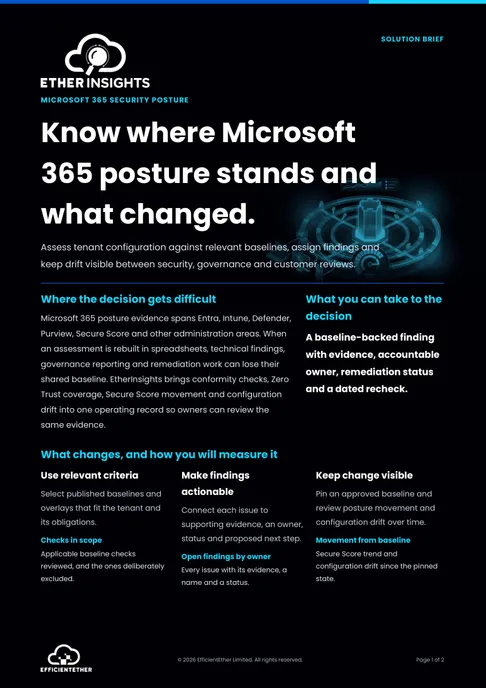
Solution brief
Microsoft 365 Security Posture Solution Brief
Two pages on this decision: what to measure, who has to sign it off, and what should be true before you commit. Free, and written to be forwarded.
Get the solution briefVideo walkthrough
See conformity evidence.
A focused walkthrough of Microsoft cloud security posture, conformity evidence, and readiness signals in EtherInsights.
- Assess posture evidence across the Microsoft estate.
- Share the record with governance, audit, and MSP teams.
- Move baseline evidence into remediation planning.
How we deliver it
Product mapping
This route is led by EtherInsights for tenant assessment, overlay catalogue coverage, Secure Score and Copilot readiness tracking, Zero Trust pillar scoring, users and groups management, risky identities, offboarding control, and drift detection against the pinned baseline. The same evidence supports governance reporting, MSP customer conversations, and remediation planning.

EtherInsights is the operating view for Microsoft 365, Azure, and Windows 365: day-to-day cost management, licence control, and full Windows 365 Cloud PC lifecycle management, plus tenant, user, security, device, and Intune reporting.
Where this fits
- Assigning Microsoft Security Baselines, CISA SCuBA, and Zero Trust overlays to a tenant and tracking conformity against each one.
- Checking Copilot readiness across identity, data, and device posture before a Microsoft 365 Copilot rollout.
- Producing monthly or quarterly conformity reports for MSP customer reviews without rebuilding the evidence each cycle.
- Controlling risky identities, users and groups changes, and offboarding with clearer audit evidence.
- Preparing auditor-ready conformity evidence against published Microsoft and third-party security baselines.
FAQ
Common Microsoft 365 security and conformity questions
What teams ask before rolling this out across a tenant or an MSP customer base.
What is CISA SCuBA and does it apply to us?
CISA's Secure Cloud Business Applications (SCuBA) project publishes minimum viable secure configuration baselines for Microsoft 365 and Google Workspace, built for US federal agencies but published openly and widely adopted as a reference baseline by other organisations. If your estate runs Microsoft 365, the SCuBA baselines are a usable, independently published conformity target regardless of sector, and EtherInsights scores your tenant against them alongside Microsoft's own Security Baselines.
How is this different from Microsoft Secure Score alone?
Secure Score is one input, not the whole picture. It scores Microsoft's own recommendations but does not check conformity against CISA SCuBA or NSA CISS overlays, does not track drift between review cycles, and does not turn a finding into an owner-assigned remediation task with evidence attached. EtherInsights keeps Secure Score in the same operating view alongside baseline conformity, Zero Trust pillar coverage, and drift detection, so a score becomes a tracked action rather than a number that goes stale.
Can this run across MSP customer tenants?
Yes. Conformity reporting is built for repeat use across a customer base, producing the same baseline, overlay, and drift evidence per tenant rather than a one-off assessment format that has to be rebuilt manually for every review.
How often should conformity be reassessed?
Baselines and overlays do not change often, but tenant configuration does, through new licences, changed conditional access policies, app registrations, and admin changes. A monthly or quarterly reassessment catches drift before it becomes an audit finding; EtherInsights tracks drift continuously between formal review cycles rather than only at the point of a scheduled report.
Does this replace a penetration test or external audit?
No. Baseline and overlay conformity scoring is a continuous configuration-assurance layer, not a substitute for independent penetration testing or a formal external audit. It is designed to make those exercises faster and cheaper by having current, evidenced conformity data ready before the auditor asks for it.
What is Microsoft 365 tenant configuration drift, and how do I detect it?
Configuration drift is when a tenant's actual settings quietly diverge from the policy or baseline that was originally approved, across Entra, Exchange, Teams, Intune, Defender, and Purview. It builds up through one-off admin changes, partial rollbacks, and settings that get touched during troubleshooting and never get reset. Microsoft's own Unified Tenant Configuration Management APIs (UTCM, in beta on Microsoft Graph since early 2026) are the first native way to baseline a tenant's configuration and monitor it for drift across workloads through one API surface, rather than relying on separate PowerShell scripts per service. EtherInsights tracks configuration drift against your own baseline continuously, so a change is caught and evidenced when it happens rather than at the next scheduled review.
Is there a tool that helps improve our Microsoft 365 tenant security score, not just report it?
Improving a security score means turning findings into completed changes, not just reading a number. EtherInsights keeps Microsoft Secure Score in the same operating view as baseline conformity (CISA SCuBA, Microsoft Security Baselines) and drift detection, and turns each gap into an owner-assigned action with evidence, so score improvement is tracked as work getting done rather than a dashboard that goes stale between reviews.
Security and conformity sources
The frameworks this page scores a Microsoft 365 tenant against, for teams who want to read the primary guidance.
Related solutions
Related glossary terms
Start here
Move from fragmented admin centres to a repeatable Microsoft 365 security baseline.
Start with a focused Microsoft 365 security assessment, pin the overlay baselines that matter, and keep Secure Score, Zero Trust coverage, and drift visible between reviews.
- Tenant posture, overlay conformity, and Zero Trust scoring visible in one operating view rather than across separate admin centres.
- Faster translation from assessment findings into owner-led remediation, with drift detection between reviews.
- Consistent conformity evidence for internal governance, audit preparation, and MSP customer reporting cycles.