
A lot of migration advice published in the run-up to April 2026 said App-V was ending. That was not quite right, and the difference matters if you are planning work on the strength of it.
What reached end of support was the App-V server infrastructure. The client and the Sequencer did not. They moved to extended support in November 2024 and continue on the Windows servicing timeline.
If you rebuilt your roadmap around "App-V is dead in April", it is worth re-reading what you actually committed to. The work may still be the right work. The urgency attached to it probably was not.
What actually reached end of support
The date is 14 April 2026, and it applies to a specific list.
Under Microsoft's fixed lifecycle policy, that day retired the Microsoft Desktop Optimization Pack generation of tooling. Application Virtualization Hosting for Windows Desktops is on it, alongside BitLocker Administration and Monitoring, the Diagnostics and Recovery Toolset, User Experience Virtualization and Advanced Group Policy Management. In App-V terms, "hosting" means the management server, the publishing server and the reporting server, plus the databases behind them.
The client and the Sequencer are handled separately, and Microsoft's App-V support policy is explicit about it. They have moved to fixed extended support and are no longer deprecated. There is no new end of support date for them.
Two details explain why the client outlives the servers. The App-V client has shipped inside Windows Enterprise and Windows Education since Windows 10 version 1607, so it is a Windows feature you enable rather than a separate product you install. The Sequencer moved into the Windows Assessment and Deployment Kit. Both now follow the Windows servicing timeline.
Extended support means Microsoft continues to ship the feature as part of Windows and continues to issue bug and security fixes, but will not accept design changes or new features. Not abandoned. Not being developed either.
What this means in practice
Two different situations, often confused.
If you run the full App-V infrastructure, with management, publishing and reporting servers, that is the part with a real deadline behind it. Running unsupported server infrastructure that brokers application delivery is a genuine risk, and that migration is not optional.
If you deliver App-V packages without those servers, through Intune, Configuration Manager, or scripts against the client, your position is considerably more comfortable than the headlines suggested. The client is supported. You have time to plan properly.
Most estates I see are the second case and think they are the first.
You can settle it in a minute on any device that runs the packages:
Get-AppvPublishingServer | Select-Object Name, Url
Get-AppvClientPackage -All | Select-Object Name, Version, PackageId
If the first command returns a publishing server pointing at an internal URL, you have server infrastructure in the delivery path and a dated piece of work on your hands. If it returns nothing while the second command lists packages, those packages were added and published locally by Configuration Manager, an Intune script or a task sequence, and no server is involved at all.
Run it across a representative sample rather than one machine. Estates that grew over a decade are rarely consistent, and it is common to find one business unit still pointed at a publishing server everyone else stopped using years ago.
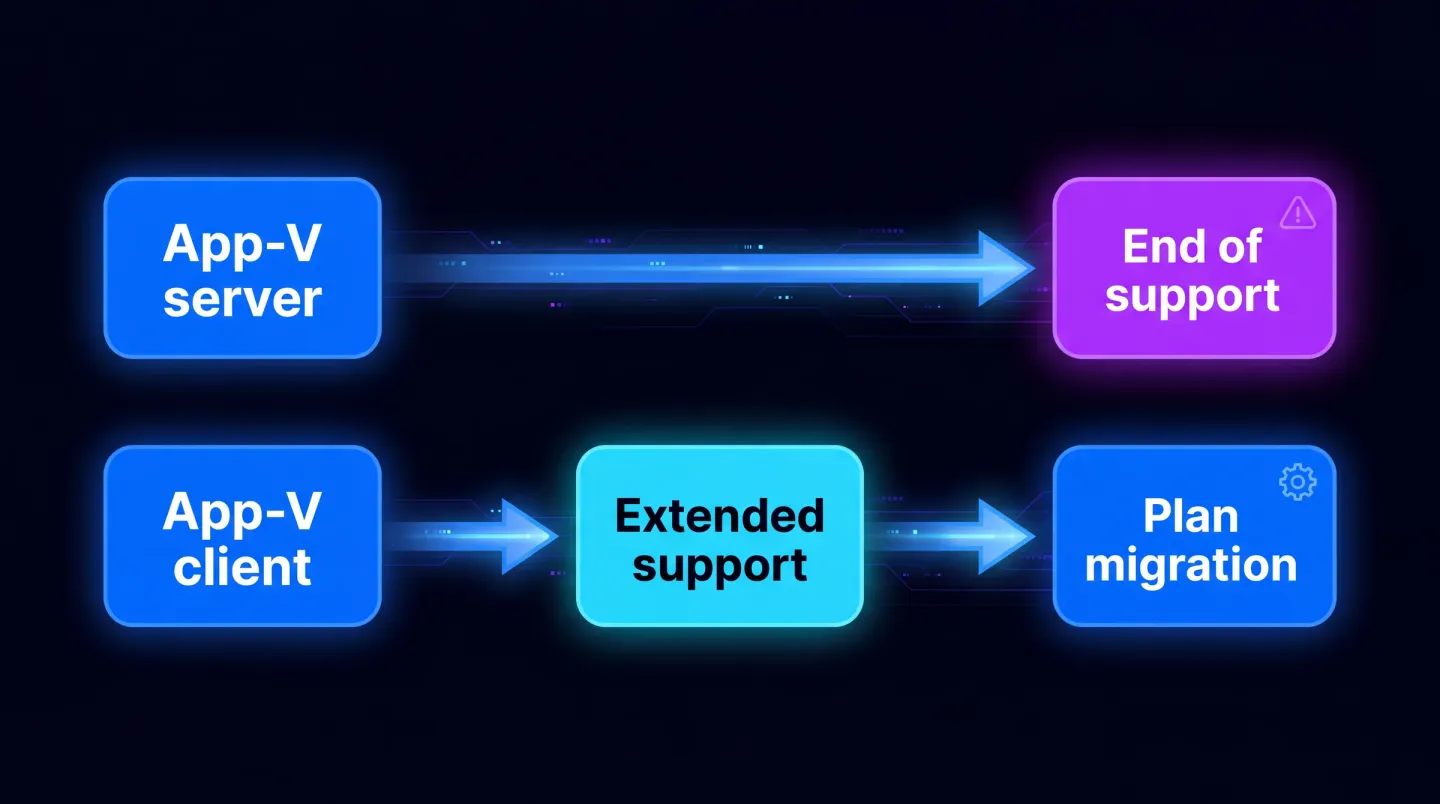
Two very different positions, and the check that tells you which one you are in.
Why this got overstated
Partly honest confusion between "App-V server" and "App-V". Partly because a deadline makes a more compelling reason to start a project than "this is gradually becoming legacy".
The unfortunate side effect is that some organisations rushed conversions they were not ready for, which produced packages that work in testing and generate support tickets in production. A rushed migration of a difficult application is worse than a planned one six months later.
It also costs credibility internally. Ask for budget against a deadline that turns out not to apply to your estate, and the next application project you propose starts from a worse position than this one did.
What is actually true
- The server components reached end of support. Migrate off them.
- The client and Sequencer are in extended support. They are not going to stop working on a specific date.
- Extended support is not a strategy. It is time to execute one.
- App-V is not receiving new investment. Everything new is happening around MSIX and App Attach.
- App-V app attach is a supported way to keep running existing App-V packages on Azure Virtual Desktop without standing up an App-V server of your own, which is a genuine option while you plan the rest.
What extended support does not buy you is worth stating plainly. It does not mean the format keeps pace with the platform. It does not mean an application vendor will still help you when you report a fault from inside a virtual environment. And it does not mean your packagers will still know how to sequence in three years, because the people who did it well tend to move towards the formats being invested in. That last one is the constraint that bites first in most estates, and no support policy fixes it.
The correct reading is not "no rush". It is "you have enough time to do this properly, so do it properly".
Planning without the panic
The useful sequence is the same one that applies to any application estate migration, and it starts with knowing what you have.
Inventory what is actually in use. App-V estates accumulate packages that nobody has launched in two years. Every one of those you migrate is wasted effort. Usage data first, then decisions. If you have no usage telemetry, publishing and launch events on the client will separate the live from the archived well enough to work with.
Sort by destination, not by age. Some packages become MSIX. Some are better as MSI or PowerShell App Deployment Toolkit packages. Some should be retired. Some are candidates for App Attach in a virtual desktop estate. Deciding this per application, up front, prevents the pattern where everything is forced towards MSIX and a third of it fights back.
The criteria that usually settle it, in the order they tend to apply:
- Does anyone still launch it? Retiring beats converting every time, and it is the only route with no test burden.
- Does the vendor still ship an installer? Package the current version from source rather than converting a package built from a release four versions behind.
- Does it install a driver or a system service, or write machine-wide locations other applications read? That is an MSI or PSADT job, not an MSIX one.
- Is it only ever used inside a virtual desktop estate? App Attach may be a better destination than per-device installation, and native MSIX versus App Attach sets out the trade-off.
- Is it a clean App-V 5.1 package in daily use? That is the fastest conversion available and the right shape for your first pass.
Convert the easy ones first, to build the pipeline. Not the hardest one to prove it can be done. You want a working process, a signing configuration that behaves, and a test ring that actually catches things, before you meet the awkward cases.
Expect specific things to break. App-V and MSIX handle environment variables, shortcuts, scripts and file type associations differently, and those differences are where conversion effort actually lands. App-V to MSIX migration covers what tends to go wrong and why, and legacy to MSIX conversion covers the container behaviours that surface afterwards.
Keep the App-V package until the replacement is proven in production. Not until it passes testing. Until real users have used it for a fortnight. Keep a working sequencing environment for a while too, because the week you tear it down is the week you find one more package that needs a rebuild.
The one thing worth doing now
Establish which of the two situations you are in. If you are running the server infrastructure, that has a real deadline attached and should be scheduled properly. If you are not, you have been handed time, and the best use of it is inventory and sorting rather than a rush of conversions.
Either way, the work that pays off is the same: know what you have, know what each one should become, and convert deliberately. A team that spends a fortnight on inventory and routing usually finishes the whole estate faster than one that started converting on day one, because it never has to rebuild the packages it should not have made.
Where EtherApps Forge fits
EtherApps Forge captures applications, including from older environments and older Windows versions, decides the packaging route, and produces MSIX, MSI, PSADT or Intune-ready output from the same capture. The routing decision is the part that matters here, because the mistake in most App-V migrations is not the conversion itself. It is converting things that should have been retired, and forcing things into MSIX that belonged somewhere else.
EtherApps Forge is a Windows desktop application with a free 7-day trial, not a hosted service, so captures and outputs stay inside your own environment. Our legacy apps route covers the discovery and remediation side, application modernisation and migration covers the planning, and MSIX packaging and deployment covers signing, validation and delivery once a package exists.
Explore legacy application modernisation
Start with the inventory and the routing decision, and the conversions become the easy part.