

A strong monthly Microsoft 365 report is not a data export. It is a short, repeatable pack that answers the only question a customer really asks between renewals: what are we paying you for? For an MSP, that pack should cover six things every month, for every customer:
- the licence position and any waste reclaimed this month;
- security posture and how it moved;
- device and update health;
- incident and request trends;
- the direction of Microsoft 365 and Azure spend; and
- the actions committed for next month, each with an owner.
Send that same shape every month and the value of the managed service becomes visible on a page, rather than assumed. Monthly beats quarterly because value fades from memory in ninety days: a problem surfaced for the first time at a quarterly review reads as a surprise, while the same finding shown the month it appeared and closed the month after reads as a service working. Monthly cadence also means the renewal is never the first time a customer sees the evidence.
Why monthly reporting retains customers
Churn in managed services is rarely about a single outage. It is a slow erosion of perceived value, where the work you do is invisible because nothing broke. Monthly reporting is the cheapest retention tool an MSP has: it makes routine, preventative work legible.
Two commercial jobs sit inside that pack. The first is renewal defence. When a customer can see, month after month, that licences were reclaimed, posture improved, and risks were closed, the renewal is a formality rather than a negotiation. The second is upsell evidence. A monthly pack naturally surfaces the next piece of work: a security gap worth a project, a batch of dormant licences worth a plan review, an application that generates much of the ticket volume. Those findings are the front door to chargeable work, and land better as a routine observation than a sales push. This is the reporting discipline behind Microsoft 365 estate management for MSPs, where per-customer evidence is the service, not a by-product of it.
The six sections of a strong monthly pack
Keep the pack to six sections, in the same order every month, so a customer learns where to look. For each, include the movement since last month, not just the current state, because movement is what proves the service is working.
1. Licence position and reclaim actions. Show purchased against assigned against active seats, and the specific reclaim actions taken this month: seats freed from leavers, dormant licences removed, duplicated allocations tidied. Where you reclaimed spend, state the direction in pounds so finance can see it. The trap to avoid is inventing a headline saving figure to look impressive. Report only what you actually reclaimed this month, tied to named actions, and let the running total build credibility. For the method behind finding those seats, see how to find unused Microsoft 365 licences.
2. Security posture movement. Report where posture sits and, more importantly, how it moved. Microsoft Secure Score, in the Defender portal, is a measurement of an organisation's security posture where a higher number reflects more recommended actions taken, and it keeps a historical trend so month-on-month movement is easy to show. Pair the number with the human story: which recommended actions you completed, and which remain. The trap to avoid is reporting the raw score with no narrative, which tells a customer nothing. Changes take roughly 24 to 48 hours to reflect in the score, so time your snapshot consistently each month.
3. Device and update health. Summarise compliance and update posture across managed devices: how many are compliant with policy, how many are behind on updates, and how that changed. The trap to avoid is a raw device inventory: the customer wants to know that most are compliant, the exceptions are named, and the gap is shrinking.
4. Incident and request trends. Show ticket volume and, crucially, the trend and the repeat offenders. If one application drives a disproportionate share of tickets, name it, because that is an insight, not just a metric. The trap to avoid is reporting raw ticket counts as a badge of activity. A high number closed is not inherently good; a falling number of repeat issues is.
5. Microsoft 365 estate changes. Report what changed in the tenant configuration this month: new admins, policy changes, sharing changes, and any drift from the agreed baseline. This catches quiet configuration creep before it becomes an incident or an audit finding. The trap to avoid is only reporting when something breaks. Baseline and drift are worth showing every month precisely because a stable month is itself a result worth stating.
6. Agreed next actions with owners. Close every pack with a short, ordered list of what happens next month, each with a named owner and outcome. This turns the report from a backward-looking summary into a plan the customer has agreed to. The trap to avoid is a vague wish list with no owner, which nobody acts on.
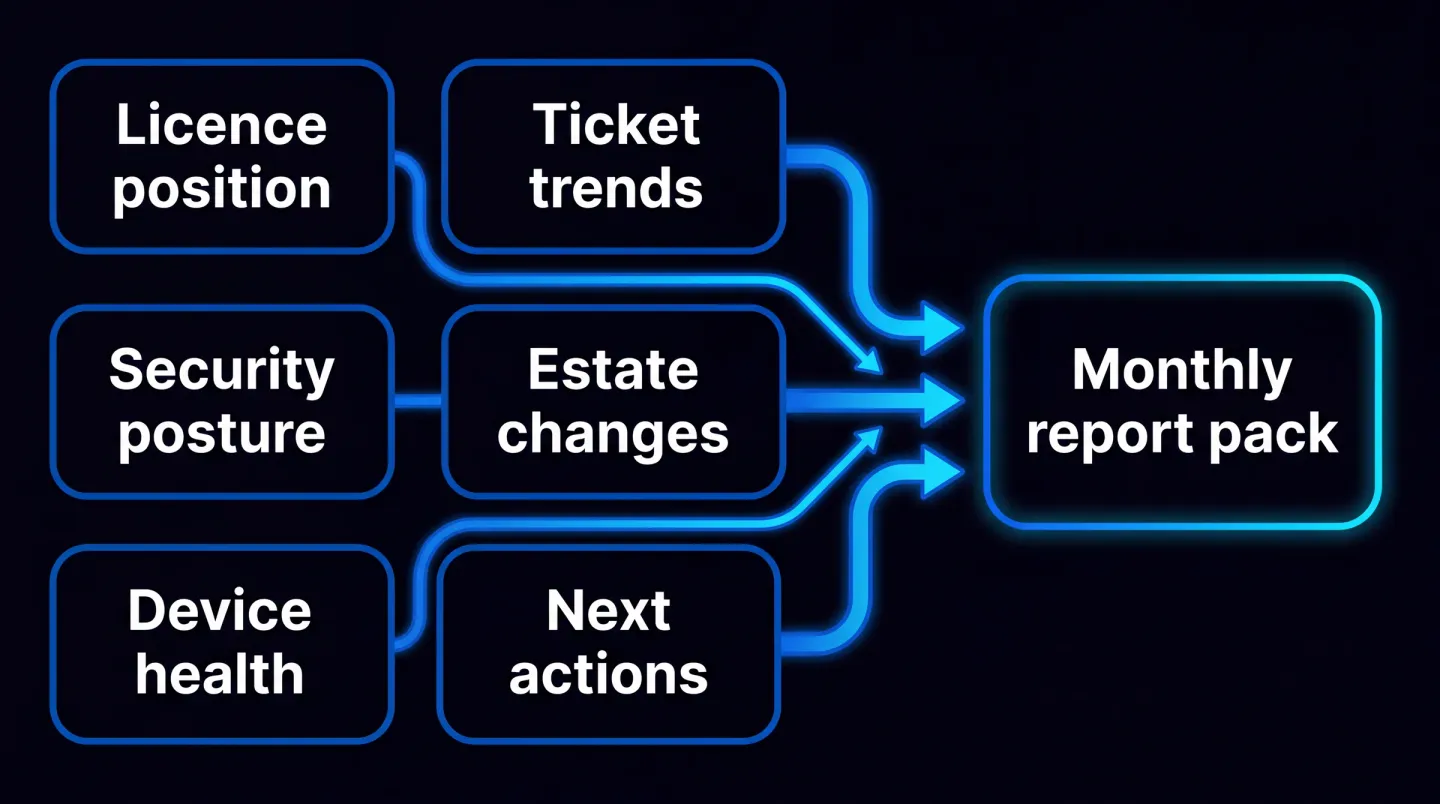
Six sections, one repeatable monthly customer report.
Keep it repeatable, or it will not get sent
Most MSPs report quarterly not because quarterly is better, but because monthly assembly by hand is too expensive, so it slips. The fix is to design the pack so it costs almost nothing to produce after the first one.
Three habits make it repeatable. Use the same six-section structure every month so no one rebuilds the layout. Schedule the reporting so the pack is generated on a fixed day, not whenever someone finds time. And filter by customer from a single multi-tenant view, so one query produces every customer's pack rather than a fresh manual export per tenant. The same discipline that makes a monthly pack repeatable is what makes a Copilot readiness assessment for MSPs repeatable across tenants: a fixed evidence shape, produced the same way every time. On the licence side, wiring the reclaim loop into a defined process, as in Microsoft 365 licence management and offboarding, keeps section one populated with real actions rather than a static count.
What not to put in the pack
Two things kill a monthly report. The first is the raw data dump: a fifty-page export nobody reads, which signals volume instead of insight and trains the customer to ignore the report. The second is vanity metrics: numbers that only ever go up and prove nothing, such as total tickets handled, total logins, or a headline uptime figure with no context. If a metric cannot change a decision or show a trend that matters, it does not belong in the pack.
A worked example month
Picture a fifty-seat customer in a single month. Section one: four leaver seats reclaimed and three dormant licences removed, with the pounds freed added to a running total. Section two: Secure Score up a few points after a conditional access policy and two recommended actions closed, with one high-value action still open and flagged. Section three: device compliance improved after an update push, with the remaining non-compliant devices named. Section four: tickets down overall, but one legacy application still generating a large share, which becomes a recommendation. Section five: one new global admin added, correctly, and no unexpected drift. Section six: three committed actions with named owners for next month. That is one page of movement, not fifty pages of data, and it makes the next renewal an easy conversation.
Frequently asked questions
What should an MSP report to clients every month? A short pack covering six things: the licence position and any waste reclaimed that month, security posture and how it moved, device and update health, incident and request trends with any repeat offenders, changes and drift in the Microsoft 365 estate, and the agreed actions for next month with named owners. Keep the same structure every month so movement is easy to read before the renewal conversation.
How is monthly reporting different from a QBR? A quarterly business review is a periodic, strategic conversation about direction, budget, and roadmap. A monthly pack is a lightweight, operational proof of value that keeps the relationship warm between those reviews. A monthly cadence means value is never more than thirty days old, so the QBR builds on evidence the customer has already seen rather than presenting it cold, and the monthly packs become the raw material for the review itself.
How do MSPs report across many tenants without manual work? By standardising the report shape and producing it from a single multi-tenant view with customer-level filtering, rather than exporting from each customer's portal by hand. When every pack comes from the same query on a scheduled day, monthly reporting stops being a time cost that scales with customer count and becomes a fixed, repeatable process.
What metrics prove Microsoft 365 value? The ones that show movement and tie to money or risk: licences reclaimed and spend direction, security posture movement such as Secure Score trend and completed recommended actions, device compliance and update posture, falling repeat incidents, and controlled estate change against a baseline. A metric proves value when it can change a decision or evidence a risk closed; a number that only ever rises does not.
Where EtherInsights fits
Producing this pack for one or two customers by hand is manageable. Producing it every month, for every customer in a managed base, is where it becomes a platform job. EtherInsights is the Microsoft 365 reporting tool built for exactly that: multi-tenant reporting with customer-level filtering, so each customer's pack follows the same structure and can be scheduled rather than assembled by hand.
Across the managed base it turns cost, licence, security posture, device, and tenant baseline signals into per-customer evidence, so section one carries real reclaim actions in pounds, section two carries Secure Score movement, and the estate section carries drift against a baseline. Because one view holds every customer's evidence, the monthly packs also become the QBR evidence. You bring the customer relationship and the service brand; the platform keeps the monthly proof consistent underneath.
Explore Microsoft 365 management for MSPs to see how per-customer reporting turns a monthly value pack into a repeatable service line rather than a manual chore.