
Microsoft repriced Microsoft 365 on 1 July 2026. Most of the commentary covered the increase. The more useful story, and the one that can save you money rather than cost it, is that Microsoft also moved what sits inside the plans. Several capabilities that used to require a paid add-on are now included in E3. If you bought those add-ons before July, there is a reasonable chance you are paying twice.
This is a licence review worth doing once, deliberately, rather than at renewal when there is no time to act on it.
The part everyone reported
Prices went up across most enterprise plans, with the F1 and F3 plans rising most steeply in percentage terms. Two plans were left out of the increase: Microsoft 365 Business Premium and Office 365 E1. Microsoft also introduced a new top tier above E5.
The Business Premium exclusion matters more than it looks. If you run Business Premium for one company and E3 for another, the comparison you made when you last chose between them may no longer give the same answer. We walked through it in Business Premium vs E3 vs E5.
I am deliberately not publishing per-seat figures here. List prices vary by region, agreement type and channel, and the number on your invoice depends on your enrolment rather than on a public page. Your reseller or the Microsoft 365 admin centre will give you the figure that applies to you, under Billing then Your products, which shows each subscription, its quantity and its renewal date.
The price change is the least interesting part of this anyway.
The part that matters
The plan contents moved at the same time. Capabilities that previously sat behind separate purchases came into E3, while others stayed exclusive to E5.
Things that came into E3 include Microsoft Defender for Office 365 Plan 1, Remote Help, Advanced Analytics, and Intune Plan 2. That last one is the expensive misunderstanding. Intune Plan 2 was commonly bought as part of an add-on bundle. If you already licensed it that way and you are on E3, you may now be paying for something your base licence includes.
Know what those names cover, because the value is in the capability rather than the label. Remote Help is the audited assisted-session tool for helpdesk staff. Advanced Analytics carries device health and performance reporting plus device query, including querying many devices at once. The Intune Plan 2 capabilities include Microsoft Tunnel for mobile application management, firmware over-the-air updates, and specialty device management for shared, meeting-room and headset-class hardware.
Things that did not move into E3 include Endpoint Privilege Management, Cloud PKI and Enterprise App Management. Those sit with E5, or remain a separate purchase if your base plan is E3. This is the second trap, in the opposite direction: assuming the July change was broader than it was and cancelling an add-on that is still carrying a capability you depend on.
One timing detail catches people out. Tenants were provisioned in stages, with a notice period before each one changed, so what you see today can lag the announcement. An early check that came back "not there yet" is not a permanent answer. Health then Message centre is where your tenant's own notice lands.
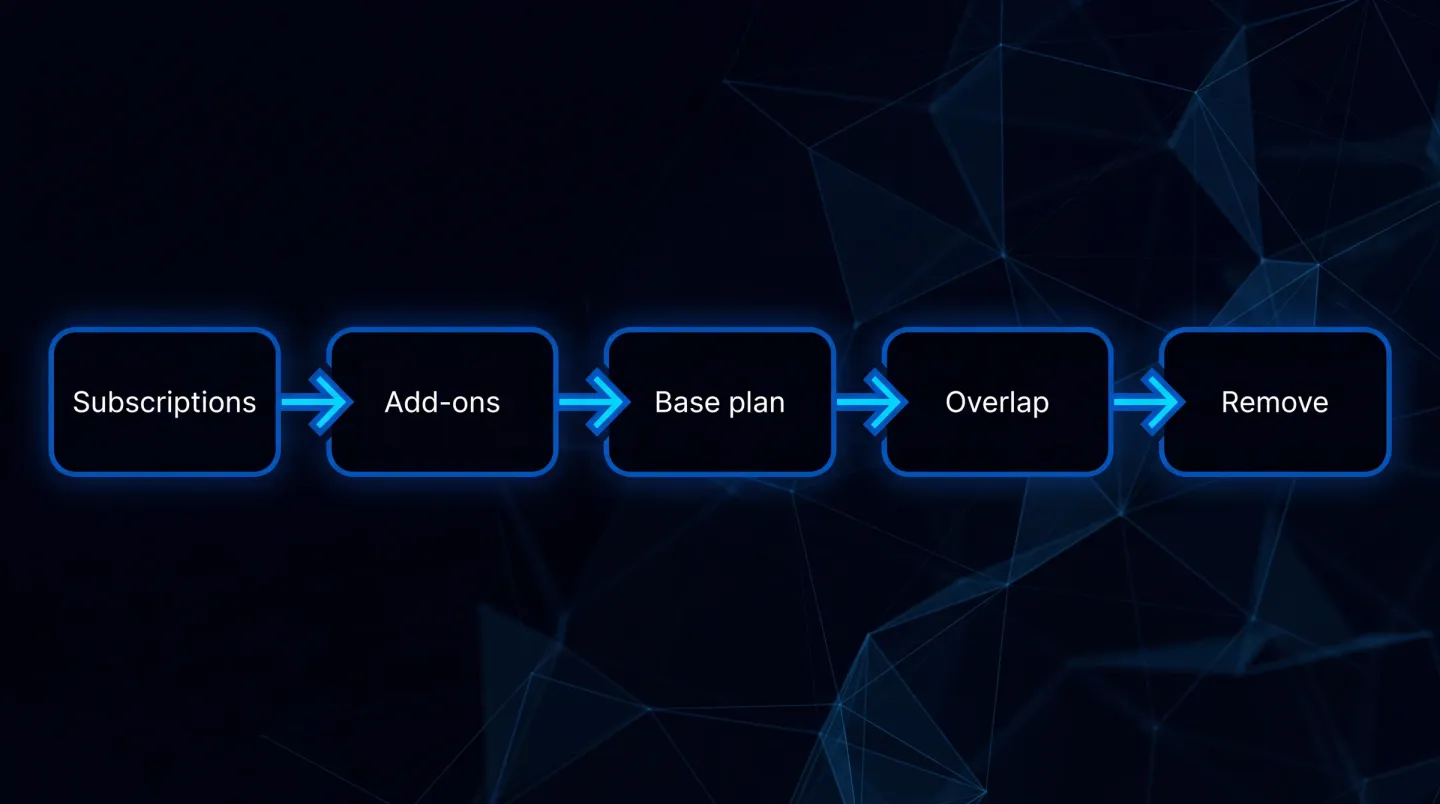
Three outcomes, and only one of them ends in a cancellation.
Several widely-read third-party summaries have this split wrong in one direction or the other. Check it against Microsoft's own service description rather than a blog post, including this one.
The question to actually ask
Not "did our price go up". It did, and there is nothing to do about that until renewal. The question is this:
Are we still paying for an add-on whose capability is now inside our base plan?
That is answerable in an afternoon, and it is the only part with money attached.
How to check it properly
Start from what you own, not from what you think you bought.
1. List your current subscriptions and counts. The admin centre shows what is assigned rather than what is deployed, which is the first place the numbers diverge. Billing then Licences gives you assigned against available per product. Pull the whole list, including add-ons bought mid-term, because those are the ones nobody remembers.
Microsoft Graph PowerShell gives you the same list in a form you can keep.
Connect-MgGraph -Scopes "Organization.Read.All","User.Read.All"
Get-MgSubscribedSku |
  Select-Object SkuPartNumber, ConsumedUnits, @{n='Purchased';e={$_.PrepaidUnits.Enabled}} |
  Sort-Object SkuPartNumber
2. Map each add-on to the capability it was bought for. Not to its product name. Somebody bought it to solve a specific problem, and the name may no longer describe where that capability lives.
3. Check each capability against your current base plan. If the base plan now includes it, you have a candidate for removal. If it does not, leave it alone.
The reliable way to answer this is to read the service plans inside the SKU rather than trust the marketing name. Take the part number for your base plan from the previous output and expand it.
$sku = Get-MgSubscribedSku | Where-Object SkuPartNumber -eq 'SPE_E3'
$sku.ServicePlans |
  Select-Object ServicePlanName, ProvisioningStatus |
  Sort-Object ServicePlanName
Service plan names are not always intuitive. What matters is whether the plan appears at all, and whether its status is enabled rather than pending. A capability that is listed but still provisioning is not yet something you can rely on.
4. Confirm the capability is genuinely equivalent before cancelling anything. Plan 1 and Plan 2 versions of the same product are not the same, and "included" sometimes means a reduced feature set. This is where a licence review turns from saving money into causing an incident. The test that settles it: name the specific thing your team does with that capability today, then confirm that exact thing still works on the base plan.
5. Check assignment before you cut seat counts. A licence that is assigned but unused is a different problem from one that is genuinely surplus, and the two have different fixes. We covered finding those in how to find unused Microsoft 365 licences.
What a finished answer looks like
At the end of the afternoon you should have one row per add-on, each ending in a decision rather than a question.
| Add-on you hold | Bought to deliver | Where it sits after July 2026 | Action |
|---|---|---|---|
| Intune Plan 2 | Tunnel for MAM, specialty devices, firmware updates | In E3 and E5 | Candidate for removal |
| Remote Help | Audited assisted sessions | In E3 and E5 | Candidate for removal |
| Advanced Analytics | Device health, performance, device query | In E3 and E5 | Candidate for removal |
| Endpoint Privilege Management | Standard users without local admin rights | With E5, separate purchase on E3 | Keep on E3 |
| Cloud PKI | Certificates without on-premises PKI | With E5, separate purchase on E3 | Keep on E3 |
| Enterprise App Management | App discovery, packaging and patching in Intune | With E5, separate purchase on E3 | Keep on E3 |
Where this usually goes wrong
The failure mode is not missing a saving. It is cancelling something that was quietly load-bearing.
Endpoint Privilege Management is the clearest example. Once deployed, it is holding up a standing-user-as-non-admin policy. Cancelling it because "Intune stuff is in E3 now" removes a control a Cyber Essentials or ISO assessor will ask about, and the gap will not be obvious until someone tests it. If you are working towards either standard, keep the control mapping in Microsoft 365, Cyber Essentials and ISO 27001 open while you decide.
The second failure mode is commercial. Add-ons bought mid-term often carry their own renewal date, and reducing a quantity is not always possible until that date arrives. Finding the overlap in August and discovering you cannot act until March is still useful, as long as you write down the date and the intended change while the reasoning is fresh.
The safe order is: confirm what the capability does in your estate, confirm the replacement is equivalent, then change the licence. Never the reverse.
Doing this at scale
For a single tenant, the process above is a spreadsheet and an afternoon. Across many tenants it stops being practical by hand: the add-on history differs per customer, and the review has to be repeatable the next time the plan contents move. That is closer to a reporting problem than a licensing one, which is the argument in what MSPs should report monthly and the shape of our Microsoft 365 for MSPs route. Entitlement drift is one of the waste sources in Microsoft 365 cost optimisation, alongside dormant licences and storage growth.
Where EtherInsights fits
That is the case EtherInsights is built for: reading what is actually assigned and used across the estate rather than what somebody believes was bought, so the licence conversation starts from evidence. Our Microsoft 365 licence management and offboarding route covers the wider picture, and reduce Microsoft 365 and Azure costs covers where else the money goes.
The part worth automating is not the decision. It is the evidence underneath: which subscriptions exist, which seats are assigned, which have signed in recently, and which add-ons now overlap the base plan. Once that refreshes on its own, the review becomes a conversation rather than a project.
The short version
The July 2026 change moved capability between plans as well as moving prices. The price is fixed until your renewal. The overlap is not, and it is worth an afternoon now rather than a surprise at renewal.
Check what your base plan includes today, compare it against the add-ons you are still paying for, and confirm equivalence before you cancel anything.
Explore Microsoft 365 licence management
Start from what the tenant reports rather than what the invoice says, and the rest follows quickly.